











Save money, launch faster, and scale smarter — StoreEngine is #1.
If you’re a small business owner, every pound counts towards your eCommerce website. You need an eCommerce solution that’s affordable today, doesn’t blow your budget on add-ons tomorrow, and still scales as sales grow.
This guide walks you through the best low-cost, high-value eCommerce platforms and tools for 2026 — tested, compared, and ranked with real small-business needs in mind, including options for free trials.
Quick TL;DR — Best affordable eCommerce picks (one-line)
From your criteria of “save money, launch faster, scale smarter”, here is how I’d rank:
- StoreEngine — if you’re already on WordPress or comfortable with it, this likely gives the best all‑in‑one value (you avoid juggling many plugins).
- WooCommerce — if you want maximum control, plan to do content/SEO heavy marketing, and are okay investing time/maintenance.
- Shopify or Wix — if you prefer minimal setup and want to launch quickly without fuss. Choose Shopify for more commerce‑first, Wix for budget/visual‑first.
- BigCommerce — if you plan for growth now and anticipate upgrading/trading upwards soon, maybe less “minimum cost” at the very start, but good long‑term value if growth is part of your plan.
- Squarespace — for creative/small catalogue stores where design and brand matter more than massive commerce complexity.
Why “affordable” is different in 2026
“Affordable” isn’t only the monthly fee. For small businesses, it means:
- Total cost of ownership: software + hosting + transaction fees + extensions/apps.
- Time cost: how long to launch and how many hours you’ll spend managing the store.
- Growth friction: whether upgrading requires a migration or just a plan bump.
This guide compares those hidden costs so you can pick a platform that truly saves money — not just one with a cheap price tag.
How do I evaluate platforms?
I focused on factors that matter to small businesses:
- Upfront & ongoing costs (software, hosting, core extensions/apps)
- Built-in features (checkout, taxes, shipping, coupons, analytics)
- Ease of launch (technical skill required, setup time)
- Scalability and vendor lock-in risk
- Extension/app costs and ecosystem health are crucial for maintaining a robust eCommerce software experience.
Where possible, I referenced official product pages and recent expert roundups to ensure recommendations reflect the 2025–2026 landscape.
Quick comparison — pick a platform at a glance
|
Platform |
Type (Hosted vs Self‑hosted) |
Entry‑level cost* |
Ongoing key cost drivers (“hidden costs”) |
Built‑in vs extensibility / major strengths |
Scale & upgrade considerations/vendor lock‑in risk |
|
StoreEngine |
Self‑hosted (WordPress plugin) solutions offer greater customization options for those with the technical knowledge to implement them. |
The core plugin often is free/low-cost. It is a “complete e‑commerce solution” with digital & physical + subscriptions built in. |
Hosting (you provide via WordPress), theme & performance tweaks; fewer third‑party plugins = fewer extension costs; |
All‑in‑one: native subscriptions, memberships, affiliate tracking, licensing built‑in. |
Because you’re on WordPress + plugin, you retain control and can migrate. But the ecosystem is smaller, and you’ll need to handle hosting/maintenance yourself. |
|
WooCommerce |
Self‑hosted (WordPress plugin) |
The core plugin is free. You’ll still need hosting, a theme, and paid extensions. |
Hosting/SSL/backups, security, paid extensions for subscriptions, multi‑currency, etc, time cost higher for setup & maintenance. |
Maximum flexibility — full WordPress ecosystem, SEO/ content integration is strong. |
Good for customisation and control, but if you outgrow your infrastructure or mix many plugins, complexity and maintenance may increase. |
|
Shopify |
Hosted (SaaS) |
From ~US $19/month (or equivalent) for the base plan. |
App marketplace costs often add up, including transaction fees if you use a third‑party payment gateway, design/theme costs. |
Very fast to launch, minimal tech setup, strong app ecosystem, multichannel selling built‑in. |
Excellent for scaling (hosted, reliable infrastructure), but app cost + vendor‑lock‑in (migration cost) must be counted. |
|
BigCommerce |
Hosted (SaaS) |
From ~US $29/month at entry level in many markets. |
Although fewer apps may be required (many features built‑in), if you exceed sales thresholds you may be forced into a higher plan; may still need customisations. |
Strong built‑in functionality (SEO, multichannel, no transaction fees sometimes) making it “growth ready”. |
Good for growing businesses; may be overkill for micro‑businesses. Learning curve may be steeper. |
|
Squarespace Commerce |
Hosted / Website builder with e‑commerce features |
Plans start roughly US $16–30/month for basic website; full e‑commerce plans from ~$26‑40/month (or more) depending on region. |
Transaction fees on lower tiers; fewer advanced e‑commerce features (versus full platforms); may require extending for some functionality. |
Beautiful templates, strong design focus, and ease of use for creative/small‑catalog stores make it ideal for e-commerce. |
Low barrier to entry; but if your store grows complex you may hit limits. Migration away may be harder than self‑hosted options. |
|
Wix eCommerce |
Hosted (Website builder + e‑commerce) |
Entry e‑commerce plan ~US $27–34/month in 2025 (region dependent). |
Storage/product limits on lower tiers, add‑on apps, may have transaction/processing fees, design migration limitations. |
Very easy drag‑and‑drop, good for beginners/small product catalog, visually oriented brands. |
Ideal for start‑ups or very small stores. If you scale large inventory, advanced shipping, global multi‑currency — might need to upgrade or migrate. |
In-depth: Top affordable eCommerce solutions for small businesses (2026)
1. StoreEngine — Best all-in-one WordPress eCommerce for small businesses
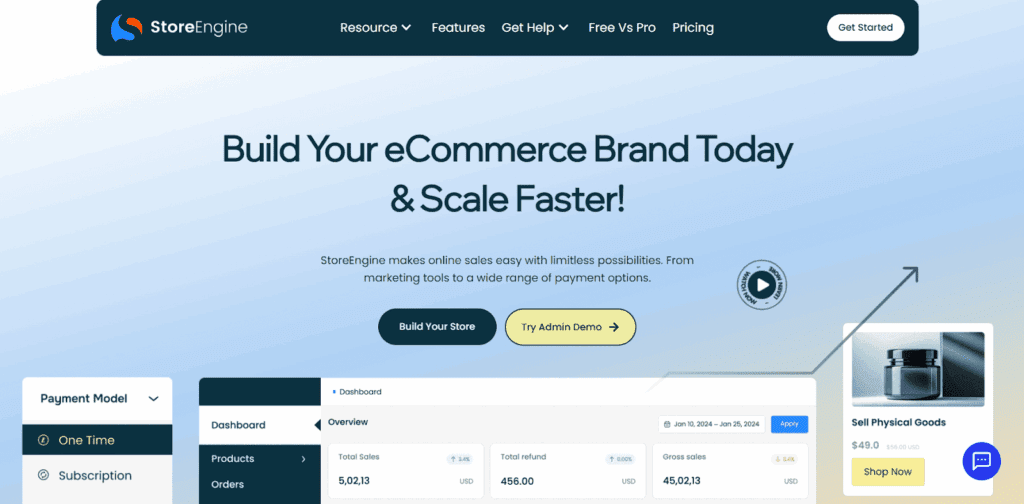
StoreEngine has quickly become the go-to choice for small businesses looking for an affordable yet high-performance eCommerce solution. Instead of relying on 10–15 plugins like WooCommerce stores normally do.
Unlike traditional setups that require multiple plugins (cart, checkout, analytics, subscriptions, product blocks, speed optimization), StoreEngine combines everything into one plugin.
It removes the usual complexity of WooCommerce while keeping full flexibility for physical, digital, and subscription-based stores. With StoreEngine, small businesses get enterprise-grade performance without enterprise-level costs.
Why it stands out in 2026:
StoreEngine’s modern design, super-fast checkout experience, AI-friendly product setup, and built-in subscription engine make it ideal for growing businesses who want lower costs and fewer tools.
Key features:
- The ability to integrate with various payment processing systems enhances functionality.
- Native checkout, cart, subscriptions & memberships
- Product types: physical, digital, license keys
- Coupons, affiliates, and simple analytics built in
- Lightweight performance focus (fewer conflicting extensions)
Pros:
- All-in-one functionality reduces plugin costs
- Ultra-fast checkout built for higher conversions
- Built-in recurring payments
- SEO-friendly and optimized for Core Web Vitals
- Clean admin UI with modern analytics for your e-commerce platform.
- Lower maintenance compared to WooCommerce setups, making it a better choice for e-commerce.
Cons:
- Smaller third-party ecosystem than legacy giants (WooCommerce)
Best for:
- Every type of online store it can be small or big, course creators, and micro-SaaS sellers can sell products through a tidy, cost-effective WordPress store.
Where to check price: Visit the official StoreEngine site for current plans and bundles.
2. WooCommerce (WordPress) — Best flexible, self-hosted option

WooCommerce is the world’s most popular WordPress eCommerce plugin, ideal for businesses that want full control and flexibility. It’s free at the core, but additional costs come from hosting, themes, and extensions.
Still, with the right setup, WooCommerce can be extremely affordable and scalable for small businesses that rely heavily on SEO, blogging, and content marketing.
Key features:
- Full store customization
- Plugin marketplace
- Supports digital, physical, and subscription products with extensions, enhancing its versatility as an eCommerce software solution.
- Multi-currency support
- Large community
Pros:
- Fully customizable
- Massive plugin ecosystem provides a wealth of resources for integrating various functionalities into your eCommerce site.
- Strong SEO capability with WordPress
- Suitable for almost any business type
- Large community and support resources
Cons
- Requires multiple plugins for advanced features
- Maintenance and updates can be time-consuming
Best for:
- Merchants who want full control and are comfortable managing hosting or paying a developer.
Where to check price: Visit the WooCommerce website
3. Shopify — The Easiest Platform for Quick Launch

Shopify remains one of the simplest ways for small businesses to start selling online. Its all-in-one hosted system removes technical complexity, and its app ecosystem helps stores scale quickly, making it a great choice for those with limited technical knowledge.
The main drawback is that app fees can add up fast, making it less affordable for some small businesses. Still, for beginners, Shopify is unmatched in ease of use.
Key Features:
- Drag-and-drop builder
- Multi-channel selling is essential for maximizing your e-commerce reach.
- 6,000+ apps
- Inventory management
- Secure and fast hosting
- Strong POS system
Pros:
- Very beginner-friendly
- Reliable hosting and security
- Fast store setup
- Excellent mobile performance
- Shopify POS integration
Cons:
- App fees increase overall cost
- Limited design flexibility without coding
Best For:
- Small businesses want a fast, beginner-friendly setup with reliable hosting.
Pricing:
Check Shopify’s \official website for the latest pricing and it also offer 3 day free plan with.
4. BigCommerce — Built for Scalability & Growth
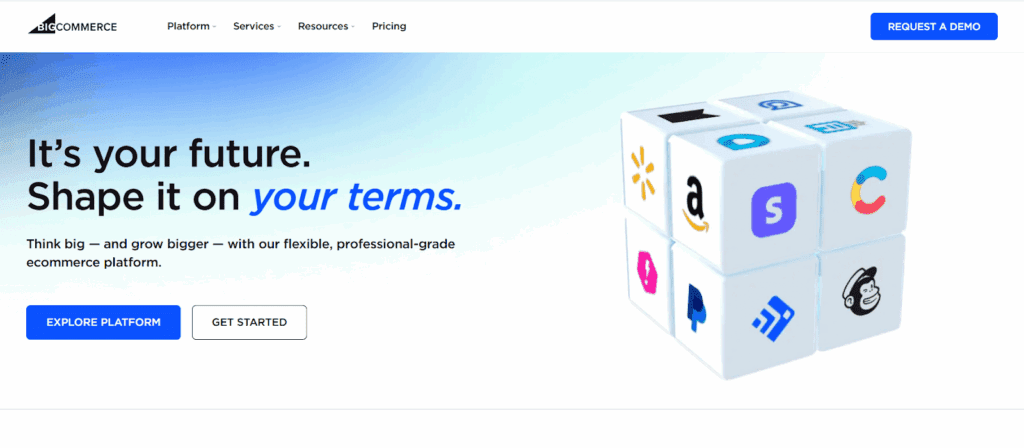
BigCommerce offers more built-in features than most platforms, reducing the need for additional apps. It’s great for small businesses planning to grow or handle large catalogs.
BigCommerce also includes advanced SEO, multichannel integrations, and strong security features—making it ideal for businesses expecting rapid expansion.
Key Features:
- Enterprise-level scalability
- SEO optimization
- Large product catalog support
- Multi-channel selling
- Strong inventory features
- Secure hosting
Pros:
- Plenty of built-in features without add-ons
- No transaction fees
- Excellent SEO tools
- Supports large catalogs
- Great multi-channel capabilities
Cons:
- Slightly harder learning curve
- Higher cost for micro-businesses
Best For:
- Small businesses are preparing for growth and need scalable eCommerce features.
Pricing: Check BigCommerce’s official website for latest pricing.
5. Squarespace Commerce — Perfect for Creative Small Businesses

Squarespace is known for its beautiful templates and design-focused interface. Small brands, creative businesses, and boutique sellers often prefer it because everything looks polished without needing a designer.
While it’s not built for huge inventories, Squarespace Commerce handles digital, physical, subscription, and service-based selling beautifully.
Key Features:
- Drag-and-drop editor
- Subscription products
- Email marketing tools
- Mobile-optimized templates designed specifically for e-commerce.
- Built-in SEO basics
- Social media integration
Pros:
- Award-winning templates
- Easy to use
- Built-in marketing and email tools
- Great for digital products
- Beautiful mobile designs
Cons:
- Limited advanced inventory tools
- Not ideal for large product catalogs
Best For:
- Creative brands that value design, aesthetics, and simplicity.
Pricing: Check Squarespace’s official website for latest pricing.
6. Wix eCommerce — Best for Visual Store Building
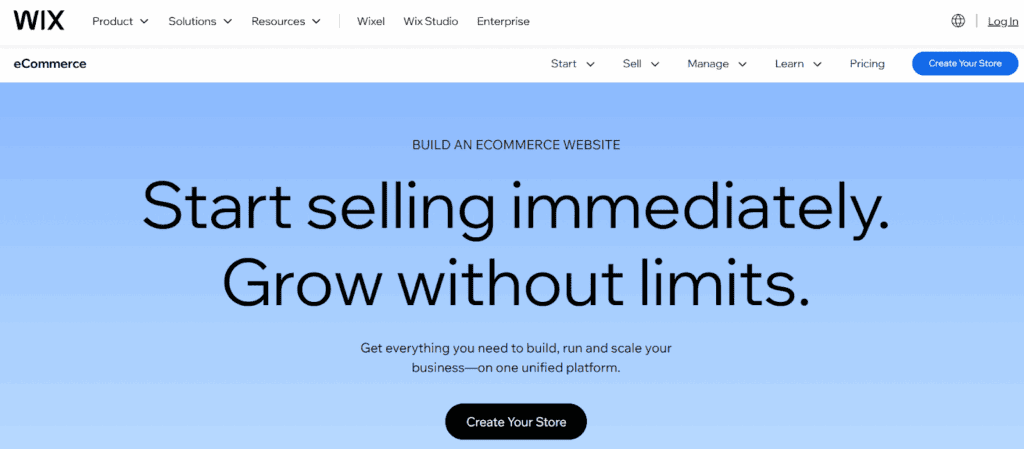
Wix gives users ultimate visual control with its drag-and-drop site builder. It’s perfect for small stores, boutiques, and local businesses who want beautiful visuals without technical skills.
Its eCommerce suite is solid for beginners but may not scale ideal for large stores.
Key Features:
- Visual drag-and-drop editor for building your e-commerce site easily.
- AI site building tools
- Mobile-optimized storefronts
- Abandoned cart recovery
- Multi-channel selling
- Automated shipping/tax setup
Pros:
- Most flexible visual editor
- Easy to use
- Many design templates
- Built-in marketing tools
- Automated tax and shipping
Cons:
Harder to migrate away from
Limited scalability compared to BigCommerce or Shopify
Best For:
- Small creative businesses valuing design control and simplicity.
Pricing: Check Wix’s official website for latest pricing.
Short analysis — what these facts mean for a small business
- If you want the fewest moving parts: StoreEngine gives you a compact WordPress experience with native subscriptions and many features built in, reducing add-on cost and maintenance for your eCommerce website, making it ideal for those with limited technical knowledge.
- If you want absolute control: WooCommerce (on WordPress) gives the deepest customization and SEO integration — but you’ll spend more time assembling and maintaining plugins (Subscriptions is a paid extension).
- If you want speed and minimal tech work: Shopify and Wix let you launch very fast with hosted infra and simple UIs; Shopify scales better for larger catalogs and has a huge app marketplace while Wix focuses on visual ease, offering different customization options. Shopify also offers advanced AI tools to speed setup.
- If you expect fast growth with fewer apps: BigCommerce includes many built-ins (no transaction fees from the platform) and strong SEO control, so your long-term app spend may be lower even if monthly plans are higher.
- If you sell high-design, small catalogs: Squarespace is tailored for creatives and branding-first shops; it’s easy to use and produces elegant storefronts quickly.
Final Verdict: Best Affordable eCommerce Platform in 2026
If you want affordability, speed, modern design, and all-in-one functionality — the winner is clear:
👉 StoreEngine is the #1 most affordable and complete eCommerce platform for small businesses in 2026.
It offers:
- Lower operating costs can be achieved with eCommerce software that minimizes processing fees.
- Fewer plugin dependencies
- Faster checkout
- Subscription features
- Better performance
- A modern experience for both merchants and customers
Frequently Asked Questions
- What are open-source e-commerce solutions?
Open-source e-commerce solutions are platforms that allow businesses to customize their online stores according to their specific business needs without incurring licensing fees.
- How can I choose the right e-commerce platform for my business?
To find the best e-commerce platform, consider factors such as inventory management tools, e-commerce functionality, and the ability to integrate with social media platforms.
- What are the best free e-commerce platforms available?
Some of the best free e-commerce platforms include options like Wix’s free plan, which offers basic features to help you quickly launch an online store.
- Can I sell my products using a website builder?
Yes, many e-commerce website builders have features that let small and medium-sized businesses create online stores without coding experience.
- What functionalities should I look for in e-commerce software?
Look for e-commerce software that offers a range of features, including inventory management, payment processing, and integration with social media channels.
- Are there any e-commerce solutions for small to medium-sized businesses?
Yes, various ecommerce platforms cater specifically to small and medium-sized businesses, offering scalable solutions that can grow with your ecommerce business.
- What is a SaaS ecommerce platform?
A SaaS ecommerce platform is a hosted solution that allows users to run their online stores without managing the underlying infrastructure, simplifying the ecommerce experience.
- What is the benefit of using an AI website builder?
An AI website builder can streamline the process of creating an ecommerce website by