












If you’re planning to start an online shop, WordPress is one of the most budget-friendly options. Setting up a store with WordPress is simple. All you need is an e-commerce plugin.
The good news is that the most popular WordPress e-commerce plugins are free!
You only need to buy a domain and hosting to get started, and you’re ready to launch your online store.
In this article, we’ve picked the 5 best free e-commerce plugins for WordPress. These plugins are well-known, regularly updated, and offer all the basic features you need to run an online business.
Whether you already own a physical shop or you’re starting your dream business on a tight budget, WordPress e-commerce plugins are a smart choice.
You may need to spend extra money on add-ons to make your website more functional or user-friendly. Sometimes, the total cost can go over your budget.
However, new developers like Kodezen offer all the key features and modern tools at a very low price. Their StoreEngine e-commerce plugin includes a lifetime deal with full access to all features, which is rare among WordPress e-commerce plugins.
What Makes a WordPress E-Commerce Plugin Best for Your Business?
According to Hostingar, which is a top hosting company in the world, 43.6% of websites on the internet are built with WordPress. And 20% of them are e-commerce websites.
The result tells why WordPress plugins are the best solution for an e-commerce store.
But remember—don’t choose a plugin just because it has the most downloads or reviews. What matters most is whether it fits your business model.
As your business grows, you shouldn’t have to spend thousands on add-ons.
Most free WordPress e-commerce plugins offer only basic features. To add more and improve the user experience, you’ll need paid add-ons
So, before making the final decision, you must think about these things:
- Is this plugin the best fit for my business model?
- How much do I have to pay for additional features that I might need now or in the near future?
- Does it have a clean, easy-to-use dashboard?
- Can I track orders and manage customers without getting lost in the settings?
- Will it help my customers have a smooth shopping experience?
- Are there any hidden costs that will come later?
- Can I test a live demo before paying anything?
5 Best Free E-commerce Plugins for WordPress
| Plugin Name | Best For | What We Liked | Add-on Pricing |
| WooCommerce | General online stores | Flexible, works with almost anything | $200–$1200+ yearly (single site) |
| StoreEngine | Feature-rich stores on a budget | Many core add-ons are free | $99 Lifetime deal for all add-ons |
| Ultimate storekit | All in one full store design | Large widgets library with drag-and-drop | $49.99 yearly |
| Easy Digital Downloads | Selling digital products | Clean setup for digital-only stores | $199+ yearly |
| Paid Memberships Pro | Membership and subscriptions | Unlimited levels in the free version | $247–$597 yearly |
Editor’s Note: We chose the top 5 plugins to help you find the best fit without causing choice overload. And all the plugins are tested by our expert team members. We also got feedback from real users because that matters more than expert opinions.
WooCommerce
Author: Automattic
Number of Downloads: 5+ million active installations
Ratings: 4.5 out of 5 stars (based on 4,000+ reviews)
Top Free Features:
- Unlimited products and categories
- Built-in payment gateways (PayPal, Stripe)
- Basic shipping options
- Inventory management
- Mobile-friendly design
Top Paid Features:
- Subscriptions and memberships (requires paid extension)
- Advanced shipping and tax calculations (via paid add-ons)
- Product bundles and customizations (available through premium extensions)
- Marketing integrations (Mailchimp, Google Ads) (requires additional plugins)
- Enhanced analytics and reporting (accessible via paid tools)
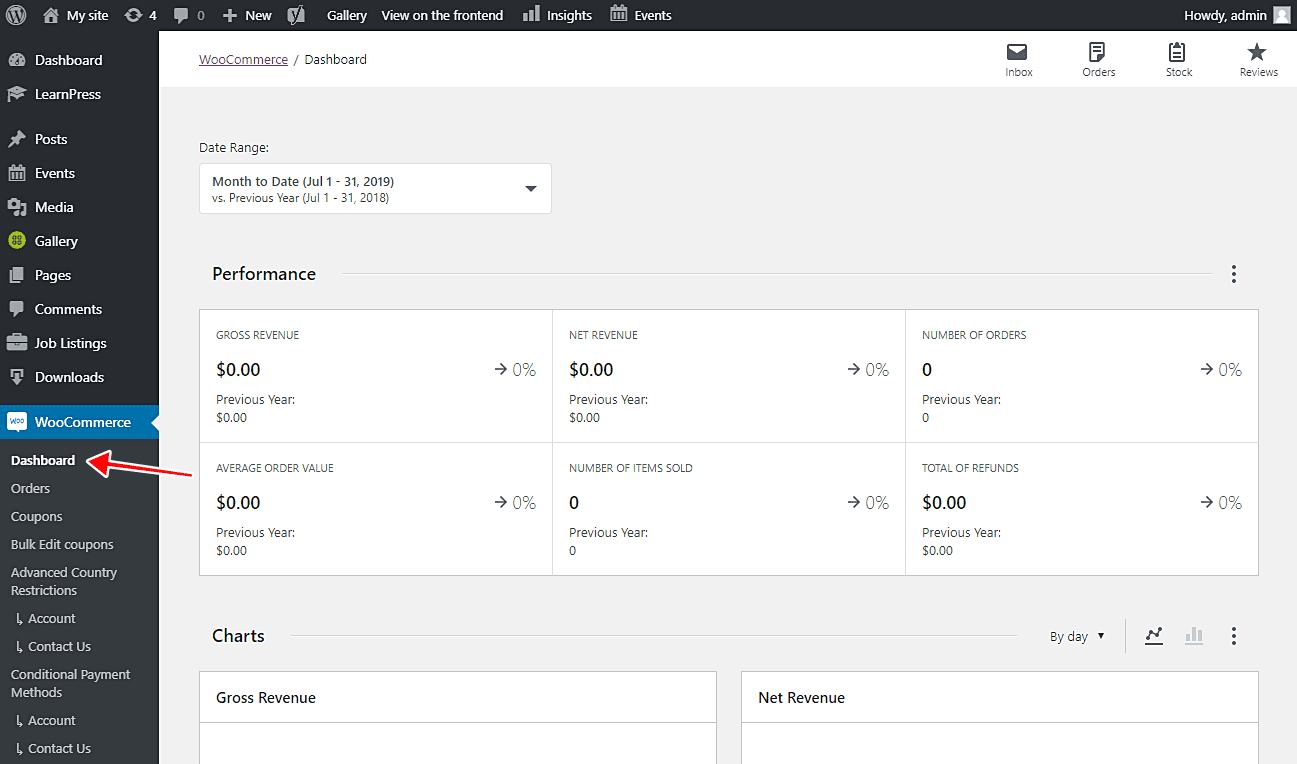
WooCommerce is the most widely used e-commerce plugin for WordPress. It’s free to start and works well for both physical and digital product stores. But once you get into real business needs, there’s more to it than just installing and launching.
The plugin has a huge library of extensions—over a thousand.
While testing, we tried a few extras like multi-currency support, advanced coupon options, and dropshipping tools. These features worked well, but most of them are paid.
You don’t get them out of the box, so the cost can grow depending on what you need.
The setup can feel confusing, especially if you’re not used to WordPress. It’s not impossible, but it’s not beginner-level either. The good thing is that the documentation is detailed, and the community is large. So help is always around.
On the performance side, WooCommerce can slow down your site if you’re not careful. Once your store grows or you install too many plugins, speed becomes a real issue.
Woocommerce comes with excellent automation features. WooCommerce connects with Zapier, so you can do things like send order data to a spreadsheet, alert your team when a sale happens, or create invoices automatically.
That takes some setup and might need a paid Zapier plan—but it’s helpful if you’re trying to run things more efficiently.
WooCommerce is powerful and flexible, but keep in mind that many useful features, like subscriptions or product add-ons, require extra purchases.
If you want to do more than just basic selling, you’ll need to budget for that. They have a huge library of add-ons, and we must admit a small business can’t afford even 30% of that.
Pros:
- Highly customizable with numerous extensions
- Seamless integration with WordPress
- Supports a wide range of products
- Large community and extensive documentation
- Regular updates and security patches
Cons:
- Many essential features require paid extensions
- Can become complex with multiple add-ons
- Performance may decline without proper optimization
Who Should Use This Plugin
WooCommerce is great for small to mid-sized businesses on WordPress. It’s low-cost to start, but extra features may require paid extensions.
StoreEngine
- Author: Kodezen Limited
- Number of Downloads: 40+
- Ratings: 5 out of 5 (Based on 4 Reviews)
Top Free Features:
- Sell physical and digital products
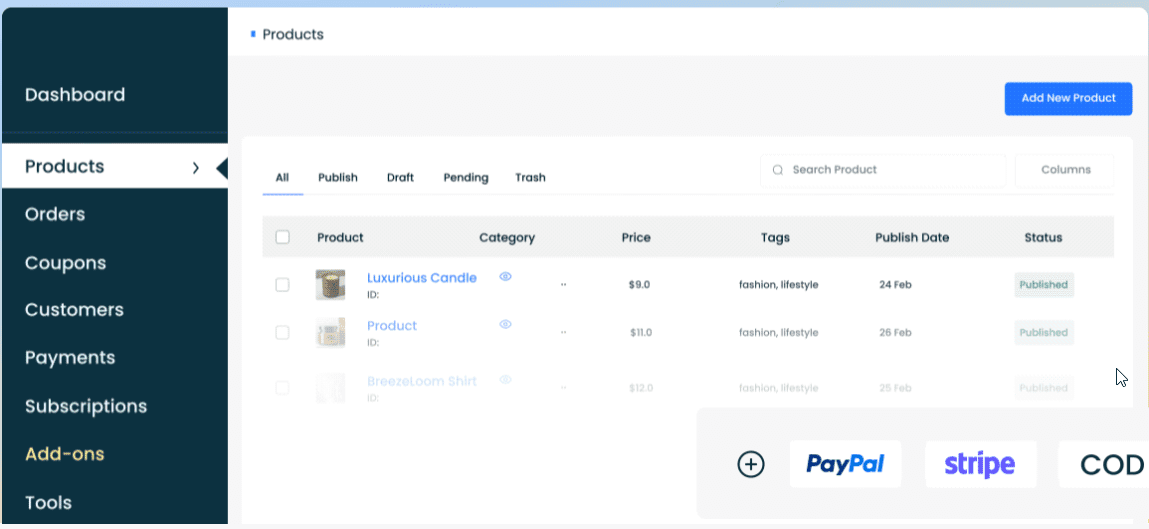
- Basic payment integrations (PayPal, Stripe, COD)
- Inventory and order management
- Membership support and LMS integration
- Built-in Affiliate system
Top Paid Features:
- Advanced payment options (installments) (included in Pro plan)
- CRM integration (available in Pro version)
- Product bundles and related products (part of Pro features)
- Multi-currency support (requires Pro upgrade)
- Automation triggers and Google Sheets sync (included in Pro package)
StoreEngine is a relatively new e-commerce WordPress platform. But the developers behind it are committed to bringing a revolutionary idea to the WordPress e-commerce plugin industry.
This plugin supports both physical and digital product stores. They also integrated the most advanced subscription payments, Installment Payments with PayPal & Stripe Integration.
StoreEngine has a built-in affiliate system where users get a fully customizable dashboard. If you want to add membership functionalities, you don’t need any separate plugin as StoreEngine gives you all the necessary tools you need, like Tiered Membership Plans, Recurring Payments, and access control.
If you want to sell courses, StoreEngine has got your back too with its robust LMS integration.
Now the most important part. Why will you get this plugin instead of other popular options?
Well, StoreEngine gives you all of its bundle packages at the most competitive price. And the best part is, you get a lifetime deal.
Most popular plugins like Woocommerce, SureCart, and EDD give you yearly add-ons. And they have tons of add-ons.
There are add-ons that you don’t even get when you buy their pro version.
You need to buy those add-ons separately. This makes running an online store more expensive, which affects your revenue.
StoreEngine is going to break the shackles. They are giving the same functionalities (even adding new ones) at the most budget-friendly prices. And no more yearly renew. Buy once and use for the rest of your life.
No software company has dared to take this initiative before. That makes StoreEngine a revolutionary e-commerce WordPress plugin that will change the market forever.
While testing StoreEngine, we checked key features like subscription payments, one-click upsells, affiliate systems, and sales tracking.
These are all part of the Pro bundle, and we didn’t have to buy separate add-ons to activate them. That made the setup faster and easier.
The plugin also lets you connect with Google Sheets and manage CRM integrations from the same place.
We found the dashboard clean and fairly easy to follow. Setting up products and managing orders didn’t require much digging.
Features like product bundles, discounts, and customer notes are built-in, so there’s less back-and-forth with multiple plugins.
Performance stayed stable even after enabling multiple Pro features. We didn’t see slowdowns, but like any plugin, it depends on your theme and hosting.
The big win is the pricing. At $99 for a lifetime single-site license. And WooCommerce charges between 200 $ to 1200$ per year! Essential Premium Download Charges 174/yearly.
As a new player in the market, they should also support free users as part of their marketing campaign.
Pros:
- Comprehensive feature set in the Pro version
- Supports various product types and payment methods
- User-friendly interface
- Integration with external tools like Google Sheets
- Flexible pricing options
Cons:
- Still new, so public feedback is limited
- One or two advanced features are under development
- May have a learning curve for beginners
Who Should Use This Plugin
StoreEngine is suitable for small to medium-sized businesses looking for a comprehensive eCommerce solution. They are giving the most competitive price right now.
Ultimate Store Kit
Author: BDThemes
Number of Active Installations: 1,000+
Ratings: 4.4 out of 5
Top Free Features:
- Sell digital and physical products
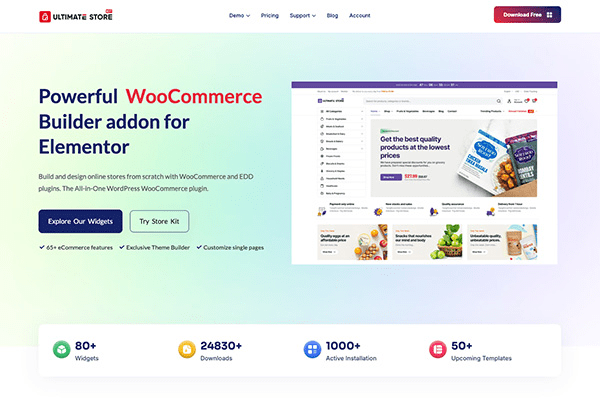
- 80+ Elementor widgets for WooCommerce and EDD
- Drag-and-drop builder for product, cart, checkout, and account pages
- Optimized frontend assets for fast loading
- Customer account area with full styling control
Top Paid Features:
- Product filters, sticky add to cart, and product comparison
- Cart and checkout page builders with more advanced control
- Live search, quick view, and review carousel widgets
- White label mode, asset manager, and template duplicator
- Live copy-paste between sites and priority email support
While many plugins require juggling multiple addons to design the cart, checkout, and account pages, StoreKit keeps it simple. It bundles everything into one intuitive, Elementor-powered toolkit.
The plugin is built with performance in mind, using ultra-light assets for faster loading speeds. It also includes agency-ready tools like white labeling, live copy-paste, and a template duplicator.
It goes beyond typical design widgets by supporting both physical and digital product ecosystems, integrating with WooCommerce, Easy Digital Downloads (EDD), and even Download Monitor.
Whether you’re selling physical products with WooCommerce or digital downloads via EDD or Download Monitor, StoreKit Pro gives you all the building blocks to design and scale your store visually.
Pros:
- Exceptional visual and structural control over store layout via Elementor
- Lightweight, high‑performance code
- Comprehensive widget set even in the free version
- Supports both physical (WooCommerce) and digital (EDD) products
Cons:
- Dependent on Elementor (won’t work standalone)
- Lacks native order management features (relies on WooCommerce/EDD)
Who Should Use This Plugin:
Ideal for store owners and designers who want full creative control over layout and styling via Elementor with just one plugin, especially those comfortable with visual builders without writing any code.
Easy Digital Downloads
Author: Awesome Motive
Number of Downloads: 50,000+ active installs
Ratings: 4.7 out of 5 (based on 550+ reviews)
Top Free Features:
- Sell unlimited digital files
- Simple checkout and cart setup
- Basic reports and customer info
- Discount codes
- PayPal and Stripe support
Top Paid Features:
- Recurring payments (requires paid extension)
- Email marketing integrations (available through premium add-ons)
- Software licensing (part of Pro features)
- Multi-vendor support (requires Pro upgrade)
- Content restriction (accessible via paid tools)
Easy Digital Downloads (EDD) is built for selling digital stuff. That’s it. If you’re not shipping boxes or managing stock, this plugin keeps things clean.
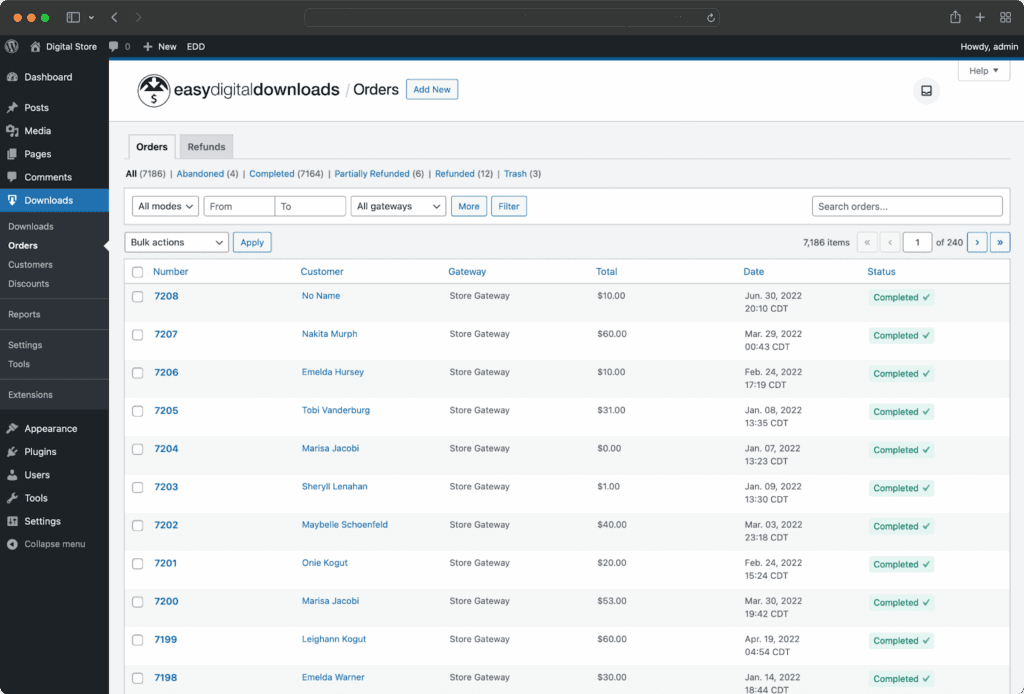
We tested product creation, customer tracking, and basic reports. The setup was straightforward. We could upload files, create discounts, and get a store running without much hassle. The interface is cleaner than some others, and we didn’t feel lost.
We also checked the Pro features. Subscriptions, licensing tools, and email integrations—they all worked. But none of them are free.
To unlock most business-grade tools, you’ll need the paid version. Depending on your use case, the bundle may be worth it, but it’s not cheap.
EDD is not made for physical goods. There’s no built-in shipping system or inventory management. If you try to push it beyond digital, you’ll likely run into issues or need extra plugins.
Pros
- Works well if you’re only selling files—no extra clutter
- The dashboard is clean and doesn’t take long to figure out
- You get decent reporting without paying for anything upfront
- Extensions are there if you want to scale slowly
- Didn’t crash or bug out during testing, even with multiple downloads active
Cons
- Most of the features you’d expect from a full store are locked behind the Pro version
- There’s nothing built-in for handling physical products
- Some parts of the setup, especially with file protection, took longer than expected
Who Should Use This Plugin
EDD is ideal for individuals or businesses focusing on digital products, such as eBooks, software, or digital art.
Paid Memberships Pro
Author: Stranger Studios
Number of Downloads: Not available (removed from WordPress.org)
Ratings: Not publicly listed after removal
Top Free Features:
- Unlimited membership levels
- Content restriction by post, category, or tag
- Integration with major payment gateways
- Member-only pricing and access
- Basic reporting for revenue and members
Top Paid Features:
- Subscription billing with trial and recurring periods (requires Pro plan)
- Member directories and profile pages (available in Pro version)
- Advanced email marketing integrations (part of Pro features)
- Customizable checkout fields and reports (requires Pro upgrade)
- Affiliate tracking and CRM integration (accessible via paid add-ons)
Paid Memberships Pro is made for sites that sell access, not products. It’s built around membership levels, gated content, and recurring payments.
We tested the free version first. Since it’s no longer on WordPress.org, you have to go to their website, select the free plan, and enter your email. They send the plugin download link directly to your inbox.
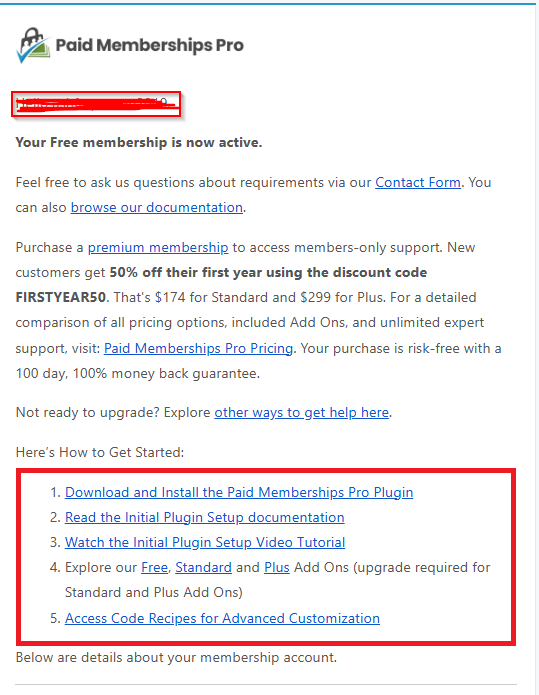
We had to go to their website and select the free plan. Then enter an email. That’s how they send the download link.
After installing, we tried a few basics. Post restrictions worked. We set different prices for different access levels. There’s a shortcode system too—it lets you show or hide stuff based on the user’s membership. It’s simple once you get how it works, but not super obvious at first.
The system felt flexible, especially with unlimited tiers.
Most advanced features—like member directories, checkout customization, or deep CRM tools—require a paid plan.
While testing, we also looked at integrations with Mailchimp and Stripe. They worked, but some options felt limited unless you upgraded. Pricing starts at $247 per year, so it’s not cheap.
This isn’t the best choice for selling physical goods or one-time products. It’s really made for recurring access—like online courses, premium blog content, or paid communities.
Pros
- You get solid content restriction tools even without paying
- Setting up different membership levels didn’t take long
- Payments through PayPal and Stripe worked without issues during testing
- It’s a good fit if your site is all about content access, not products
- Support replies were clear when we reached out with questions
Cons
- It’s not on the WordPress plugin site anymore—you have to get it from their site
- Some features we expected weren’t in the free plan
- You’ll need to give your email just to download the free version
Who Should Use This Plugin
We’d recommend it for people running a course site, or maybe a private blog with locked content. If you charge monthly or yearly for access, this plugin works well.
Final Verdict: Which Plugin Won Our Tests?
Let’s not sugarcoat it. Every plugin in this list says it’s free, but once you actually start building a real store, the costs hit hard.
WooCommerce charges between $200 and $1200 per year for just one site. Want to use it on ten sites? That can cross $5000 yearly. Plugins like SureCart, PMP Pro, and Easy Digital Downloads are no different. You’ll pay $498, $1500, or more every single year if you want full access to their features. And that’s just to make things look and work the way your customers expect.
StoreEngine, on the other hand, gives you everything in one lifetime plan. For just $99, you get the full package for a single site. Ten sites? That’s $129 for life. Even for a hundred sites, you’re paying $299 once, and you’re done. No hidden renewals. No surprise fees.
Now, pricing is just one part. What makes StoreEngine stand out is the feature set.
You get tools that others charge hundreds for. Like a drag-and-drop checkout builder, subscription and installment payments, affiliate system, CRM sync, and Google Sheets automation. These aren’t upgrades—they’re included.
The plugin is also fast, plays well with popular WordPress themes and page builders, and is fully customizable without bloat. It just works—and it works clean.
Most plugins in this space look backwards. StoreEngine is built for what stores need today and what they’ll need tomorrow. It’s not just another WooCommerce alternative. It’s the future of WordPress e-commerce.
Wrapping Up
Picking the best free e-commerce plugins for WordPress isn’t something you want to rush. Once you build your store with one, switching later, because it’s too expensive, too slow, or missing key features, can be a real headache. So take your time.
Ask around. Choose something that fits your business and your budget.
At Kodezen, we build tools that are easy to use, don’t slow down your site, and won’t empty your wallet.
A lot of plugins are getting more expensive. And if you need more than one, it adds up fast. We’ve seen many new business owners struggle with that.
Still not sure which one to pick? Just send us a message. Someone from our tech team will help you figure it out.
No pressure, no fee. If our suggestion helps, that’s enough for us.