











When you search for how to choose the right eCommerce platform, you’re already ahead—because many reports show that a large number of new businesses struggle to survive in their first few years. And only a very small share ever reaches the $1 million revenue milestone. One common reason behind many early failures is choosing the wrong eCommerce platform, which can increase costs, slow down growth, or limit your ability to scale.
So, how do you choose the right eCommerce platform for your business? After years of working with different eCommerce brands and learning from top marketers, the answer became clear: it’s not about choosing the most popular platform—it’s about choosing the platform that fits your business best.
Maybe it sounds tough, but don’t worry. This blog will guide you step by step, in simple language, so you can confidently select the best eCommerce platform for your business. Once you understand the key factors, the decision becomes easier than you think.
Quick Platform Match Table: Find Your Best eCommerce Fit
|
Platform Type |
Best For |
Skill Needed |
Why |
Cons |
|
Hosted (Shopify, Wix) |
Beginners, fast launch |
Very low |
Simple setup with fast deployment and fewer technical tasks |
Higher long-term cost; limited deep customization |
|
Self-Hosted (WooCommerce, SureCart) |
Users with flexible budgets & need more control |
Low – |
Flexible setup with deeper customization and full store control |
WooCommerce needs many paid add-ons and becomes heavy; SureCart can be expensive for new startups |
|
WordPress-Based Affordable Complete Solution (StoreEngine) |
Beginners, budget users, full store setup |
Very low |
Supports digital, physical, subscriptions, memberships, and marketing tools in one system |
Still new; smaller ecosystem. |
|
Enterprise (BigCommerce, Magento) |
Large catalogs, heavy traffic |
Medium–High |
Built for scaling, multi-country selling, and high performance |
Setup complexity; higher operational cost |
Top Considerations Before Choosing the Right eCommerce Platform
Start with the basics:
- Your budget
- Your skill level
- Your business model
- Your growth plans
After that, look deeper into the features that matter most for long-term success—scalability, security, payment gateways, all costs, marketing tools, integrations, hosting, SEO-friendliness, customization, ease of use, analytics, mobile support, and online/offline selling options.
These are the hidden factors that separate businesses that struggle from the ones that grow strong and move closer to the $1M milestone.
Don’t worry—I’ll break everything down clearly so you can make the right choice without stress.
The 2026 eCommerce Platform Selection Framework (The 4D Model)
How to choose the right eCommerce platform starts with a simple idea: stop treating platforms like “templates” and start treating them like the system that will run your business for years. Below is a clear, proven method you can use right now — the 4D Selection Model. Read it, answer the quick questions, and you’ll know which platform fits your business.
Quick note: This section focuses on the real costs and capabilities you will use daily — hosting, plugins/apps, automation, SEO, checkout, and the work required to maintain the store.
The 4D Selection Model — what to check, in order
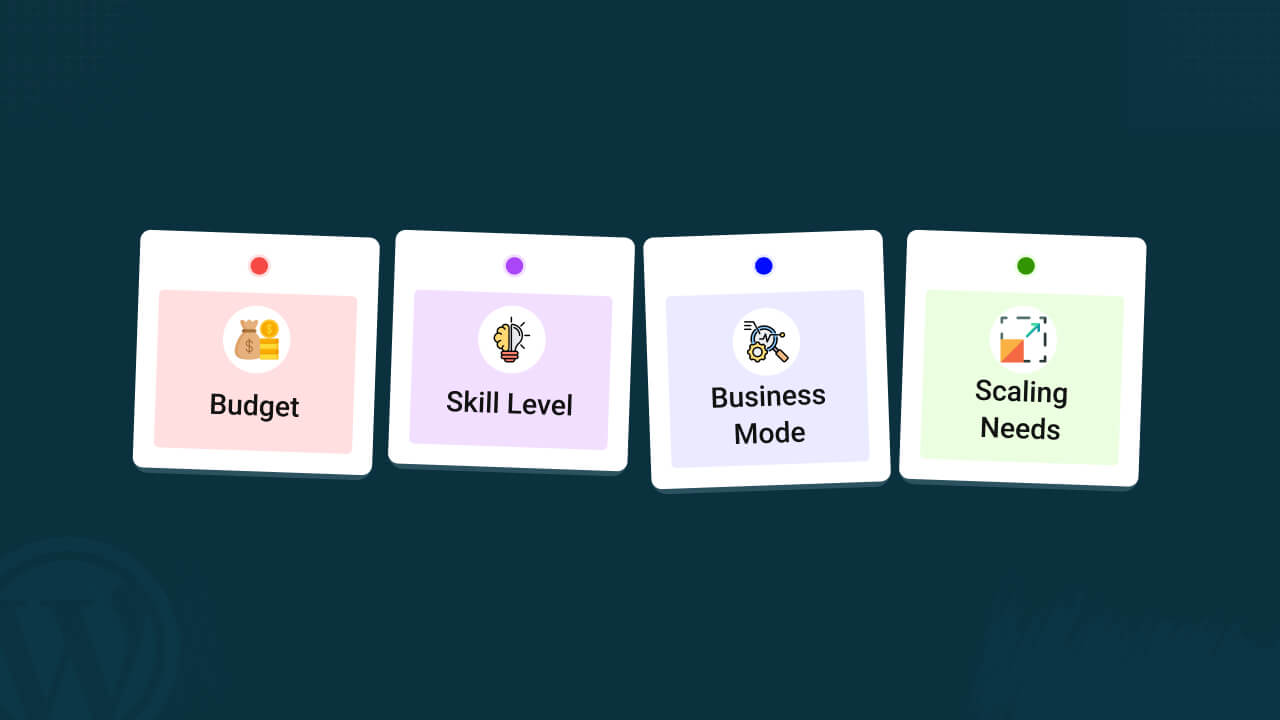
You only need four things to decide: Budget, Skill, Business model, and Scaling needs. Answer these honestly. Then match the answers to the short decision table below.
D1 — Budget (Total Cost View)
Don’t look only at the monthly plan price. Ask: What will I pay for hosting, apps, themes, payment fees, and developer time?
- Low — $0–$50 / month (very tight; expect limits)
- Mid — $50–$200 / month (realistic small business range)
- High — $200+ / month (built to scale)
Why: WooCommerce can start cheaply, but typical stores add paid extensions, managed hosting, and maintenance costs add up. Always estimate annual TCO, not just the base plan.
D2 — Skill Level (Who will run this?)
Be honest — your tech skill changes the real cost and time.
- Beginner: No code; needs drag-and-drop and minimal setup.
- Intermediate: Comfortable with a few plugins, settings, and small troubleshooting.
- Developer: Can modify code, manage complex workflows, or hire a dev.
Why: Self-hosted stores give control but need maintenance. Hosted platforms reduce maintenance but can add app costs. Choose based on who manages the store daily.
D3 — Business Model (What you sell, and how)
Different models need different features:
- Physical products: inventory, shipping, tax tools
- Digital downloads / licensed software: secure delivery, license keys
- Subscriptions: recurring billing, churn handling
- Memberships: gated content, access control
- Dropshipping: supplier integrations, order routing
- Print-on-demand: POD integrations
- B2B / wholesale: custom pricing, purchase orders
- Multi-vendor marketplace: vendor dashboards, payouts
Why: A platform that fits one model may miss key tools for another. For example, handling digital licensing or subscriptions without add-ons saves time and money.
D4 — Scaling Needs (Plan your growth)
Where do you expect to be in 12–24 months?
- Small: <200 orders/month
- Mid: 200–1000 orders/month
- High: 1000+ orders/month or international reach
Why: Some platforms require major rework at scale. Consider hosting limits, performance, and multi-store or multi-currency needs early. TCO and performance planning avoid painful migrations later
Quick Decision Matrix — match your 4D answers
(Short, copy-friendly. Use this as your cheat sheet.)
|
Budget |
Skill |
Model |
Scale |
Quick Fit |
|
Low |
Beginner |
Simple physical/digital |
Small-Mid |
StoreEngine or Wix (fast, low maintenance) |
|
Low–Mid |
Beginner |
Subscriptions/memberships |
Small-Mid |
StoreEngine / SureCart (built for subscriptions) |
|
Mid |
Beginner–Intermediate |
POD / Dropshipping |
Mid-High |
Shopify (large app ecosystem, fast scaling) |
|
Mid |
Intermediate |
Digital/licenses |
Mid-High |
WooCommerce (flexible, but expect extensions & hosting) |
|
High |
Developer |
B2B / Wholesale / Enterprise |
High |
BigCommerce / Magento (built for scale) |
|
Mid |
Intermediate |
Multi-vendor |
Mid-High |
WooCommerce with marketplace plugins or dedicated marketplace platforms |
Note: This matrix is short by design. If your case is in between rows, choose the row closest to your scaling and model numbers — those matter most.
Best Affordable eCommerce Solutions in 2025: Honest Comparison for Small Businesses
Finding an affordable eCommerce platform is not just about choosing the cheapest plan. It’s about how many features you get without paying for extra add-ons, how much you save on hosting, and how easily you can run your store without hiring developers.
This table compares the most budget-friendly platforms of 2025 with clear data you can trust. You’ll see which tools offer subscriptions, upsells, memberships, and license management without extra cost — and which platforms become expensive later. If you want a low-cost eCommerce setup that still gives you strong features, this comparison will help you choose confidently.
|
Platform |
Yearly Price |
Lifetime Plan |
Extra Add-Ons Needed |
Hosting Cost |
Transaction Fees |
Built-In Revenue Features |
Notes for Budget Users |
|
StoreEngine |
$49 |
$159 |
Very few (subscriptions, memberships, upsells, order bumps, license keys built-in) |
You pay for WordPress hosting |
Gateway fees only |
Subscriptions, memberships, order bump, upsell, license management, analytics included |
Best for users who want many features included at low cost |
|
SureCart |
$139 |
$499 |
Few (many features built-in) |
You pay for WordPress hosting |
Free plan has fee; paid plans remove platform fees |
Subscriptions, upsells, bumps, license keys, cart recovery |
Great for digital sellers and subscription businesses |
|
WooCommerce |
Based on add-ons |
No lifetime plan |
Many paid extensions required for basic revenue features |
You pay for WordPress hosting |
Gateway fees only |
Most things depend on extensions |
Cheapest entry, but becomes expensive as features grow |
|
Shopify |
$288 |
No lifetime plan |
Multiple paid apps needed |
Hosting included |
Extra fee if not using Shopify Payments |
Most revenue features via apps |
Simple to start but app costs rise fast |
|
BigCommerce |
$348 |
No lifetime plan |
Fewer apps needed than Shopify (more built-in) |
Hosting included |
No platform transaction fee |
Built-in coupons, promotions; others via apps |
High base cost; plan upgrades based on yearly sales |
Feature checklist — confirm these before you commit
Before you sign up or build, confirm the platform covers these without heavy work:
- SEO controls: editable titles, canonical tags, clean URL structure. (If SEO is important, ensure the platform supports meta and schema.)
- Checkout: fast, one-page, or simplified checkout; saved payment options.
- Payment gateways & rates: native payments and clear transaction fees.
- Product support: physical + digital + variable products + bundles.
- Subscriptions & memberships: native or first-class integrations (important for consistent revenue).
- Automation & app ecosystem: email, SMS, CRM, fulfillment automation, and affiliate.
- Performance & hosting: fast TTFB, CDN options, and scalable hosting.
- Security & compliance: HTTPS, PCI, regional tax support.
- Maintenance & dev access: ability to update, extend, or hire help.
- Total cost transparency: clear view on recurring apps, transaction fees, and maintenance.
Write these down. If a platform needs 5–10 paid add-ons to meet the checklist, count that into your budget.
✅ Shopify

Shopify is one of the most beginner-friendly and popular eCommerce platforms. It’s designed for fast setup, easy management, and stable growth. Many new sellers pick Shopify because it handles the hard parts like hosting, speed, and checkout for you.
But there are trade-offs. Some important features like subscriptions, upsells, and automation often require extra apps — which can increase the cost as your store grows. Also, customization is limited if you don’t know how to code.
This section explains both the good and bad sides of Shopify in simple terms — so you can decide if it’s the right fit for your business.
Best For
- Beginners who want a quick and easy store setup
- Small to medium businesses that want to grow steadily
- Dropshipping or print-on-demand sellers using third-party apps
- Store owners who don’t want to manage hosting or security
Why People Pick Shopify
Shopify gives you a complete package:
- Fast, secure hosting
- Clean dashboard
- Built-in payment system
- Easy product and order management
- Reliable checkout and mobile-friendly design
You don’t need to manage servers, code, or security — Shopify handles it all. That’s why it’s great for first-time sellers.
Real Limits You Must Know
Shopify works well, but it’s not perfect. Be aware of these:
- Many features depend on apps: Upsells, bundles, subscriptions, and advanced marketing tools usually need third-party apps.
- Free apps often have limits: Many apps offer free plans but limit usage or features. For example, a subscription app might limit you to 10 orders/month unless you upgrade.
- Costs can rise as you grow: The more features and orders you have, the more likely you’ll need paid apps.
- Extra transaction fees: If you don’t use Shopify Payments, you may be charged extra per transaction.
- Limited backend control: You cannot fully customize the backend without developer access or paid apps.
These are not deal-breakers, but they’re important to understand before you commit.
Cost Trend (Realistic Breakdown)
Base Cost
Shopify’s core plans have a monthly subscription. Plans start low (e.g., Basic), but features and support increase with higher plans like Grow or Advanced.
App Cost
Most real stores use several apps — for subscriptions, upsells, shipping, email, etc.
- Many apps are free to install, but premium features usually cost $5–$50/month per app.
- As your store grows, you’ll likely need 3 to 8 paid apps.
Total Cost Estimate
- Small store with free apps: $39–$50/month
- Growing store with 3–5 paid apps: $100–$200/month
- Scaling store with advanced needs: $250–$400+/month
Your total cost will depend on your features, order volume, app stack, and payment setup.
Speed and Performance
Shopify handles all hosting and speed optimization. You get:
- Fast load times
- Global CDN
- Good uptime
- No server maintenance required
This is one of Shopify’s biggest strengths compared to self-hosted platforms.
Scaling Ability
Shopify is built to scale with your business. It supports:
- Large product catalogs
- High-traffic stores
- Multi-location and international shipping
- Multi-channel selling (Facebook, TikTok, Amazon)
- Shopify Plus for enterprise-level features
Even with fast growth, you usually don’t need to migrate — Shopify can handle it.
Integration Strength
Shopify has a massive app marketplace. You can easily connect:
- Email marketing tools
- SMS campaigns
- Subscription systems
- Loyalty programs
- Fulfillment services
- Analytics and reporting tools
You can build most features using apps — no custom coding needed in most cases.
Skill Level Needed
Very low.
You can manage the store through a user-friendly dashboard. No coding or development experience is required to start or run the store.
Who Should Choose Shopify
- You want to launch fast without technical setup
- You prefer managing products and marketing, not servers
- You’re okay using apps to expand features
- You expect your store to grow within 6–12 months
Who Should Avoid Shopify
- You need full backend control and deep customization
- You want to avoid app dependency or monthly cost stacking
- You plan to run a complex system with custom business logic
- You want full control over your hosting and checkout code
Final Summary
Shopify is a strong option for most beginners and growing stores. It gives you fast setup, secure hosting, and powerful features through its app ecosystem. But be prepared for rising costs as you add more apps or advanced functions.
It’s not the cheapest long-term solution, but it’s one of the easiest to start and scale — especially if you value speed, support, and low technical stress.
✅ WooCommerce
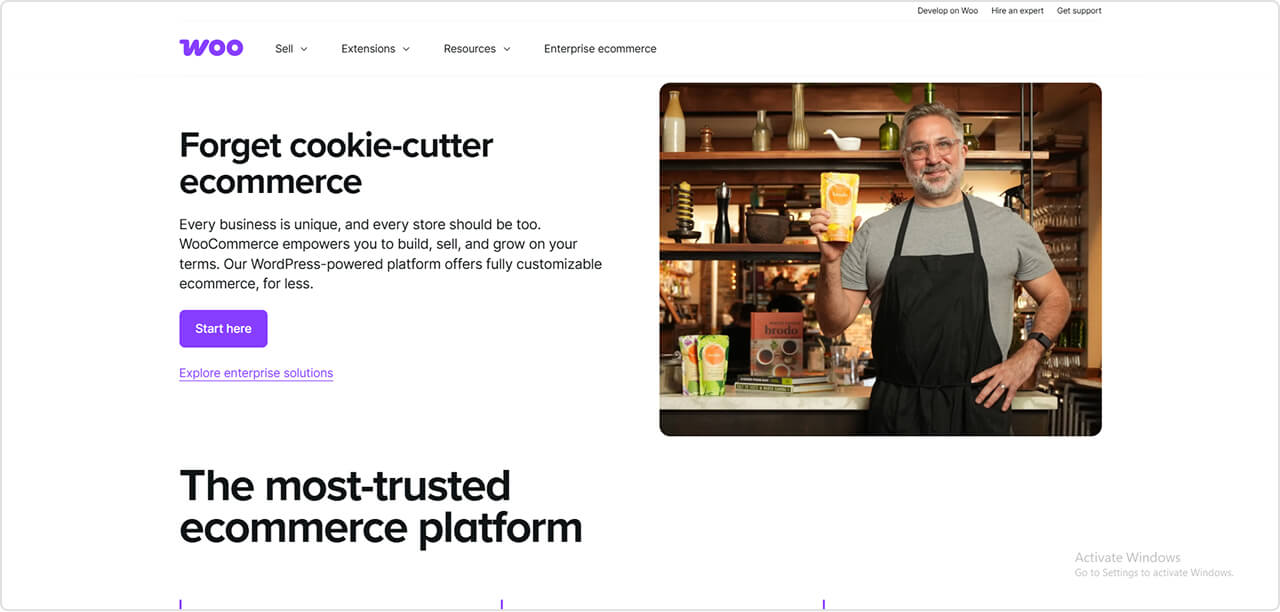
WooCommerce is a free WordPress plugin that gives you full control over your online store. It’s flexible, customizable, and ideal for content-heavy sites. Many people choose WooCommerce because they want control over SEO, design, and functionality.
But there are trade-offs. WooCommerce needs strong hosting, regular maintenance, and several paid extensions for many basic features. Performance depends heavily on your hosting and plugin setup.
This section explains WooCommerce’s real strengths and weaknesses in simple terms — so you can quickly decide if it fits your business.
Best For
- WordPress users
- Stores needing custom features
- Digital products, memberships, subscriptions
- Content + commerce sites
- Owners comfortable managing hosting and plugins
Why People Pick WooCommerce
WooCommerce is popular because it offers:
- A free core plugin
- Full design and SEO control
- Easy integration with WordPress content
- Thousands of plugins and themes
- Flexible checkout, product types, and customization
It’s great for stores that need unique layouts, advanced logic, or a mix of blog + shop.
Real Limits You Must Know
WooCommerce is powerful, but you should know these honest drawbacks:
- Paid extensions needed: Many common features (subscriptions, memberships, advanced shipping, multi-currency, PDF invoice templates, bookings) require paid add-ons.
- Hosting burden: Speed and stability depend fully on your hosting. Cheap hosting often makes WooCommerce slow.
- Plugin conflicts: Using many plugins can cause errors after updates.
- Maintenance required: You must manage updates, backups, caching, and security yourself.
- Cost increases when scaling: Premium plugins + hosting upgrades increase monthly cost.
These aren’t deal-breakers but important to understand before choosing WooCommerce.
Cost Trend (Realistic Breakdown)
Base Cost
WooCommerce plugin is free, but you must buy hosting and a domain.
Extension Cost
Real stores normally need 3–8 paid extensions for:
- subscriptions
- advanced shipping
- PDF invoices (advanced templates)
- SEO boosters
- payment add-ons
Total Cost Estimate
- Small store: $10–$25/month
- Growing store: $40–$100/month
- Scaling store: $120–$250+/month
Your actual cost depends on hosting + plugins + traffic.
Speed and Performance
Your hosting controls your speed.
With strong hosting → WooCommerce runs well.
With cheap hosting → slow load times, checkout delays, plugin conflicts.
Unlike Shopify, WooCommerce requires you to manage caching, optimization, and server quality.
Scaling Ability
WooCommerce can scale for large catalogs, subscriptions, memberships, and complex product rules — but scaling needs:
- better hosting
- performance plugins
- optimization
Without these, growth can make the store slow.
Integration Strength
WooCommerce has a massive extension ecosystem:
- global/local payment gateways
- shipping + tax plugins
- subscription/membership systems
- marketing + CRM tools
- multi-vendor + booking plugins
You can customize almost everything — but many advanced tools are paid.
Skill Level Needed
Medium.
You must handle hosting, plugins, security, backups, and performance tuning.
Beginners can start easily, but growth requires technical knowledge or developer help.
Who Should Choose WooCommerce
Choose it if you:
- want full freedom and customization
- are comfortable managing hosting
- need custom product types, subscriptions, or memberships
- run a content-focused website
- want long-term control over data and SEO
Who Should Avoid WooCommerce
Avoid it if you:
- want a simple setup without maintenance
- don’t want to manage hosting or security
- want predictable, fixed costs
- want fewer plugins and less technical work
Final Summary
WooCommerce is powerful, flexible, and ideal for customized or content-driven stores. But it requires hosting management, maintenance, and several paid extensions for many common features. If you value control and don’t mind technical tasks, WooCommerce is a strong choice. If you prefer simplicity, stability, and fewer responsibilities, consider a hosted platform.
✅ StoreEngine
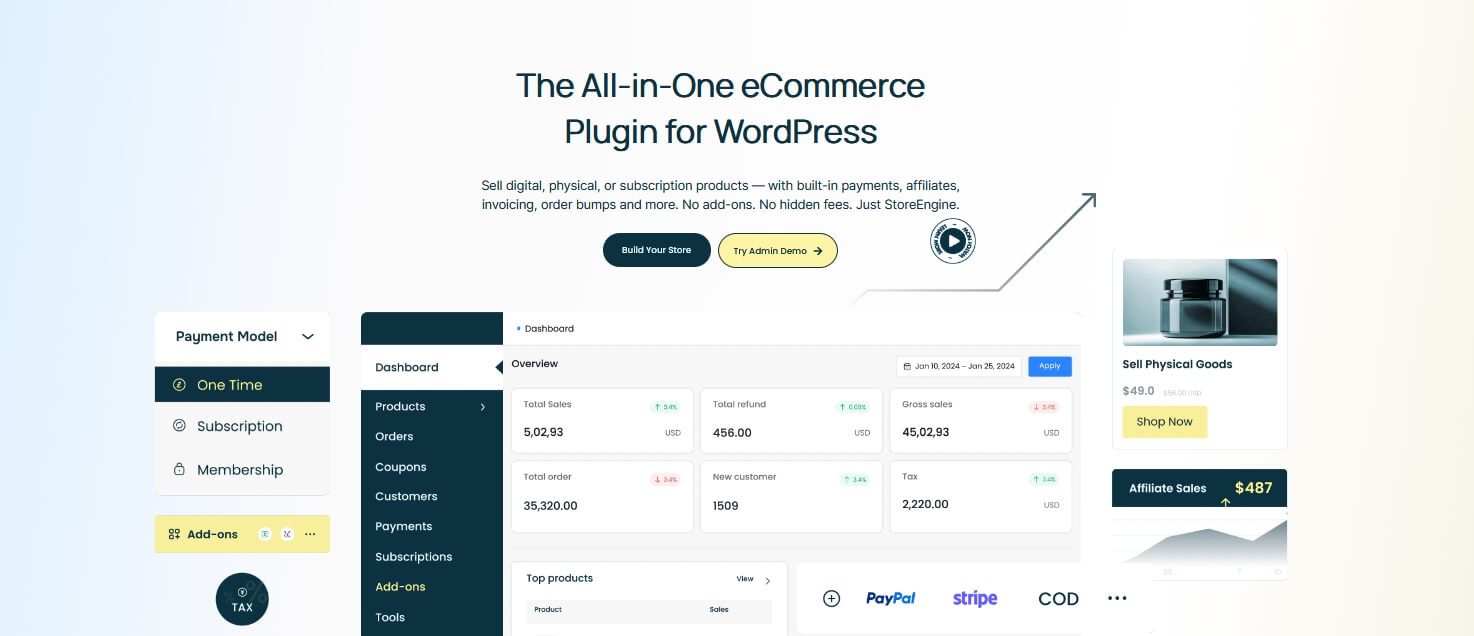
StoreEngine is a modern and affordable eCommerce plugin for WordPress. It comes from the team behind Academy LMS, the highest-rated (4.9★) WordPress LMS plugin — which gives StoreEngine a solid background in quality plugin development.
StoreEngine focuses on giving store owners many important selling tools inside one plugin. The goal is simple: reduce the need for multiple paid extensions and make eCommerce easier, faster, and more affordable for small and growing businesses.
But StoreEngine is still new (fast-growing) compared to other platforms. It has fewer integrations, a smaller user base, and limited third-party extensions. It’s a strong option for small to mid-size stores — but not ideal for very large or enterprise businesses.
Best For
StoreEngine fits best when you want:
- A very affordable WordPress eCommerce solution
- A lightweight and fast store
- To sell digital, physical, subscription, or membership products in one system
- Built-in license management for software or digital files
- Strong selling tools without extra plugins
- A simple setup with fewer extensions to maintain
- A modern, easy interface for beginners
- Standard payments like PayPal, Stripe, Paddle, Razorpay, bank transfer
- A marketing-focused store without building a complex plugin stack
If you want a clean setup, lower cost, and fewer plugins — StoreEngine is ideal
Why People Pick StoreEngine
People choose StoreEngine because it includes many practical selling features inside one plugin:
- Built-in order bump & upsells to boost revenue
- License management for digital product or software sales
- A drag-and-drop builder for product, checkout, and landing pages
- Subscription and membership support without separate add-ons
- Marketing tools (analytics, affiliate options, conversion tools) already included
- Lightweight design that avoids the slowdowns caused by plugin-heavy setups
- Payment integrations that work out of the box (PayPal, Stripe, Paddle, Razorpay)
The biggest advantage is value for money.
Most WordPress stores require many paid plugins for these features — StoreEngine includes them in one place.
Real Limits You Must Know
Even though StoreEngine offers strong value, you must be aware of real limitations:
- It is newer, so the user base is still small
- Limited third-party extensions compared to WooCommerce
- Limited ecosystem — not suitable for enterprise-level needs
- If you need complex integrations (ERP, POS, multi-warehouse), you may need custom code
- Fewer large-scale case studies available
- Not ideal for huge catalogs or very high traffic without strong hosting
- Some advanced business workflows may fall outside built-in capabilities
These are normal limitations for a new but growing plugin — and important to understand before choosing it.
Cost Trend (Realistic Picture)
StoreEngine is one of the most affordable WordPress eCommerce solutions available.
- Plan starts at $4/month for 1 site ( $49 Yearly)
- There is a lifetime deal ( $159), so you can buy once and never pay again
- All future features remain accessible under the lifetime plan
- No need to buy multiple expensive extensions for basic tools
Compared to WooCommerce (where many features require paid add-ons) — the long-term cost of StoreEngine can be much lower.
Speed and Performance
- StoreEngine is lightweight compared to many multi-extention setups
- Fewer plugins = fewer conflicts and faster backend
- Works best with good WordPress hosting
- Still depends on caching, CDN, and image optimization like all WordPress plugins
- For larger catalogs, test performance before expanding
StoreEngine avoids many heavy plugin stacks — but hosting quality still matters.
Scaling Ability
StoreEngine can handle:
- Small stores
- Medium stores
- Digital stores
- Subscription/member sites
- License-based digital products
For large stores with thousands of products, big traffic spikes, or enterprise workflows, you may need to evaluate hosting and integration needs carefully.
Integration Strength
StoreEngine integrates with:
- PayPal
- Stripe
- Paddle
- Razorpay
- Bank transfer & offline payments
- Standard WordPress plugins
- SEO and performance tools
Limitations:
- Fewer third-party integrations than WooCommerce
- Fewer marketing/automation tools compared to Shopify’s app store
- Advanced shipping and tax systems may require extra setup
Skill Level Needed
Low to medium.
- Drag-and-drop builder makes it easier than WooCommerce
- No need for many paid extensions
- Still requires basic WordPress skills: hosting, updates, backups
- Some advanced customizations may need technical help
Who Should Choose StoreEngine
Choose it if you want:
- An affordable WordPress store with strong built-in features
- Order bump and upsell tools without paying extra
- License sales, membership, and subscriptions in one plugin
- A simple builder for product pages and funnels
- Lightweight, fast performance
- Low maintenance
- A marketing-focused store without a large budget
Who Should Avoid StoreEngine
Avoid or test carefully if you:
- Need enterprise-level functionality
- Need dozens of third-party integrations
- Have a very large catalog
- Require complex workflows (ERP, POS, multi-warehouse)
- Need a huge plugin ecosystem
Final Summary
StoreEngine is a powerful and affordable eCommerce solution for WordPress. It focuses on marketing and selling — with built-in order bumps, upsells, license management, subscriptions, memberships, and a drag-and-drop builder. It cuts costs, reduces plugin dependency, and is easy for beginners.
But as a newer plugin, it has a smaller ecosystem, limited third-party extensions, and fewer case studies. It’s ideal for small to medium stores that want strong selling tools without high monthly costs — but not the best match for enterprise-scale stores.
✅ BigCommerce
BigCommerce is a hosted eCommerce platform built for stores that expect real growth. It includes many advanced features out of the box, such as multi-storefront, B2B tools, APIs, and multi-channel selling. BigCommerce also has an official WordPress plugin, so you can run your front-end on WordPress while using BigCommerce as the backend.
But BigCommerce has trade-offs. The plans are more expensive than beginner platforms, and design customization is not as simple as drag-and-drop builders. It’s powerful — but not always beginner-friendly.
This section shows the good and bad sides in simple terms so you can decide if BigCommerce fits your business.
Best For
- Medium to large businesses planning to scale
- Stores with big catalogs or high monthly sales
- Brands needing B2B or wholesale features
- Multi-store, multi-country, or multi-channel selling
- WordPress users who want managed eCommerce through the “BigCommerce for WordPress” plugin
- Merchants who want strong built-in commerce tools without installing many add-ons
Why People Pick BigCommerce
BigCommerce gives many strong features inside the platform:
- Managed hosting, security, and PCI compliance
- Strong multi-channel tools (Google, Facebook, Amazon, eBay, etc.)
- Advanced product filters and detailed catalog options
- Customer groups, price lists, and B2B features
- Solid API system for ERP/CRM integrations
- Stable performance without managing servers
- Official “BigCommerce for WordPress” plugin for hybrid setups
These built-in tools reduce the need for many paid extensions.
Real Limits You Must Know
BigCommerce is powerful, but there are real drawbacks:
- Higher starting cost: Plans are more expensive than WooCommerce or basic builders
- Sales volume limits: Each plan has an annual sales cap — when you cross it, BigCommerce auto-upgrades you to a higher, more expensive plan
- Customization is harder: The theme editor isn’t as beginner-friendly as drag-and-drop tools
- Smaller plugin ecosystem compared to WooCommerce
- Some users report inconsistent support and billing issues (based on public reviews)
- Can feel heavy for small hobby stores that don’t need advanced features
These points matter if you’re on a tight budget or prefer full control.
Cost Trend (Realistic Breakdown)
Base Cost
BigCommerce plans start at a higher range:
- Standard
- Plus
- Pro
- Enterprise (custom)
For many small stores, the base plan feels expensive.
Sales Threshold Rule
Each plan has a revenue limit.
If your store earns more than the limit in a rolling 12-month period, BigCommerce automatically pushes you to a higher plan.
This can increase your cost without warning.
Real Cost
- Small store: expensive compared to beginners
- Growing store: price increases as you scale
- Large store: cost becomes easier to justify because features replace many apps
Your actual cost depends on sales volume and needed integrations.
Speed and Performance
BigCommerce handles hosting and server optimization. You get:
- Stable uptime
- Good performance
- No server or security management
- CDN and caching managed by BigCommerce
However, heavy themes and third-party scripts can still slow the front-end.
Scaling Ability
BigCommerce is built to scale. It works well for:
- Large catalogs
- High-traffic stores
- Multi-storefront setups
- International selling
- B2B/wholesale operations
- API-based or headless projects
- WordPress front-end with BigCommerce backend
If growth is your priority, BigCommerce can grow with you.
Integration Strength
BigCommerce integrates with:
- Major payment gateways
- Multi-channel platforms (Amazon, eBay, social platforms)
- Shipping providers
- ERP/CRM tools through APIs
- The official BigCommerce for WordPress plugin
- POS systems and accounting tools
The ecosystem is strong, though smaller than WooCommerce’s plugin library.
Skill Level Needed
Medium.
You don’t manage hosting or security, but:
- Theme customization requires learning
- B2B setups and advanced features may need a developer
- WordPress integration requires basic technical knowledge
Suitable for business owners, not total beginners.
Who Should Choose BigCommerce
Choose BigCommerce if:
- You expect high traffic or large product catalogs
- You want managed hosting and strong built-in features
- You need B2B tools or multi-storefront options
- You want to integrate with ERP/CRM systems
- You sell on many channels and want a central system
Who Should Avoid BigCommerce
Avoid BigCommerce if:
- Your budget is small
- You want simple drag-and-drop design
- You prefer low monthly cost
- Your store is small or experimental
- You rely on many niche third-party extensions
Final Summary
BigCommerce is a strong choice for growing businesses that want managed hosting, advanced features, and the ability to scale without migrating platforms. It works especially well for medium to large stores, B2B sellers, and multi-channel brands.
But the higher cost, sales thresholds, and less flexible design tools make it less suitable for beginners or small-budget businesses. Use it if you need power and stability — not if you want the cheapest option.
✅ SureCart
SureCart is a modern WordPress eCommerce plugin mainly built for digital sellers, subscription businesses, course creators, and software sellers. It packs many revenue-focused tools inside one system, so you don’t need 6–10 extra plugins like you would with WooCommerce.
But SureCart is not perfect. The plugin is still growing, the ecosystem is small, and some users report block editor issues, slow support replies, and frustration with changing pricing (especially lifetime deal buyers). It’s good for certain business models — but not the best fit for everyone.
This section gives a clear, honest picture so readers can trust the information and make the right choice.
Best For
- WordPress users who want a simple checkout and modern interface
- Digital product sellers (downloads, courses, templates, software)
- Sellers who need built-in subscriptions or recurring billing
- Software or license-key sellers
- Membership and community creators
- Solo creators or small teams who want fewer plugins and lower long-term cost
- Anyone who wants PayPal, Stripe, Razorpay, Paddle, or bank transfer without heavy setup
Why People Pick SureCart
SureCart includes many high-value features inside the plugin:
- Drag-and-drop checkout builder (simple for beginners)
- Built-in order bump & one-click upsell
- Subscription billing & payment plans
- Cart abandonment recovery
- License management for digital products
- Customer portal with payment history & billing updates
- Multi-currency display and tax/VAT tools
- Basic affiliate system
- REST API, webhooks, developer filters
- Lightweight compared to WooCommerce + many extensions
For many sellers, these built-in tools reduce cost and setup time.
Real Limits You Must Know
SureCart also has weaknesses that matter in real use:
- Block editor issues: users report layout bugs, crashes, and inconsistent behavior
- Small ecosystem: fewer third-party add-ons compared to WooCommerce
- Support inconsistency: some users praise support; others report slow response or unresolved tickets
- Refund & billing complaints: Trustpilot shows repeated frustration from early buyers about lifetime deal pricing changes
- Plugin updates sometimes introduce bugs (common for fast-growing tools)
- Not ideal for stores with thousands of physical products
- Limited marketplace or B2B capabilities compared to bigger platforms
These points should be clearly known before choosing it.
Cost Trend (Realistic View)
Free Plan
- $0/month
- Extra transaction fee applied per sale (varies)
- Good for testing, not for scaling
Yearly Plans
- Public data shows ~$139–$499/year depending on site count
- No SureCart transaction fee on paid plans
- Includes all core features
Lifetime Deal
- Offered during promotional periods
- One-time payment
- Useful only if you stay with SureCart long-term
- Some users unhappy about old lifetime holders being offered less value later
Speed & Performance
- Generally lightweight due to simpler data structure
- Fewer plugins needed → fewer performance issues
- Still depends heavily on WordPress hosting
- Block-heavy pages can slow down depending on theme & editor setup
Scaling Ability
SureCart works well for:
- Digital creators scaling to thousands of customers
- Subscription or membership businesses
- Software & license-based sales
- Agencies managing multiple small websites
Not ideal for:
- Large physical stores (2,000–10,000+ products)
- B2B wholesalers
- Multi-vendor marketplaces
Integration Strength
SureCart supports:
- Stripe
- PayPal
- Razorpay
- Paddle
- Manual/bank transfer
- API & webhooks
- Basic affiliate/partner system
However, compared to WooCommerce or Shopify:
- Fewer logistics tools
- Fewer third-party extensions
- Limited inventory management tools
Skill Level Needed
Low.
- Simple setup
- Drag-and-drop builder
- Fewer settings than WooCommerce
- Works well for beginners
Developers can extend functionality, but not required for basic use.
Who Should Choose SureCart
Choose SureCart if:
- You sell digital products, subscriptions, or software
- You want built-in marketing tools without extra plugins
- You prefer low long-term cost
- You want a modern checkout inside WordPress
- You don’t need a massive plugin ecosystem
Who Should Avoid SureCart
Avoid SureCart if:
- You run a large physical inventory store
- You rely heavily on niche third-party integrations
- You want extreme stability (block editor can be unstable at times)
- You need enterprise features or deep customization
- You dislike occasional bugs or inconsistent support replies
Final Summary
SureCart is a modern, conversion-focused WordPress checkout and eCommerce system. It’s great for digital sellers, creators, membership sites, and software businesses that want built-in marketing tools without premium plugin stacking. It reduces cost and setup time while giving a clean experience.
But it also has real limits: the ecosystem is small, the block editor can be unstable, support feedback is mixed, and it’s not built for very large stores. Choose it if your business model fits digital-first selling. Skip it if you need high-volume inventory, full ecosystem depth, or enterprise-level stability.
Feature Comparison of Top eCommerce Platforms (2026): What You Actually Get Built-In
Every platform promises “powerful features,” but not all of them include the tools you need to run a store without buying extra add-ons. This comparison shows exactly what each platform offers out of the box — physical, digital, subscriptions, membership, upsells, licenses, checkout options, and more.
It helps you see which platforms require extra plugins and which ones already include the features you need for growth. Use this table to understand the real value each platform provides before you commit your time or money.
|
Platform |
Hosted? |
Checkout |
Subscriptions |
Order Bumps & Upsells |
License / Digital Keys |
App / Extension Ecosystem |
|
WooCommerce |
Self-hosted (WordPress) |
Yes |
Via paid extension |
Via plugins |
Via plugins |
Very large ecosystem |
|
Shopify |
Hosted (SaaS) |
Yes |
Via apps |
Via apps |
Via apps |
Huge app marketplace |
|
BigCommerce |
Hosted (SaaS) + WP plugin option |
Yes |
Partially built-in + apps |
Via promotions/apps |
Via apps |
Strong but smaller than Shopify |
|
SureCart |
WordPress plugin |
Yes |
Built-in |
Built-in |
Built-in |
Small but features are native |
|
StoreEngine |
WordPress plugin |
Yes |
Built-in |
Built-in |
Built-in |
Smaller ecosystem (many features built-in) |
Maintenance & Scalability Comparison: How Each eCommerce Platform Handles Growth
Running an online store is not only about launching it — it’s about keeping it stable as traffic, orders, and product catalogs grow. This comparison shows how much work each platform needs for updates, hosting, security, and scaling.
You’ll see which platforms handle growth automatically and which require more technical management. This helps you choose a platform that fits your long-term plans without creating hidden maintenance costs or technical stress.
|
Platform |
Hosting & Updates |
Scaling Overhead |
When You Need Upgrades |
|
Shopify |
Shopify manages hosting & security |
Low |
Larger catalogs, high traffic, advanced needs |
|
WooCommerce |
You manage hosting, WP updates, plugins |
Medium–High |
Traffic spikes, large catalogs, many plugins |
|
StoreEngine |
You manage hosting & WP updates |
Low–Medium |
When custom workflows or catalog size grows |
|
BigCommerce |
Platform manages hosting & infrastructure |
Low |
Auto-upgrade when crossing annual sales limits |
|
SureCart |
You manage hosting & WP updates |
Low–Medium |
Growing customer volume or advanced workflows |
Marketing Tools Comparison: Which eCommerce Platform Helps You Sell More in 2026
Your store needs more than products — it needs revenue tools that help you sell. This comparison highlights which platforms include built-in marketing features like order bumps, upsells, cart recovery, subscriptions, and analytics.
You’ll quickly see which systems help you boost conversions without depending on extra apps. This section is especially helpful if you want strong selling tools at a lower cost or want to avoid paying for multiple marketing plugins later.
|
Platform |
Order Bumps & Upsells |
Cart Recovery |
Analytics |
Affiliate Tools |
Automation |
|
SureCart |
Built-in |
Built-in |
Built-in |
Built-in |
Built-in options |
|
StoreEngine |
Built-in |
Built-in |
Built-in |
Built-in |
Several built-in tools |
|
WooCommerce |
Via plugins |
Via plugins |
Basic + plugins |
Via plugins |
Via plugins |
|
Shopify |
Via apps |
Via apps + native on some plans |
Built-in + apps |
Via apps |
Via apps |
|
BigCommerce |
Via apps |
Built-in on some plans |
Built-in |
Via apps |
Built-in + apps |
Best eCommerce Platform for Your Business Model (2025 Scenario-Based Guide)
Every business has different needs, and choosing an eCommerce platform becomes easy when you match your situation with the right tool. This scenario-based guide simplifies the entire decision-making process.
You’ll see which platform fits your budget, your technical skill, your product type, and your growth plan. Each recommendation is built on real-world conditions — not hype — so you can choose confidently without wasting time or money.
|
Scenario |
Best Platform |
Reason (Short & Practical) |
|
Beginners |
Shopify |
Very easy setup with hosting, checkout, and security handled automatically. |
|
Low Budget |
StoreEngine |
Many revenue tools built-in → feature reach → strong value for WordPress users. |
|
Custom Business Needs |
WooCommerce |
Open-source system that supports advanced workflows and full customization. |
|
Digital Products |
SureCart/StoreEngine |
Built-in subscriptions, license keys, and digital delivery with a simple dashboard. |
|
Large Catalogs |
BigCommerce |
Handles large product lists, fast filtering, and multi-location inventory. |
|
Small Simple Stores |
StoreEngine |
Lightweight, fast, and includes key selling features without extra plugins. |
|
Print-on-Demand |
Shopify |
Best POD integrations with automated fulfillment and fast onboarding. |
|
B2B / Wholesale |
WooCommerce |
Strong plugin ecosystem for custom pricing, bulk orders, and role-based access. |
|
No Tech Team & Fast Scaling |
Shopify |
Hosting, performance, and updates fully managed — easy to scale as order volume grows. |
Final Short Summary (Global, Neutral, Expert Tone)
Choosing the right eCommerce platform becomes simple when you match your budget, product type, and technical comfort with what each system does best. Hosted platforms like Shopify and BigCommerce offer speed and simplicity, while WordPress options such as WooCommerce, StoreEngine, and SureCart give more control with flexible pricing.
Each platform has strengths, and none is perfect for every business. What matters most is picking the one that fits your store size, growth plan, and workflow. When you focus on your real needs instead of popularity, the right choice becomes clear and easier to maintain long-term.