


A course creator runs a promotion, sells 60 copies at $97, and walks away with $5,820. The same store with a $27 order bump — a companion workbook, a resource pack, a bonus module — accepted by 35% of buyers would have made $6,387 in the same transaction window. That’s $567 more without a single extra customer, a single extra ad click, or a single extra step in the buyer’s journey.
That gap is what order bumps are designed to close. Most stores leave it open because the standard solution — post-purchase follow-up emails, retargeting campaigns, hope — requires the buyer to come back for something they’ve already walked away from.
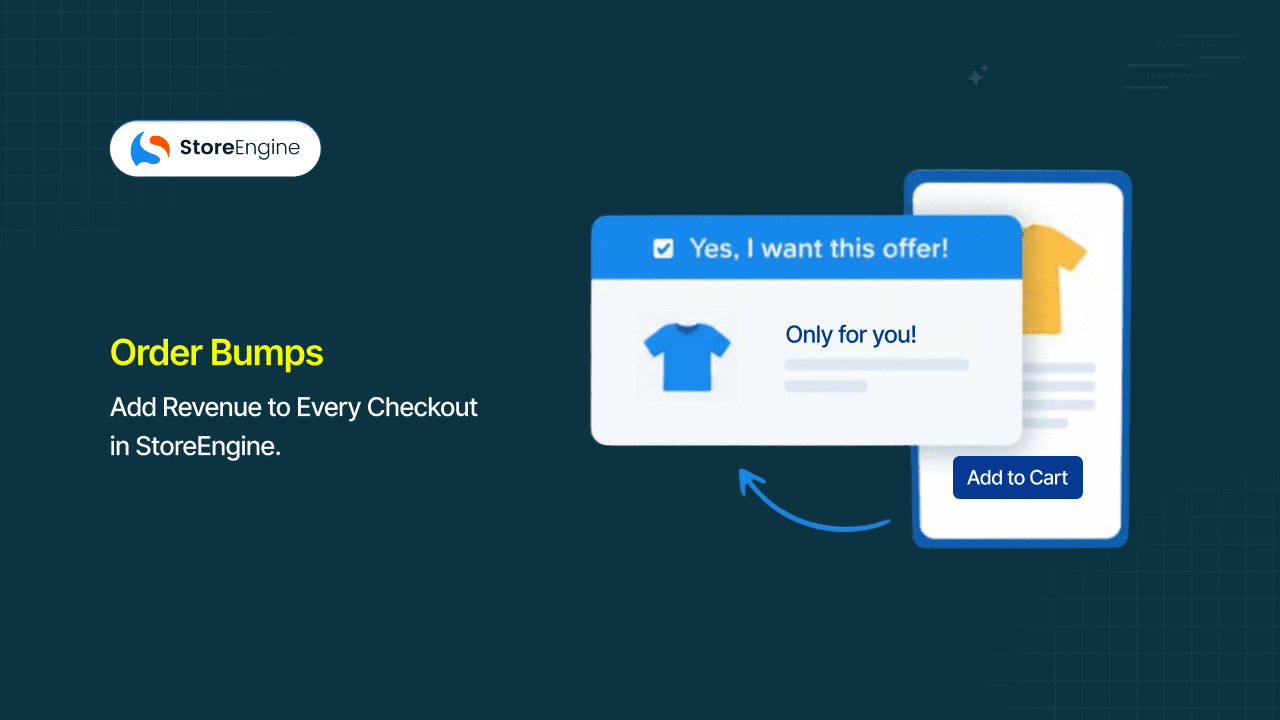
StoreEngine’s built-in Order Bumps add a targeted, one-click add-on offer directly inside the checkout page, while the buyer is already committed to paying. No plugin required. No separate funnel builder. No redirect.
By the end of this article, you’ll know what makes an order bump work, how to configure one inside StoreEngine, which product types convert best as bumps, and how to write the offer copy that gets accepted.
Quick Answer: What Is an Order Bump?
- An order bump is a one-click add-on offer displayed on the checkout page — before the buyer completes payment — that lets them add a complementary product to their order without leaving the checkout.
- The mechanism: StoreEngine displays the bump offer alongside the order summary; the buyer accepts with a single click, which automatically updates the cart and adds the product to the order.
- It’s built for merchants selling digital products, courses, memberships, physical goods, or any offer where a complementary product can add value at the point of purchase.
- The main benefit is increased average order value on every transaction — order bumps consistently lift AOV by 10–30% without adding friction to the checkout flow.
- To get started in StoreEngine, go to the Order Bumps section, create an offer, associate it with a product or checkout flow, and it appears automatically on checkout.
Every Order Gets Only One Chance at Checkout — Are You Using It?
The most valuable moment in any customer relationship is the exact second they decide to buy. That’s when trust is highest, resistance is lowest, and the decision to add one more thing costs the buyer almost no additional cognitive effort. For most stores, that moment passes without a secondary offer — the buyer pays for the main product and leaves, and the entire ecommerce revenue growth opportunity from that transaction gets handed to an email sequence they may never open.
Research consistently shows order bumps lift average order value by 10–30% across ecommerce stores. For digital product sellers specifically, well-executed order bumps routinely add 20–40% to effective AOV — because digital add-ons have near-zero incremental cost to deliver and the buyer’s intent at checkout is already at peak. A $197 core offer paired with a $47 order bump converting at a modest rate moves effective AOV into the $230–$250 range without touching the main offer price at all.
Why post-purchase emails aren’t the fix
The standard workaround for missed checkout revenue is a follow-up email: a “you might also like” sequence, a limited-time upgrade offer, a re-engagement campaign. These are checkout marketing tactics applied too late — they work by trying to recreate purchase intent after the buyer has left.
The honest assessment is that post-purchase email revenue is recovery; order bump revenue is capture. A buyer who accepted a $27 add-on at checkout never had to be re-convinced. They said yes while their card was already in their hand.
What this actually solves is a timing problem. The buyer at checkout is not the same buyer who opens an email three days later. At checkout, they’ve already decided — they’re in a purchasing mindset, trust signals are visible on the page, and adding one more item requires minimal friction.
After checkout, they’ve moved on. Capturing the revenue of that moment requires being in that moment — which is exactly what a checkout-page order bump does.
What Is an Order Bump? (The Checkout-Moment Definition)
An order bump is a pre-payment add-on offer displayed directly on the checkout page, designed to be accepted with a single click and automatically added to the current order — without redirecting the buyer or requiring them to re-enter payment details.
In StoreEngine, order bumps appear alongside the order summary at checkout. The buyer sees the main product, the price, the payment fields — and immediately beside or below the order summary, a clearly marked offer for a complementary product.
They check a box or click an accept button. The product is added to the order. That’s the entire interaction.
The McDonald’s fries principle — why timing is everything
McDonald’s “Would you like fries with that?” achieved a documented 50% acceptance rate — one of the most-studied order bump examples in commercial history. The tactic worked not because the offer was irresistible but because of when it appeared: the buyer had already decided to purchase, already accepted the price of the main order, and was being asked to add one low-friction item before the transaction closed. The offer was relevant, low-cost relative to the main purchase, and required almost no additional decision-making.
Online order bumps operate on the same principle. The buyer is already at checkout. The card is already entered. The question is whether you offer them something worth adding before they click “pay.”
Order Bump vs. Upsell: The Timing Difference That Changes Everything
The terms “order bump” and “upsell” are used interchangeably by a lot of merchants, but they describe fundamentally different moments in the purchase flow — and that difference determines how each one converts.
|
Comparison Element |
Order Bump |
Post-Purchase Upsell |
|
Timing |
Displayed during checkout, before payment is complete |
Displayed after payment is complete, on a confirmation or thank-you page |
|
Buyer state |
Mid-purchase: payment details entered, still on checkout page |
Post-purchase: transaction closed, buyer in confirmation mode |
|
Page location |
Inside the checkout page, alongside the order summary |
Separate page or modal after the checkout page |
|
Friction level |
Near-zero: one-click acceptance, no re-entry of payment details, no page change |
Low-to-medium: requires another decision after the initial purchase is complete |
|
Typical acceptance rate |
10–30% of buyers accept the bump offer at checkout |
4–10% conversion rate for post-purchase upsells (varies significantly by offer) |
When to use each in a StoreEngine checkout flow
Checkout upsells and order bumps are both AOV tools — but they work at different moments. Order bumps work best when the add-on is small, complementary, and obviously related to what the buyer already selected. Post-purchase upsells work better for higher-ticket upgrades or premium versions that need more explanation than a checkout-page box can provide. In a StoreEngine checkout flow, both tools serve different purposes: the order bump captures the impulsive, low-friction “yes” at the moment of payment; the post-purchase offer captures buyers who might upgrade after they’ve experienced the main product. They’re not substitutes — they’re sequential layers.
How StoreEngine’s Order Bumps Work
StoreEngine’s Order Bumps are configured once per product or checkout flow and then run automatically on every qualifying checkout. The merchant doesn’t have to intervene on each order — the offer appears, the buyer accepts or skips, and the cart updates accordingly.

Step 1 — Merchant creates the bump offer
In StoreEngine’s Order Bumps settings, the merchant selects the product to offer, writes the bump headline and short description, sets the price (which can match the standard product price or be a checkout-exclusive price), and associates the bump with a specific product or checkout flow.
Step 2 — StoreEngine displays the offer at checkout
When a qualifying buyer reaches the checkout page, StoreEngine automatically renders the bump offer alongside the order summary. The offer appears in a clearly labeled box — not a popup, not a separate page — as part of the checkout layout the buyer is already reading.
Step 3 — Buyer accepts with one click
The buyer checks the box or clicks the accept button. That single action triggers the automatic cart update — the bump product is added to the current order, the order total updates, and the buyer continues to payment without any additional steps, redirects, or re-entry of payment details.
What the buyer sees and does
From the buyer’s perspective, the experience is designed to feel like a natural part of the checkout rather than an interruption. They see the main order summary, they see a relevant offer presented clearly with a price, and they decide in seconds. Accepting costs them one click. Declining costs them nothing — they ignore the box and complete their purchase normally.
The part most workflows miss is that the offer’s placement matters as much as its content. A bump offer buried at the bottom of a long checkout form gets ignored. A bump offer displayed prominently alongside the order summary — where the buyer is already looking to confirm what they’re buying — gets seen and considered.
What happens to the cart automatically
When a buyer accepts a StoreEngine order bump, the product is added to the cart session in the background without refreshing the checkout page or interrupting the payment flow. The order total updates in real time. The buyer’s payment details remain in the fields exactly as they entered them. The entire acceptance is one interaction with zero navigation required.
What to Offer as an Order Bump: Six Product Types That Convert
The single strongest predictor of whether an order bump converts is relevance. A buyer purchasing a photography course will ignore a bump for a recipe ebook. The same buyer will seriously consider a bump for a Lightroom preset pack. The best ecommerce upsell examples — from cart upsell examples to post-checkout offers — share this same trait: the add-on extends the value of what the buyer already chose. Order bump conversion rates are almost entirely driven by how obviously that extension is communicated.
Complementary physical add-ons
If the main product is a physical item, the bump is often an accessory or consumable that improves the main product. A customer buying a yoga mat is a natural candidate for a stretch strap or a foam roller. The bump should be usable immediately with what they just bought — not a related product from a different category that requires a separate thought process.
Digital product bundles
A buyer purchasing a digital download — a template pack, a PDF guide, a stock photo bundle — is already in the mindset of adding digital assets to their toolkit. Offering a second digital product at checkout costs nothing to fulfill and requires no shipping. A graphic designer buying a logo kit is a strong candidate for a social media template bundle as a bump.
Course or membership upgrades
For course creators using StoreEngine, order bumps are the mechanism that captures the “yes, I want more” decision that happens at purchase. A buyer enrolling in a beginner photography course is, at the moment of checkout, as curious about the advanced module as they’ll ever be. Offering a course upgrade, a private community add-on, or a live coaching session as a bump captures that curiosity before it becomes a “maybe later.”
Protection plans and warranties
For higher-ticket physical products, a protection plan or extended warranty offered as a bump at checkout lands when the buyer is still in the mindset of the purchase they just committed to. The logic is simple: they’ve decided the main product is worth buying; the incremental decision on whether it’s worth protecting requires almost no additional thought.
Subscription add-ons
Turning a one-time purchase into a recurring revenue relationship at checkout is one of the highest-value order bump configurations available. A buyer purchasing a digital newsletter or a software license can be offered a subscription tier as a bump — “get monthly updates” or “upgrade to annual access” — at the moment when their engagement with the product is highest.
Template, checklist, or resource packs
For digital product sellers and course creators, low-cost resource packs are the most frictionless bump offer available. A buyer who just enrolled in a business finance course is an immediate candidate for a financial projection spreadsheet template. These offers are cheap to produce, zero-cost to deliver, and obviously useful alongside the main purchase.
How to Write an Order Bump Offer That Gets Accepted
A correctly configured bump offer in StoreEngine has four components: a headline, a short description, a price, and an accept CTA. What goes in each one determines whether buyers notice it, understand it, and click yes.
Relevance is the only rule that matters
Before writing a single word of bump copy, confirm that the offered product makes the main purchase better, easier, or more complete. If you have to explain why the two products are related, the bump will not convert well. The relevance should be immediate and obvious — a buyer reading the checkout summary for Product A should look at the bump for Product B and think “oh, that makes sense.”
Price the bump at 20–30% of the main offer
Well-performing order bumps are typically priced at 20–30% of the main product’s price. At that ratio, the add-on feels like a logical extension, not a significant second commitment. A $97 main offer pairs well with a $19–$27 bump. A $297 course pairs well with a $47–$67 bump. Pricing the bump too high relative to the main offer creates a second major purchase decision where you want a quick, low-thought “yes.”
Keep the description to four lines or fewer
The buyer’s attention at checkout is on completing the transaction. A bump offer with a long description competes with the checkout form for attention and usually loses. The four-lines-or-fewer rule — a headline, two sentences of benefit, and a price — gives buyers enough to make the decision without enough to make them overthink it.
The accept/decline copy — what words move buyers
The accept CTA should be specific about what the buyer is getting: “Yes, add the template pack” converts better than “Add to order” because it reminds the buyer of the specific value they’re accepting. The decline option (if shown) should be neutral and non-manipulative — “No thanks, I don’t need templates” works better than guilt-framed language because it treats the buyer as an adult making a reasonable choice.
Before Order Bumps vs. With StoreEngine Order Bumps: The Revenue Difference
The difference between a store that runs order bumps and one that doesn’t isn’t just an AOV number — it’s the compounding effect on every transaction.

|
Checkout Element |
Without Order Bumps |
With StoreEngine Order Bumps |
|
What buyer sees at checkout |
Order summary and payment fields only — one transaction, one product |
Order summary + bump offer box alongside — one transaction, potential for two products |
|
Extra revenue per sale |
None — AOV is limited to the main product price |
Every accepted bump increases order revenue without a new customer |
|
Follow-up required to capture extra revenue |
Yes — email sequences, retargeting campaigns, hope that buyers return |
No — the extra revenue happens in the same transaction, instantly |
|
Friction added to checkout |
None (baseline) |
Near-zero — one optional click; buyers who skip see no change to their checkout experience |
|
Works with all product types |
Physical and digital (baseline) |
Physical products, digital products, courses, memberships — all supported in StoreEngine |
|
Requires additional tools |
No (baseline) |
No — Order Bumps is built into StoreEngine; no separate plugin or funnel builder needed |
A real example: what a 30% acceptance rate means per 100 orders
A store selling a $127 online course runs 100 orders in a month. With no order bump, gross revenue from those orders is $12,700. With a $37 companion workbook offered as an order bump and a 30% acceptance rate — conservative by the 10–30% range documented across ecommerce — 30 buyers accept.
That’s $1,110 in additional revenue from the same 100 transactions, no additional traffic, no additional marketing spend. Annualized across consistent volume, a single well-configured bump adds meaningful revenue to the P&L without changing the core offer at all.
Digital Products, Courses, and Memberships: Order Bumps That Fit the Format
Digital products are the ideal environment for order bumps — and not just because they’re free to deliver. The buyer mindset at a digital product checkout is already abstract and value-focused, which makes adding a complementary digital product feel natural rather than transactional.
Why digital products are the ideal order bump environment
A buyer purchasing a physical product has to think about storage, shipping, and whether they need the item. A buyer purchasing a digital product has already accepted that what they’re buying is intangible — they’re paying for value, not for a physical object. Adding a second piece of digital value at checkout requires almost no additional mental shift. The decision is: “Does this make the thing I’m already buying more useful?” And for well-matched digital bumps, the answer is almost always yes.
Course add-ons that convert at checkout
In practice, this matters most for course creators who sell from landing pages or funnels and route buyers through a StoreEngine checkout. The window between “I’m enrolling in this course” and “I’ve clicked pay” is the highest-value moment in the entire customer relationship. Offering a bonus module, a private community, or a live Q&A session as a bump offer captures the buyer’s enthusiasm at its peak. Combine StoreEngine’s Order Bumps with Instant Checkout to let buyers skip the cart page entirely and land directly on a checkout that includes the bump — removing every friction point between the buyer’s decision and the completed payment.
Membership upgrades as order bumps
A membership upgrade bump is a specific configuration that works particularly well for digital product sellers and community builders. A buyer enrolling in a free or low-cost membership tier can be offered a bump to an annual or premium plan at checkout. The bump price is often a meaningful saving compared to the monthly plan prorated, which gives buyers a clear, calculable reason to say yes. For stores using StoreEngine’s Embedded Checkout on a landing page, the membership upgrade bump sits inside the checkout form on the page where the buyer already decided — no navigation required, no second thinking.
Is an Order Bump Right for This Offer?
- If you sell a single-product digital offer — a course, an ebook, a template pack — and have at least one complementary digital product in your catalog → configure a product-specific order bump in StoreEngine to present the add-on at every qualifying checkout; a 20–30% acceptance rate is achievable on a relevant, correctly priced bump.
- If you sell physical products with a natural accessory or consumable pairing → use a complementary product bump to capture the “while I’m here” add-on decision before the buyer completes checkout; physical product bumps convert best when the add-on is usable immediately with the main purchase.
- If you run paid traffic to a sales funnel landing page and want to maximize revenue per visitor → a checkout-layer order bump is the highest-ROI place to add revenue because it operates on already-converted traffic, not traffic you still have to convert.
- If your main product is your only product with no natural complement → an order bump will underperform until you add a complementary product; the mechanism works only when the add-on is obviously relevant to the main purchase.
Setting Up Order Bumps in StoreEngine
Order Bumps in StoreEngine are configured at the product or checkout-flow level — not as a store-wide toggle. This gives merchants the control to run targeted add-on recommendations on specific products without affecting every checkout in the store.

Three steps to your first live bump
- Go to Order Bumps in StoreEngine and create a new bump. Select the product you want to offer as the bump, write the offer headline and short description, and set the bump price. You can match the standard product price or set a checkout-exclusive price.
- Associate the bump with a product or checkout flow. Choose which product purchase or which checkout flow should trigger the bump. A bump for a Lightroom preset pack might be associated specifically with the photography course product — so it only appears when that course is in the cart.
- Test the checkout flow end to end. Place a test order for the trigger product, confirm the bump appears on the checkout page, and confirm that accepting the bump adds the product and updates the order total correctly before going live.
After setup: what runs automatically
Once a bump is live, StoreEngine handles every qualifying checkout without further merchant input. The bump offer appears on the correct checkout page, the one-click acceptance updates the cart in real time, and the order is processed with both products through the standard fulfillment flow. Custom bump offer configuration can be revisited at any time — adjust the price, swap the product, or pause the bump without affecting the underlying product settings.
Order bumps are a powerful checkout tool, but combining them with overall dynamic pricing strategies will drive consistent sales growth.
Full configuration options and advanced bump settings live on the StoreEngine features page.
FAQ
What is the meaning of an order bump?
An order bump is a pre-payment add-on offer displayed on the checkout page that buyers can accept with a single click. It adds a complementary product to the current order without requiring the buyer to leave the checkout, re-enter payment details, or navigate to a separate page. The term “bump” refers to the increase in order value the offer produces.
What is the difference between an order bump and an upsell?
The key difference is timing. An order bump appears on the checkout page before payment is complete — the buyer is still mid-transaction. An upsell typically appears after payment, on a confirmation or thank-you page. Order bumps generally convert at 10–30% because the buyer is already in a purchasing mindset; post-purchase upsells convert at lower rates because the transaction has closed and the buyer has mentally moved on.
What are some effective order bump examples?
Effective order bumps share one trait: obvious relevance to the main purchase. A course buyer offered a companion workbook. A physical product buyer offered an accessory or extended warranty. A membership buyer offered an annual upgrade at a discount.
A software buyer offered a setup or onboarding session. In each case, the bump makes the main product more useful, complete, or protected — and the buyer can see that immediately without needing it explained.
Does an order bump interrupt or slow down the checkout process?
No. In StoreEngine, the order bump appears as part of the checkout page layout — it doesn’t trigger a popup, redirect, or any interruption to the payment flow. A buyer who doesn’t want the bump ignores the offer box and completes checkout exactly as they would without it.
A buyer who accepts clicks once, sees the order total update, and continues to payment. The checkout flow is unchanged for buyers who decline.
What types of products work best as order bumps?
Products that work best as order bumps are relevant, low-friction, and priced at roughly 20–30% of the main offer. Complementary digital products (templates, resource packs, bonus modules), physical accessories, protection plans, and subscription upgrades are the most consistent performers. Products that require extensive explanation or that could be seen as a separate major purchase tend to underperform — the bump works best when the buyer can say yes in under five seconds.
How much should I charge for an order bump?
Price the bump at 20–30% of the main product price for the strongest conversion rates. A $97 main offer pairs well with a $19–$27 bump. A $297 course pairs well with a $47–$67 bump.
Pricing below 20% leaves money on the table; pricing above 30% starts to feel like a second major commitment rather than a quick add-on. StoreEngine lets you set a checkout-exclusive bump price that’s different from the product’s standard price, which gives you flexibility to test the ratio.
Can I use order bumps for digital products and courses in StoreEngine?
Yes. StoreEngine’s Order Bumps fully support digital product purchases, course enrollments, and membership signups as both the main product and the bump offer. Digital product bumps are particularly effective because the delivery cost is zero and the relevance can be high — a buyer enrolling in a course can be offered a bonus module, a resource pack, or a premium membership tier without any fulfillment overhead.
How is StoreEngine’s Order Bumps feature different from using a separate order bump plugin?
A separate order bump plugin sits on top of your ecommerce platform and requires its own configuration, compatibility maintenance, and integration with your checkout page. StoreEngine’s Order Bumps are built into the platform — the same system that processes your orders also displays and processes bump offers. There’s no separate plugin to install, no compatibility issues between the bump tool and the checkout, and no sync delay between the bump acceptance and the order update. The bump and the checkout are one system.
Closing
Every checkout is a complete conversation between your store and a buyer who has already decided to say yes. Order bumps are the question that most stores forget to ask while that conversation is still open. StoreEngine’s built-in Order Bumps put the question in the right place — directly inside the checkout, at the moment of highest intent, with one-click acceptance and automatic cart update — so the extra revenue happens in the transaction you’re already making. See the full Order Bumps feature in StoreEngine →