


Trust signals are the visible proof that your store is safe and your products deliver — customer reviews, ratings, security badges, and verified purchase labels. In 2026, 92% of shoppers hesitate to buy when reviews are missing, and products with at least five reviews are 270% more likely to be purchased than those without. This guide covers every major trust signal type and how to implement them on WordPress with StoreEngine.
💡 Quick Takeaway:
Visitors form trust judgments about a website within 50 milliseconds — before they read a single word of copy. The social proof signals on your product pages decide whether they stay or bounce. Getting them right is one of the highest-leverage conversion improvements available to any online store.
Why do trust signals matter so much in 2026?
Buyer skepticism has never been higher. As AI generates more marketing content, consumers increasingly discount corporate messaging in favor of real customer voices. Only 14% of shoppers trust AI-generated recommendations alone to make a purchase — which means authentic, human-generated social proof has become the primary trust currency in eCommerce.
The numbers are stark. A full 98% of consumers read online reviews before making a purchase. On average, shoppers read between 4 and 10 reviews before feeling confident enough to buy. Products with at least five reviews are 270% more likely to be purchased than products with none. And 71% of customers will not even consider a business rated below three stars — they simply move on to a competitor.
The flip side is equally compelling. Trust badges increase checkout conversions by 42%. User-generated content drives 29% higher conversion rates. Displaying customer counts or social following can lift conversions by up to 15%. These are not marginal improvements — they compound across every product page, every checkout, and every returning customer.
What are the six types of social proof that drive conversions?
Not all social proof does the same job. Each type reduces a different kind of purchase anxiety. Here is how they break down and where each belongs in your store.
1. Customer reviews and star ratings
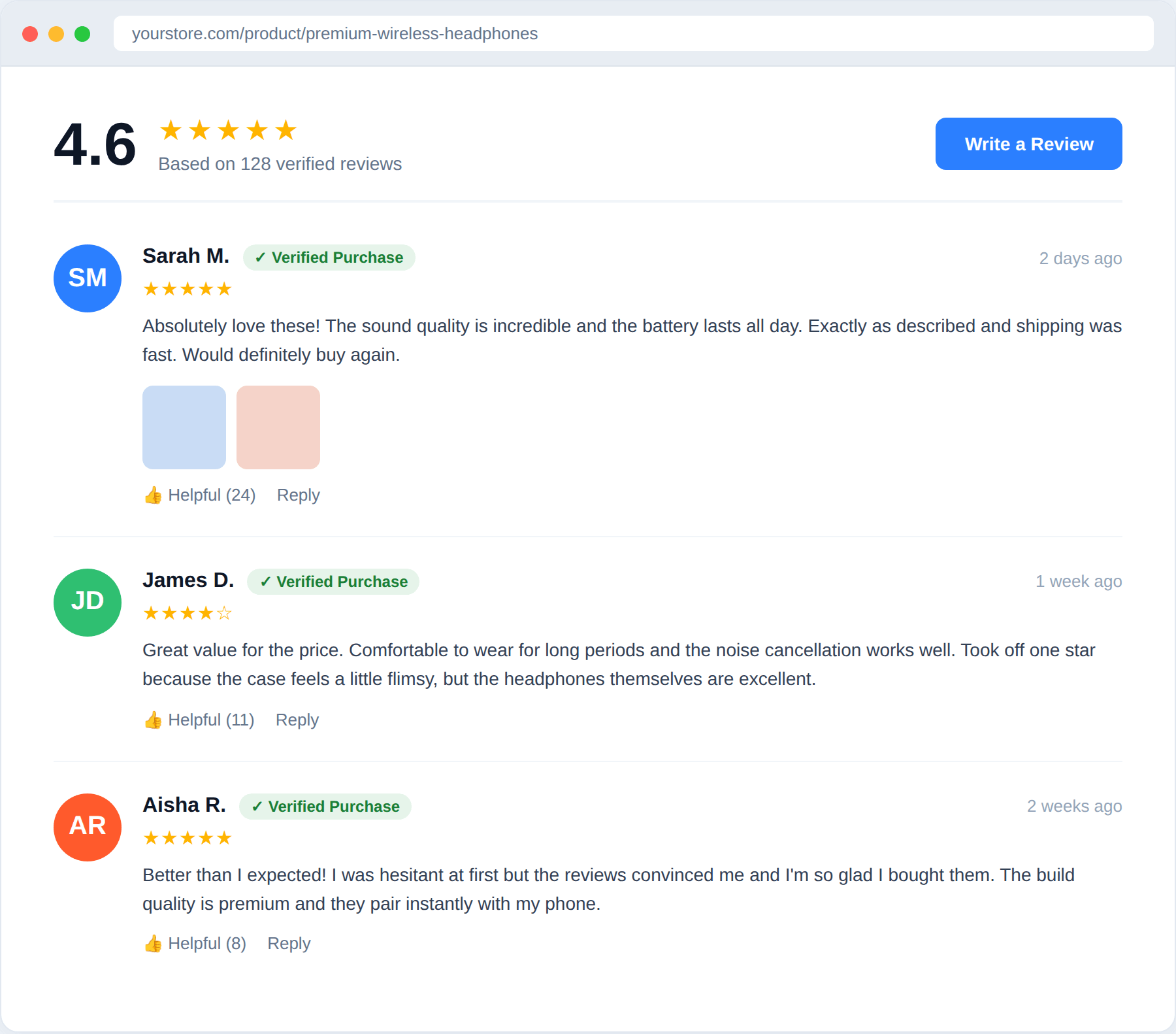
This is the foundation. Reviews are the single most influential trust signal for product pages, and they do two jobs at once: they provide informational content (detailed feedback on the product) and an aggregated credibility score (the star rating). The optimal rating for purchase likelihood is 4.2 to 4.5 stars — consumers view a perfect five-star score with suspicion, while anything below four starts to cost you customers.
StoreEngine includes built-in product reviews and ratings. Customers can leave reviews directly on your product pages, and the star rating displays inline — no third-party plugin required. The review and comment UI was updated in version 1.8.0 to improve clarity and performance.
Implementation tip: Do not wait for reviews to accumulate passively. Email customers after order completion asking for a review. Keep the ask simple and include a direct link to the product page. Volume matters — five reviews outperform one glowing five-star review because they read as more representative.
2. User-generated content (UGC)
74% of shoppers trust customer photos more than stock images, and 65% say seeing user-generated content helps build trust during the buying process. When a real customer photographs your product in actual use, it answers questions that polished product photos cannot — real-world scale, texture, color accuracy, and context.
The practical approach: create a post-purchase email sequence that invites customers to share a photo or short video of the product. Feature the best ones on product pages and in your store’s social feed. Tools like your store’s review section can accept photo uploads alongside text reviews, so UGC lives where it converts — on the product page, near the buy button.
3. Trust and security badges
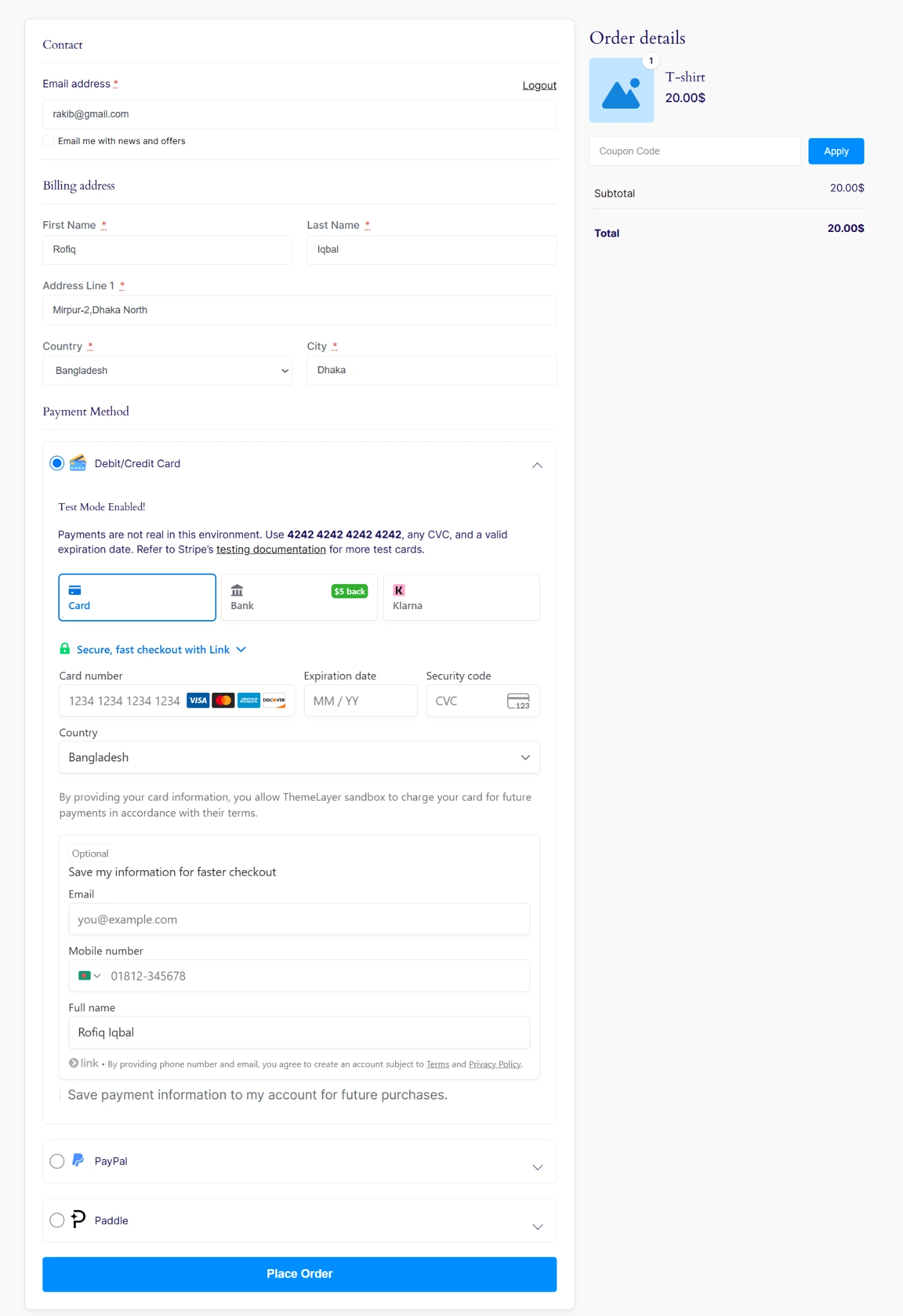
Security badges address a specific type of anxiety: payment safety. When a customer reaches your checkout page, the question in their mind is not whether they want the product — they have already decided that. The question is whether it is safe to enter their card details. A visible security badge (SSL certificate seal, secure checkout indicator) provides the answer before they have to ask.
StoreEngine checkout pages display secure payment indicators natively through its gateway integrations — Stripe, PayPal, Razorpay, and others each carry their own recognized trust marks. Beyond payment security, you can also add trust badges for guarantees: money-back, satisfaction guarantee, free returns. These reduce post-purchase anxiety and lower the perceived risk of buying.
4. Verified purchase labels
Not all reviews carry equal weight. A review marked “Verified Purchase” is significantly more credible than an anonymous one, because it signals the reviewer actually bought and used the product. In an era where fake reviews are common knowledge, the verified label has become essential for review credibility.
On your StoreEngine product pages, only customers who have completed a purchase can leave a review by default — building verification into the review flow itself. This means every review on your product page is implicitly a verified purchase, which is worth communicating clearly in your review section heading or near the star rating display.
5. Real-time activity notifications
Real-time social proof — recent purchase notifications, low stock alerts, visitor counts — works through a different psychological mechanism than reviews. Rather than providing informational proof, it triggers urgency and FOMO. Real-time purchase notifications lift conversions by 10 to 15% on average, and up to 32% for some stores. Low-stock indicators (“Only 3 left”) create scarcity that moves hesitant buyers to act.
These signals are most effective on high-traffic product pages and during promotional periods. They should feel informational rather than manipulative — a notification that says “Sarah from Chicago just bought this” should reflect genuine recent activity, not fabricated data.
6. Expert and media mentions
Authority-based social proof — coverage in recognized publications, expert endorsements, industry awards — works at the top of the funnel. When a visitor arrives at your store for the first time, a visible “As seen in…” bar or a quote from a respected voice in your industry answers the unspoken question of whether your brand is legitimate before they even reach a product page.
This type of proof is earned, not configured. But displaying it effectively — a logo bar above the fold, an endorsement quote near the header, a media mention on your about page — is entirely within your control. Prioritize the most recognizable names in your niche over the most flattering quotes.
Where should trust signals be placed on your store?
Placement matters as much as presence. A trust signal buried in the footer does not reduce cart abandonment. Here is where each type converts:
How StoreEngine handles trust signals natively
For WordPress stores on StoreEngine, the core trust infrastructure is built in — you do not need to assemble it from separate plugins.
Common trust signal mistakes to avoid
Faking or padding reviews
86% of consumers say authenticity is a key factor when choosing brands. Fake reviews are increasingly detectable — through review patterns, unusually high scores, and platform AI detection. Getting caught destroys trust far more effectively than having no reviews at all. Focus on volume through legitimate post-purchase outreach rather than manufactured credibility.
Displaying only perfect reviews
A product with 200 reviews averaging 4.3 stars is more persuasive than one with 12 perfect five-star reviews. Counterintuitively, having some three and four-star reviews increases credibility by demonstrating authenticity. Respond professionally to negative reviews — how you handle complaints is itself a trust signal.
Placing trust signals too far from the buying decision
A security badge at the bottom of a long product page description does not reduce cart abandonment. Every trust signal should be positioned within view of the action it is meant to support — reviews near add-to-cart, security badges near payment fields, return policy near the order total.
Ignoring mobile display
79% of consumers are influenced by user-generated content when shopping on mobile. Review sections that are hard to scroll, badges that render too small to read, or trust copy that wraps awkwardly on a narrow screen all undermine the signal. Test your trust signals on mobile before treating them as deployed.
The Bottom Line
Trust signals are not optional extras for a mature store — they are the foundation every purchase decision rests on. Start with what converts most: product reviews and verified purchase labels on every product page, security indicators at checkout, and a consistent post-purchase review request email. Each signal stacks. Over time, a store with genuine social proof across every page becomes significantly harder to compete with on trust alone.
Frequently asked questions
Do I need a separate review plugin for StoreEngine?
No. StoreEngine includes built-in product reviews and star ratings. Customers who have completed a purchase can leave reviews directly on product pages without any additional plugin. The review section is mobile-optimized and displays aggregate star ratings inline with the product.
How many reviews does a product need before trust signals help conversion?
Five is the meaningful threshold — products with five or more reviews are 270% more likely to be purchased than those with none. Volume compounds: 20 to 50 reviews with a 4.2 to 4.5 average is the sweet spot where both credibility and authenticity are maximized. Prioritize getting your first five reviews on every new product.
Do star ratings appear in Google search results?
They can, if your store has proper structured data markup for reviews. StoreEngine’s SEO addon helps implement the correct schema markup so your product ratings are eligible to appear as rich snippets in Google search results — extending your social proof to buyers before they even visit your store.
Should I respond to negative reviews on my store?
Yes, always. How you handle a complaint publicly is itself a trust signal — it tells prospective buyers that you are responsive and stand behind your products. Keep responses professional, acknowledge the issue, and offer a clear resolution path. A store that responds thoughtfully to a negative review often converts browsers better than one with all-positive reviews that appear unmoderated.