


You paid to get someone to your sales page. They read the copy, watched the video, scrolled to the offer, and clicked “Buy Now.” Then your ecommerce platform took them to a completely different page — a generic checkout URL, stripped of your brand, your sales copy, and every trust signal you spent hours building. Half of them didn’t come back.
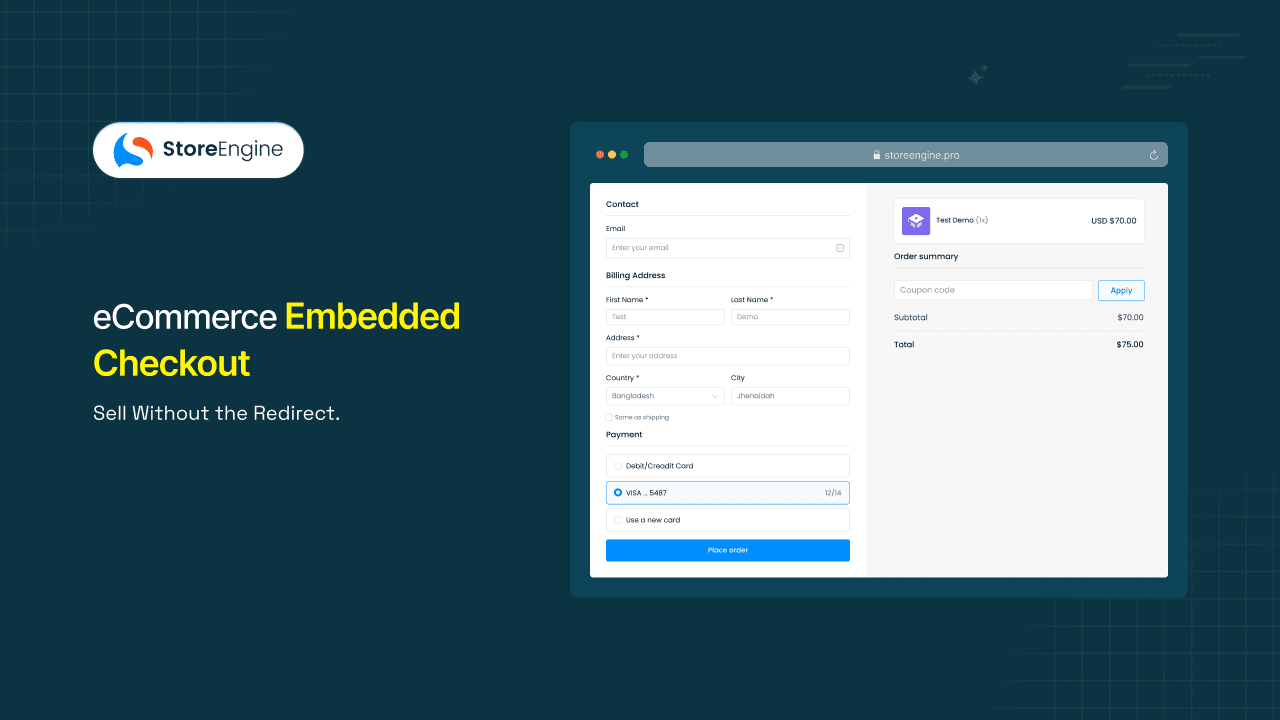
That redirect is the problem, and eCommerce embedded checkout is the structural fix. Instead of sending buyers somewhere else to pay, StoreEngine generates a complete checkout instance that lives inside your page — your landing page, your funnel, your external website. The buyer selects the product, enters payment details, and completes the order without the URL in their browser ever changing.
By the end of this article, you’ll understand how StoreEngine’s Embedded Checkout works at the mechanism level, which pages and use cases it fits best, and how to decide whether it belongs in your setup.
Quick Answer: What Is eCommerce Embedded Checkout?
- Embedded checkout is a complete checkout experience — product selection, payment, and order confirmation — rendered directly inside any webpage, with no redirect to a separate checkout URL.
- The mechanism: StoreEngine generates an embeddable checkout instance via embed code that you place in any page; the checkout renders on-page and the buyer completes their purchase without leaving.
- It’s built for merchants selling on landing pages, paid ad destinations, sales funnel pages, or any external site where a checkout redirect would break the buyer’s context.
- The main benefit is eliminating the redirect drop-off — the moment when buyers leave your page and don’t return — at the exact point in the funnel where purchase intent is highest.
- To get started in StoreEngine, generate your embedded checkout instance from the feature settings, copy the embed code, and paste it into the page where you want buyers to purchase.
The Redirect Problem: Why Sending Buyers Away From Your Landing Page Loses Sales
Every redirect in a purchase flow is a door — and a meaningful share of buyers who walk through it don’t walk back. Baymard Institute’s aggregation of 50 abandonment studies puts the average documented cart abandonment rate at 70.22%. Checkout abandonment — the subset that happens after buyers actively start the purchase process — runs between 60% and 80% across ecommerce sectors. Every checkout redirect is a checkpoint where a share of your landing page conversion rate bleeds out permanently.
What this actually solves is a momentum problem. A buyer landing on your page from a paid ad or an email sequence is already pre-warmed — they clicked through because they wanted what you offered. The redirect breaks their decision by pulling them out of the environment where their intent formed. Research into checkout friction confirms it directly: sending buyers to an external service to complete payment severely hurts conversion rates, because the context break resets the buyer’s confidence threshold.
Why abandoned cart emails don’t fix this
The standard workaround — an abandoned cart email sequence — is a recovery tool, not a prevention tool. It works on buyers who left and stayed reachable. It doesn’t recover the buyers who never gave you an email address, the ones who closed the tab on the redirect page, or the mobile users who got a push notification mid-purchase and forgot. Prevention is the only reliable answer to checkout friction, and embedded checkout is prevention at the architecture level.
What Is Embedded Checkout? (And What It’s Not)
Embedded checkout is a method of rendering a fully functional, payment-ready checkout form directly inside a page, with no checkout redirect to a separate URL. The buyer sees the checkout form as a native part of the page they’re already on — not as a separate screen, a popup that covers the page, or a link that opens elsewhere. In StoreEngine, this is delivered through an embeddable checkout instance you generate once and place wherever buyers should pay.
Clarifying what it isn’t matters here. Embedded checkout is not:
- A simplified payment form — it handles product selection, pricing, coupons, and order confirmation, not just card fields.
- A payment link — payment links redirect buyers to a hosted page; embedded checkout renders the checkout without leaving the page.
- A prebuilt checkout hosted on an external domain — prebuilt or hosted checkout pages load on the payment provider’s URL; embedded checkout loads inside your URL.
- A popup modal — a popup floats above the page and still represents a context shift; embedded checkout is structurally part of the page itself.
How it differs from a standard checkout redirect
In a standard checkout redirect, the buyer’s click sends them to a separate URL — typically something like /checkout or a payment provider’s hosted domain. In StoreEngine’s Embedded Checkout, that redirect never happens. The checkout form is already part of the page the buyer is reading. Clicking “Buy” doesn’t navigate them anywhere; it submits the WordPress embedded checkout form they’re already looking at.
Embedded vs. Hosted Checkout: The Real Difference for Your Conversion Rate
The choice between embedded and hosted (redirect) checkout isn’t primarily a technical question — it’s a conversion question. The table below frames the comparison from a merchant’s perspective.
|
Workflow Element |
Hosted / Redirect Checkout |
StoreEngine Embedded Checkout |
|
Buyer’s location during purchase |
Redirected to a separate checkout URL — leaves the original page |
Stays on the same page throughout product selection, payment, and confirmation |
|
Page loads between intent and payment |
2–3 additional page loads (cart → checkout → payment) |
0 additional page loads — checkout renders where the buyer already is |
|
Brand context at payment |
Typically stripped — generic checkout URL, minimal branding |
Full brand context maintained — your copy, imagery, and trust signals remain visible |
|
Mobile experience |
Each redirect adds a page load on a mobile connection, slowing checkout speed |
Single-page purchase flow; no reload friction on any device |
|
Abandonment risk point |
Every redirect is a drop-off risk; each page load is a new exit opportunity |
Drop-off risk is limited to the checkout form itself — buyer never had to leave |
|
Best-fit pages |
Standard product pages, multi-item category stores |
Landing pages, ad destinations, sales funnel checkout integration, external site embeds |
When the redirect checkout is still the right default
Embedded checkout earns its place on pages with a single, focused offer — where the buyer arrived with intent, not to browse. For multi-product category pages, storefront homepages, or any page where the buyer might want to add several items before paying, the default checkout flow still works better. The embedded checkout format is optimized for single-product or limited-offer pages, not basket-building stores.
How StoreEngine’s Embedded Checkout Works

The mechanism behind StoreEngine’s Embedded Checkout is three steps for the merchant and zero steps for the buyer — in the sense that the buyer never has to go anywhere.
Step 1 — Generate the embed
In StoreEngine, navigate to the Embedded Checkout settings for a product or offer. The platform generates a unique embeddable checkout instance — a short checkout embed code snippet that references your product, your price, your payment gateway configuration, and your brand settings.
Step 2 — Place the embed on any page
Paste the embed code into any page: a custom landing page, a sales funnel page, an HTML page on an external domain, or a blog post. StoreEngine’s checkout renders inside that container — it reads the page’s environment and presents your configured checkout form as an on-page checkout experience.
Step 3 — Buyer completes purchase in-place
When a buyer reaches the checkout form, they fill in their details and complete payment without ever leaving the page. The order is confirmed, processed, and logged inside StoreEngine — the same as any other order. The buyer sees a confirmation state inside the same page area where the form was.
What happens on the buyer’s side
From the buyer’s perspective, the experience is: read the page, reach the checkout form, fill it in, done. No checkout redirect, no new tab, no “continue to payment” button that opens somewhere else. The product description, the testimonials, the guarantee text you worked to place near the buy decision — all of it stays visible while they enter their card details.
The part most workflows miss is that proximity to the sales environment at the payment step is a trust signal. When the checkout form is sitting inside the page that built the buyer’s confidence, they don’t have to rebuild that confidence in a new context before entering their card number.
If you want to go one step further — letting buyers skip the cart page and jump directly to payment before they even reach an embedded checkout on a landing page — see how StoreEngine’s Instant Checkout works as a companion approach to frictionless purchasing.
Where to Embed It: Landing Pages, Sales Funnels, and External Websites
StoreEngine’s Embedded Checkout can be placed on any page that accepts embed code — which covers most page builders, WordPress, and raw HTML. The four scenarios below cover where it produces the most measurable difference.
Dedicated sales and launch pages
A custom landing page checkout for a new course, a product drop, or a limited-time offer typically does one job: convert a single offer. Adding the embedded checkout to the page itself turns the “buy” decision into an on-page action. The buyer commits inside the page where their excitement is highest, without being handed off to a separate purchase environment.
Paid ad landing pages
In practice, this matters most when traffic is paid. A buyer who clicked an ad and landed on your page is warm — they self-selected through a targeting match and an ad impression. Sending that buyer to a redirect checkout introduces friction at precisely the moment when their intent is strongest, and your acquisition cost is already spent.
Sales funnel pages (multi-step funnels)
In a funnel flow, each page builds on the last — lead capture, value delivery, offer. Placing StoreEngine’s Embedded Checkout on the offer page completes the sales funnel checkout integration without a handoff to a separate checkout system. The funnel and the checkout are the same page. No cart session to lose, no redirect to a hosted URL that breaks the funnel’s visual continuity.
External sites and blogs
StoreEngine generates an embed code that works on external domains — not just your StoreEngine storefront. This is where the external website checkout support becomes a meaningful differentiator. A merchant running a membership community on a separate platform, a creator selling digital products from their personal blog, or a B2B SaaS vendor embedding paywalls and checkout flows into a partner’s site can all use the same embed code. Payment processes through your StoreEngine gateway configuration, and orders land in the StoreEngine dashboard identically to standard orders.
The Buyer’s On-Page Experience: What Changes and What Doesn’t

What changes for the buyer is simple: they never leave. What stays the same is everything else that makes a checkout work — product pricing, payment options, order confirmation, and the brand presentation they trusted enough to reach for their card.
Workflow comparison: the buyer’s view at each stage
|
Buyer Touchpoint |
Without Embedded Checkout |
With StoreEngine Embedded Checkout |
|
What buyer sees after clicking “Buy” |
Redirected to a separate checkout URL — new page, stripped brand context |
Checkout form appears within the same page — brand context remains intact |
|
Page loads between intent and payment |
2–3 reloads (cart, checkout, payment) |
0 reloads — checkout was already rendered on the page |
|
Trust signals visible during payment |
Limited — redirect page typically shows only the checkout form |
Full — your testimonials, guarantee, and copy remain visible beside the checkout form |
|
Perceived brand consistency |
Checkout feels disconnected from the sales page |
Checkout feels like a native part of the buying experience |
|
Time from decision to completed order |
Longer — each page load is additional wait time, especially on mobile |
Shorter — the buyer is already on the payment form |
Brand-consistent checkout inside the embed
StoreEngine’s Embedded Checkout renders inside your page’s environment, which means your brand’s colors, fonts, and layout surround the checkout form. The buyer never encounters a generic white checkout page that looks nothing like the site they were browsing. That consistency matters because visual continuity reduces the hesitation buyers feel when they leave a familiar environment mid-purchase — and with embedded checkout, they never do.
What Works Inside the StoreEngine Embedded Checkout
Removing the redirect doesn’t mean stripping the checkout of functionality. StoreEngine’s Embedded Checkout carries the full capability set of a standard checkout — only the redirect is removed.
Payment gateways and embedded payments
StoreEngine’s Embedded Checkout uses your existing gateway configuration. Whatever payment methods you’ve set up — card processing, digital wallets, regional payment methods — they all surface inside the embedded payments form. The embed doesn’t require a separate payment configuration or a different processor. If your StoreEngine checkout normally accepts a payment method, it accepts it in the embedded context too, keeping checkout speed consistent with what your buyers expect.
Embedded checkout for digital and physical products
Embedded Checkout supports both digital and physical product purchases within the same form. For digital products — ebooks, course enrollments, software licenses, membership access — the delivery and fulfillment flow continues through StoreEngine as usual after the embedded purchase completes. For physical products, shipping details are collected inside the embedded form; the order routes to StoreEngine’s fulfillment workflow the same way a standard checkout order does.
Brand customization
The embedded checkout instance inherits your StoreEngine brand settings — logo, colors, typography. You can also customize the checkout’s visual presentation to match the specific page it lives on. This is where embedded checkout diverges from prebuilt checkout pages, which are typically fixed in appearance. The goal is a checkout that looks like it was designed for the page it’s on, not inserted into it.
Is Embedded Checkout Right for You?
- If you run paid traffic to a landing page for a single offer → embedded checkout removes the redirect that takes buyers off the page where their intent formed, keeping them in the conversion environment you paid to create.
- If you sell digital products, courses, or memberships through a sales funnel → place the embedded checkout on your offer page so the entire funnel — including payment — completes without handing buyers off to a separate checkout system.
- If you run a content site or external platform and want to sell directly from it → StoreEngine generates an embed code that works on external domains, so you can accept payments on any site that accepts embed code, not just your StoreEngine storefront.
- If you manage multiple campaign landing pages with different offers → generate a separate embedded checkout instance per offer; each instance carries its own product configuration, pricing, and coupon settings, so a single embed code per page handles the full purchase flow.
Setting Up Embedded Checkout in StoreEngine

Setup takes three steps. The full parameter reference and advanced configuration options live in the StoreEngine Embedded Checkout feature documentation.
- Go to Embedded Checkout in StoreEngine settings. Select the product or offer you want to sell through an embedded checkout. Configure pricing, available payment gateways, and any applicable coupons.
- Copy the generated embed code. StoreEngine produces a short code snippet. This snippet references your product, your checkout configuration, and your brand settings — it is what the page uses to render the checkout form in-place.
- Paste the code into your target page. On a WordPress landing page, inside a funnel builder block, or directly in the HTML of an external site — paste the embed code where you want the checkout form to appear. The checkout renders inside that container when the page loads.
Test the end-to-end flow in a fresh browser session before launch: confirm the checkout form renders in-place, a test payment processes correctly, and the order appears in the StoreEngine dashboard.
FAQ
What is embedded checkout?
Embedded checkout is a purchase flow that renders directly inside a webpage — the buyer selects a product, enters payment details, and completes their order without being redirected to a separate checkout URL. The checkout is a native part of the page rather than a separate destination the buyer navigates to.
How does embedded checkout work on a landing page?
An embed code is placed on the landing page where you want buyers to purchase. When the page loads, the checkout form renders inside the page — the buyer sees it as part of the page layout, fills in their details, and pays without ever leaving. In StoreEngine, the embed code carries your product configuration, payment gateway settings, and brand presentation, so the checkout is ready the moment the page loads.
What is the difference between embedded checkout and hosted or redirect checkout?
A hosted or redirect checkout sends the buyer to a separate URL — typically a generic checkout page on your ecommerce platform or a payment provider’s hosted domain. Embedded checkout keeps the buyer on the same page throughout the entire purchase. The practical difference is the elimination of the redirect, which removes the primary drop-off point between buyer intent and completed payment.
Does StoreEngine’s Embedded Checkout support digital and physical products?
Yes. StoreEngine’s Embedded Checkout handles both digital and physical product purchases within the same embedded form. Digital products proceed through StoreEngine’s standard delivery and fulfillment flow after checkout completes. Physical products collect shipping details inside the embedded form, and the order routes through StoreEngine’s fulfillment workflow as normal.
Can I embed the checkout on an external website that isn’t my StoreEngine store?
Yes. StoreEngine generates an embed code that works on any page that accepts embed code, including external domains. A creator selling from their personal blog, a SaaS vendor embedding a checkout on a partner’s site, or a membership operator selling from a community platform can all use the same embed code. Payment processes through your StoreEngine gateway configuration, and orders land in the StoreEngine dashboard.
Is embedded checkout safe for customers to use?
Yes. The embedded checkout processes payments through StoreEngine’s payment gateway integration, which handles PCI compliance at the payment layer. The checkout form running inside your page doesn’t change the security model — payment credentials are transmitted the same way they would be on a standard checkout page.
Will my payment gateways still work inside the embedded checkout?
Yes. StoreEngine’s Embedded Checkout uses your existing gateway configuration. Every payment method you have active in StoreEngine — card processors, digital wallets, or regional payment options — is available inside the embedded form. No separate gateway setup is required for the embedded context.
How is embedded checkout different from StoreEngine’s Instant Checkout?
They solve different friction points. StoreEngine’s Instant Checkout removes the cart-page step — a buyer clicks a button and lands directly on the checkout page, skipping the cart entirely. Embedded Checkout removes the redirect step — instead of navigating to a checkout URL, the checkout form lives inside the page the buyer is already on.
The two work as complements: Instant Checkout removes the cart stop, and Embedded Checkout removes the page-change altogether. You can use either independently, or combine them for a purchase flow that eliminates every unnecessary step between intent and payment.
Closing
The redirect is the most expensive default in ecommerce landing page design — expensive in ad spend wasted on buyers who leave, and expensive in purchase intent lost to context breaks. StoreEngine’s Embedded Checkout removes that default entirely, putting a complete, payment-ready checkout where the buyer already is. No redirect, no context switch, no second chance to lose them. See the full Embedded Checkout feature in StoreEngine →