

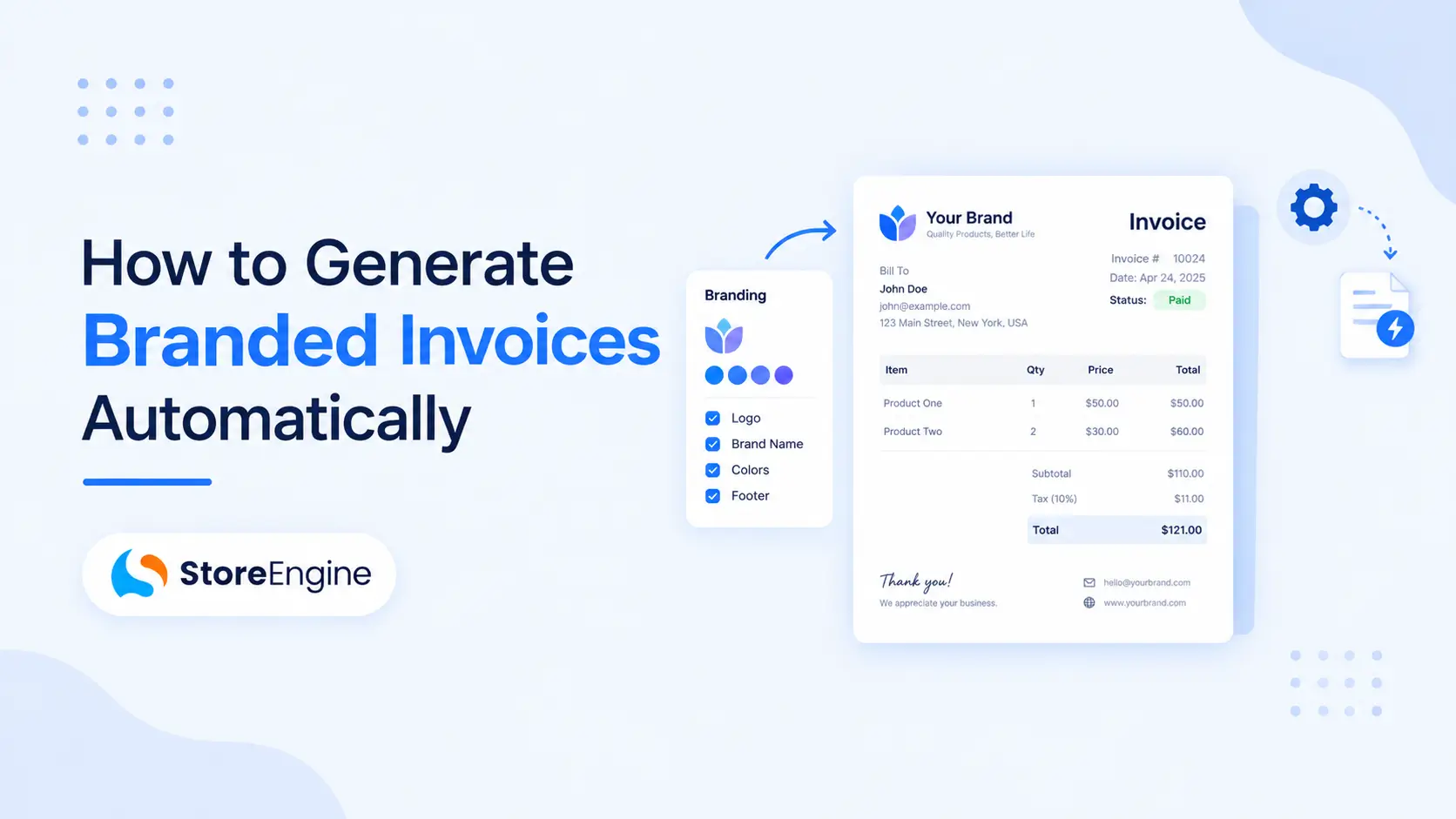

Invoices are more than just payment records—they’re an extension of your brand. Every invoice you send is another opportunity to reinforce your business identity, build customer trust, and deliver a professional post-purchase experience.
Unfortunately, many WooCommerce store owners still create invoices manually or use generic templates that don’t reflect their brand. As order volume grows, manual invoicing becomes time-consuming and prone to errors.
That’s where invoice automation makes a difference.
With StoreEngine, you can automatically generate branded PDF invoices with your logo, business details, and custom branding, saving time while maintaining a professional customer experience.
Want to automate your entire invoicing workflow? Read our Automatic Invoicing for WordPress Stores (VAT-Ready) guide.
Why Branded Invoices Matter
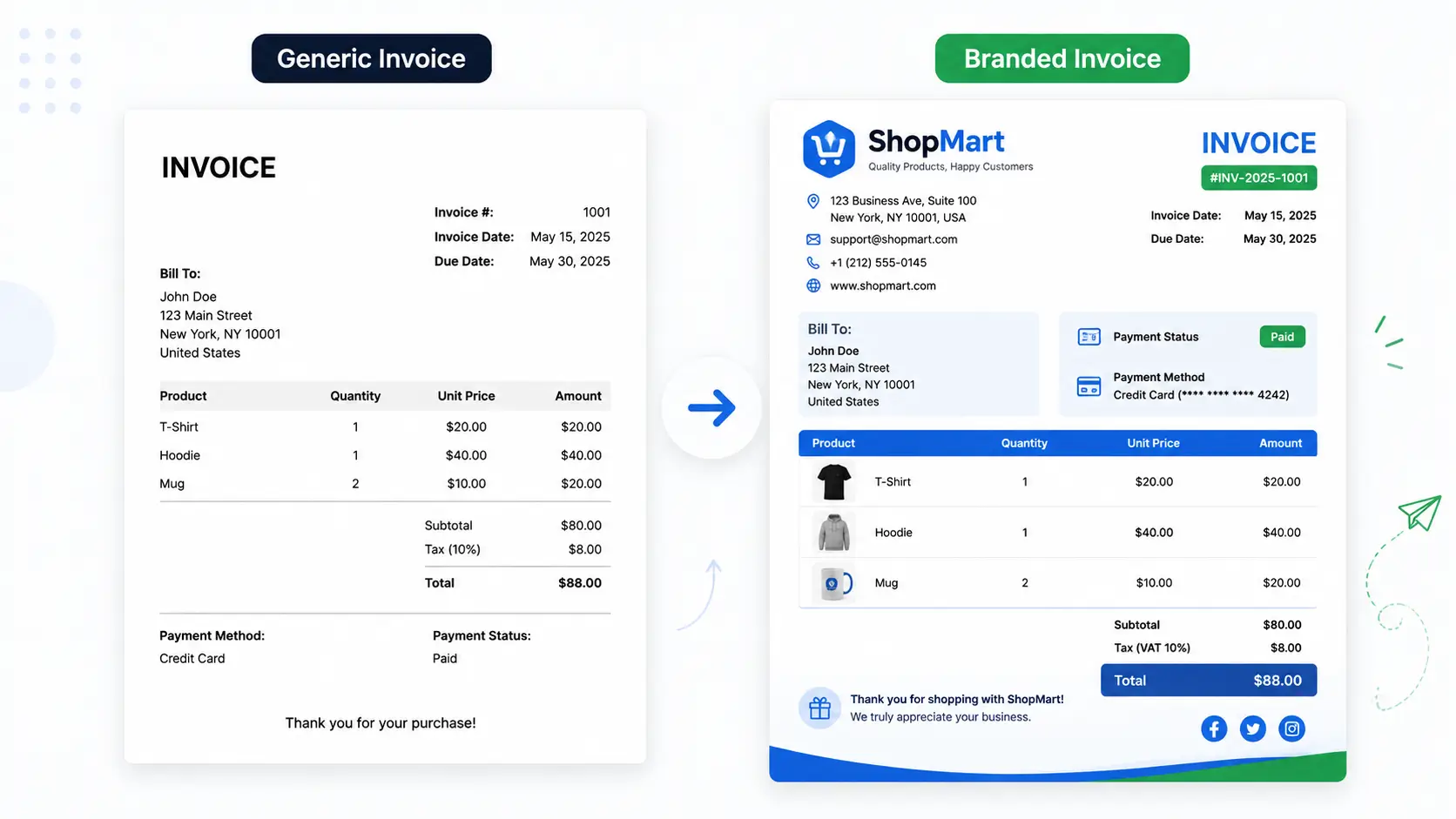
Many businesses invest heavily in designing their website, optimizing product pages, and creating professional email campaigns. However, invoices are often overlooked—even though they’re one of the few documents customers may keep for months or even years.
Customers use invoices for:
- Accounting records
- Business reimbursements
- Tax reporting
- Warranty claims
- Product returns
- Purchase verification
A professionally branded invoice helps customers immediately recognize your business while demonstrating that you operate a reliable and organized store.
A branded invoice should typically include:
- Company logo
- Business name
- Contact information
- Billing address
- Order summary
- Product details
- Tax or VAT information
- Payment status
- Invoice number
- Thank-you message
Rather than sending a plain, generic document, branded invoices create a more polished customer experience that reflects the quality of your business.
Benefits of Automatically Generating Branded Invoices
Automating invoice generation isn’t just about saving time. It also improves consistency, accuracy, and customer satisfaction.
Save Time on Administrative Tasks
Creating invoices manually for every order is manageable when sales are low, but it quickly becomes a burden as your business grows.
StoreEngine automatically generates invoices based on your preferred order status, eliminating repetitive work and allowing your team to focus on more valuable tasks.
Whether you process ten orders a day or several hundred, automation scales with your business.
Deliver a Consistent Brand Experience
Every interaction contributes to your customer’s perception of your brand—including invoices.
StoreEngine lets you customize invoice templates with your:
- Company logo
- Business details
- Brand colors
- Footer message
- Payment instructions
This ensures every invoice aligns with your brand identity, creating a professional experience from checkout to order completion.
Reduce Manual Errors
Manual invoicing increases the risk of mistakes, including:
- Incorrect invoice numbers
- Missing customer details
- Formatting inconsistencies
- Duplicate invoices
- Incorrect tax information
StoreEngine pulls order data directly from WooCommerce, significantly reducing the chance of human error while ensuring invoices remain accurate and consistent.
Improve Customer Experience
Customers appreciate receiving invoices immediately after placing an order.
Instead of waiting for someone to manually create and send a document, StoreEngine automatically generates and delivers branded PDF invoices through WooCommerce emails.
This creates a smoother buying experience and reduces customer support requests related to invoice access.
Stay Organized as Your Store Grows
As order volume increases, organizing invoices manually becomes increasingly difficult.
Automatic invoice generation helps maintain:
- Sequential invoice numbering
- Organized financial records
- Easier bookkeeping
- Faster tax preparation
- Better document management
This not only saves time but also makes it easier to manage your business as it scales.
Why Automation Is Better Than Manual Invoicing
Manual invoicing may work for stores with only a few weekly orders. However, as order volume increases, manual processes become inefficient and difficult to manage.
An automated workflow ensures every invoice follows the same format, includes accurate information, and is delivered consistently without additional effort.
This allows you to spend less time on repetitive administrative tasks and more time improving your products, marketing, and customer relationships.
To streamline your invoicing workflow, explore our complete guide to invoice automation. (Internal Link)
Unlike many invoicing tools that require multiple plugins to handle branding, PDF generation, and automation separately, StoreEngine brings these essential features together in one streamlined solution, making invoice management simpler for WooCommerce store owners.
Features to Look for in an Automatic Invoice Solution
Not all invoice solutions offer the same features. While some generate basic invoices, others provide advanced customization, automation, and seamless integration with WooCommerce.
Before choosing an invoicing solution, look for features that simplify your workflow and support your business as it grows.
Automatic Invoice Generation
The biggest advantage of invoice automation is eliminating repetitive manual work.
A good solution should automatically generate invoices when an order reaches a specific status, such as Processing, Completed, or Paid. This ensures every customer receives an invoice without delay while saving valuable time for your team.
Custom Branding Options
Your invoices should reflect your business, not a generic template.
Choose a solution that allows you to customize:
- Company logo
- Business name
- Contact information
- Brand colors
- Invoice header and footer
- Thank-you message
- Payment instructions
Consistent branding helps customers recognize your business and creates a more professional experience.
PDF Invoice Support
PDF invoices are widely used because they maintain the same formatting across all devices.
Customers can easily download, print, or store PDF invoices for accounting, warranty claims, or tax purposes, while businesses benefit from having standardized documentation.
Sequential Invoice Numbering
Every invoice should have a unique number.
Automatic numbering helps organize financial records, simplifies bookkeeping, and makes it easier to locate invoices when needed.
WooCommerce Email Integration
Customers expect to receive their invoice immediately after making a purchase.
A reliable invoicing solution should automatically attach PDF invoices to WooCommerce order emails, ensuring customers receive their documents without requesting them.
How to Generate Branded Invoices Automatically
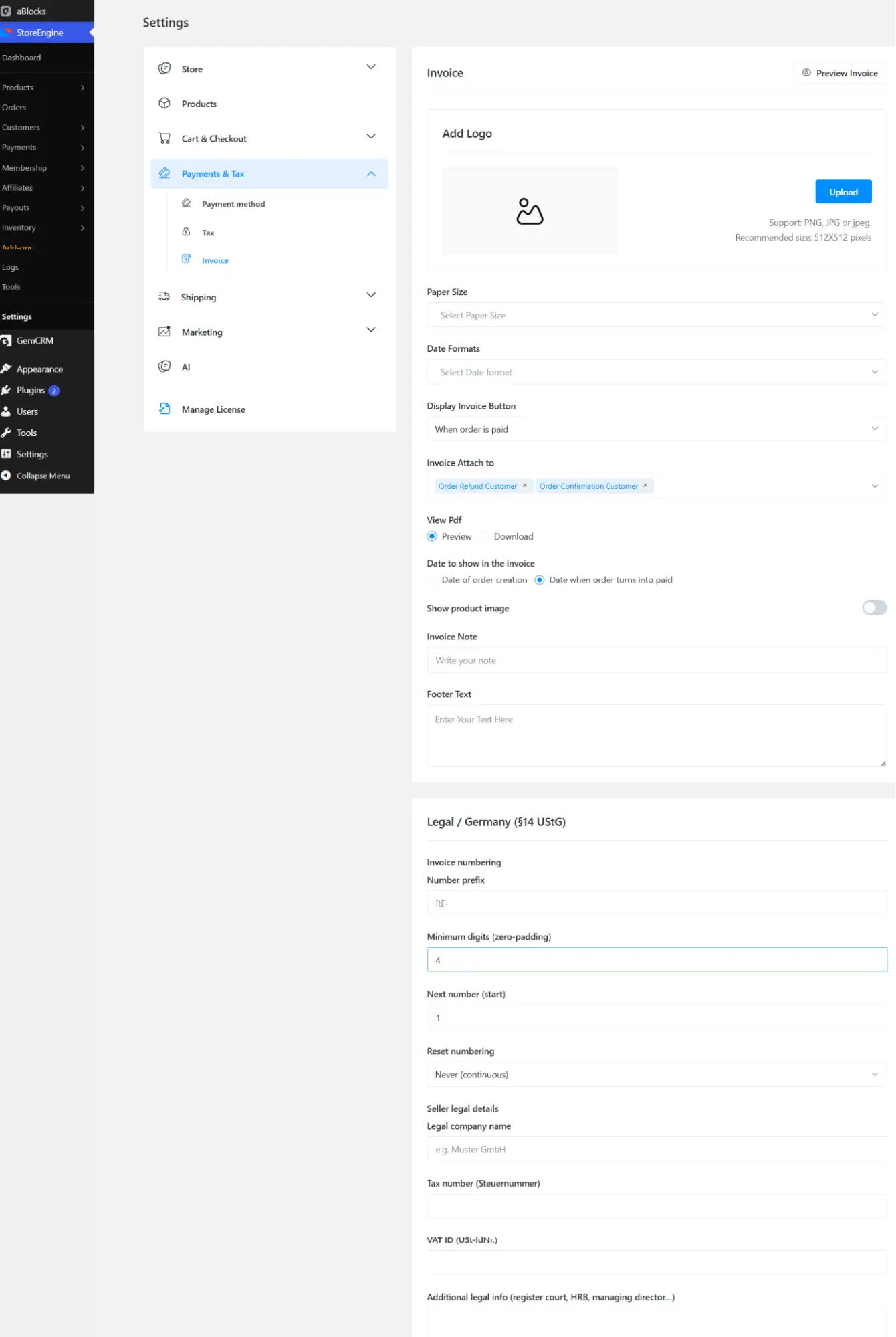
Once you’ve chosen the right solution, setting up automated branded invoices is straightforward.
Step 1: Configure Your Invoice Settings
Start by configuring your invoice settings.
Add your:
- Business name
- Company logo
- Address
- Phone number
- Website
- Tax registration details (if applicable)
Keeping this information accurate ensures every invoice reflects your business professionally.
Step 2: Customize the Invoice Template
A branded invoice should match the rest of your business.
Customize elements such as:
- Logo placement
- Header layout
- Fonts
- Brand colors
- Footer message
- Terms and conditions
A clean, professional layout makes invoices easier to read and improves your brand image.
Step 3: Enable Automatic Invoice Generation
Choose when invoices should be generated automatically.
Most WooCommerce stores create invoices when an order becomes:
- Processing
- Completed
This removes repetitive manual work while ensuring invoices are created consistently.
Step 4: Automatically Deliver PDF Invoices
After invoices are generated, configure your store to send them automatically with order confirmation emails.
Customers receive their invoice instantly, reducing support requests and providing a better post-purchase experience.
Need help setting up a complete invoicing system? Check out our comprehensive guide to automated invoicing.
Best Practices for Professional Branded Invoices
Following a few simple best practices can make your invoices look more professional and improve the customer experience.
Use a High-Quality Logo
Always use a clear, high-resolution logo.
A blurry or stretched logo can make your business appear less professional.
Keep the Design Simple
Avoid cluttered layouts or excessive graphics.
Instead, focus on readability by using clear headings, consistent spacing, and easy-to-read fonts.
Include Complete Business Information
Every invoice should contain:
- Business name
- Address
- Contact details
- Website
- Tax information (if required)
Providing complete information increases customer confidence and supports compliance.
Add a Friendly Thank-You Message
A simple message like:
“Thank you for your purchase. We appreciate your business!”
can make invoices feel more personal while reinforcing a positive customer experience.
Why Choose StoreEngine for Automatic Branded Invoices?

There are many WooCommerce invoice plugins available, but choosing the right solution is about more than generating PDFs. You need a platform that automates repetitive tasks, supports your brand identity, and scales with your business as it grows.
StoreEngine is designed to simplify invoicing for WooCommerce store owners by combining automation, customization, and seamless integration into a single workflow.
With StoreEngine, you can:
- Automatically generate branded PDF invoices
- Add your company logo and business details
- Maintain sequential invoice numbering
- Send invoices with WooCommerce order emails
- Support VAT-ready invoicing
- Reduce manual administrative work
- Deliver a consistent post-purchase experience
Instead of managing multiple plugins or manually creating invoices, StoreEngine keeps everything organized and automated, allowing you to focus on growing your business rather than handling paperwork.
Whether you’re running a small online shop or managing thousands of orders each month, StoreEngine provides the flexibility and efficiency needed to streamline your invoicing process.
Final Thoughts
Professional invoices are an important part of every successful WooCommerce store. They don’t just confirm a purchase—they represent your business, strengthen your brand, and improve the overall customer experience.
While manually creating invoices may seem manageable at first, it quickly becomes inefficient as your order volume increases. Automating the process helps eliminate repetitive work, reduce errors, and ensure every customer receives a consistent, professional invoice.
With StoreEngine, you can automate branded invoice generation, customize invoice templates, and send professional PDF invoices without adding extra work to your daily operations. From startup stores to growing eCommerce businesses, StoreEngine helps simplify invoicing while supporting a more efficient workflow.
If you’re looking to improve operational efficiency and provide a better post-purchase experience, automating your branded invoices is a smart investment that saves time and reinforces your brand with every order.
Frequently Asked Questions
Can I automatically generate invoices in WooCommerce?
Yes. Most modern invoicing solutions allow you to generate invoices automatically when an order reaches a selected status, such as Processing or Completed.
Can I customize my invoice design?
Absolutely. You can customize your invoices with your company logo, business details, colors, and other branding elements to create a consistent customer experience.
Why should I use branded invoices?
Branded invoices reinforce your business identity, improve professionalism, and help customers recognize your brand while keeping important purchase records.
Are PDF invoices better than printed invoices?
Yes. PDF invoices are easy to download, share, print, and store. They also maintain consistent formatting across different devices.
Can automated invoices include tax information?
Yes. Most invoicing solutions support VAT, GST, and other tax details, helping businesses provide accurate invoices while simplifying accounting.