


You’ve built expertise. You’ve packaged it into an online course. But your students also want the workbook, the toolkit, the branded merch — the physical thing that makes the learning real.
Now you’re stuck juggling two platforms, two checkouts, two customer databases. Sound familiar?
The good news? In 2026, you don’t have to choose between selling courses and selling physical products. The smarter move is selling both — from one store, under one roof, with one dashboard.
That’s exactly what StoreEngine makes possible. A single WordPress plugin that handles your online courses, physical products, subscriptions, memberships, and payments — without the plugin overload, without the chaos, and without paying for five separate tools.
This guide shows you exactly how to build that store.
Why Selling Courses + Physical Products Together Makes Business Sense
Let’s talk numbers first.
The worldwide eLearning market was worth $325 billion in 2025, having doubled from $165 billion in 2014. Meanwhile, the online education market is expected to reach $203.81 billion in 2026, growing at a CAGR of 8.20% through 2029.
That’s a massive opportunity. But the creators winning the biggest share aren’t just selling knowledge — they’re selling experiences. A fitness coach sells workout courses and resistance bands. A chef sells cooking classes and specialty ingredient kits. A business mentor sells strategy programs and branded planners.
This bundled approach works because it increases average order value, deepens customer relationships, and creates multiple revenue streams from a single audience. The question isn’t whether you should sell both — it’s how you set it up without your tech stack turning into a Frankenstein monster.
The Problem With Most “Solutions” Out There
Most course creators start with a standalone LMS platform, then bolt on WooCommerce for physical products. Then they add a membership plugin. Then a payment gateway. Then an affiliate tool.
Before long, you’re managing five plugins that barely talk to each other, your site loads like it’s running on dial-up, and you’re paying for four different annual subscriptions.
WooCommerce earned its reflex status honestly — it’s the most-installed eCommerce plugin on WordPress, powering everything from t-shirt shops to booking sites. But familiar isn’t the same as appropriate.
There’s a cleaner way.
The Best Solution: StoreEngine — One Plugin to Sell Everything
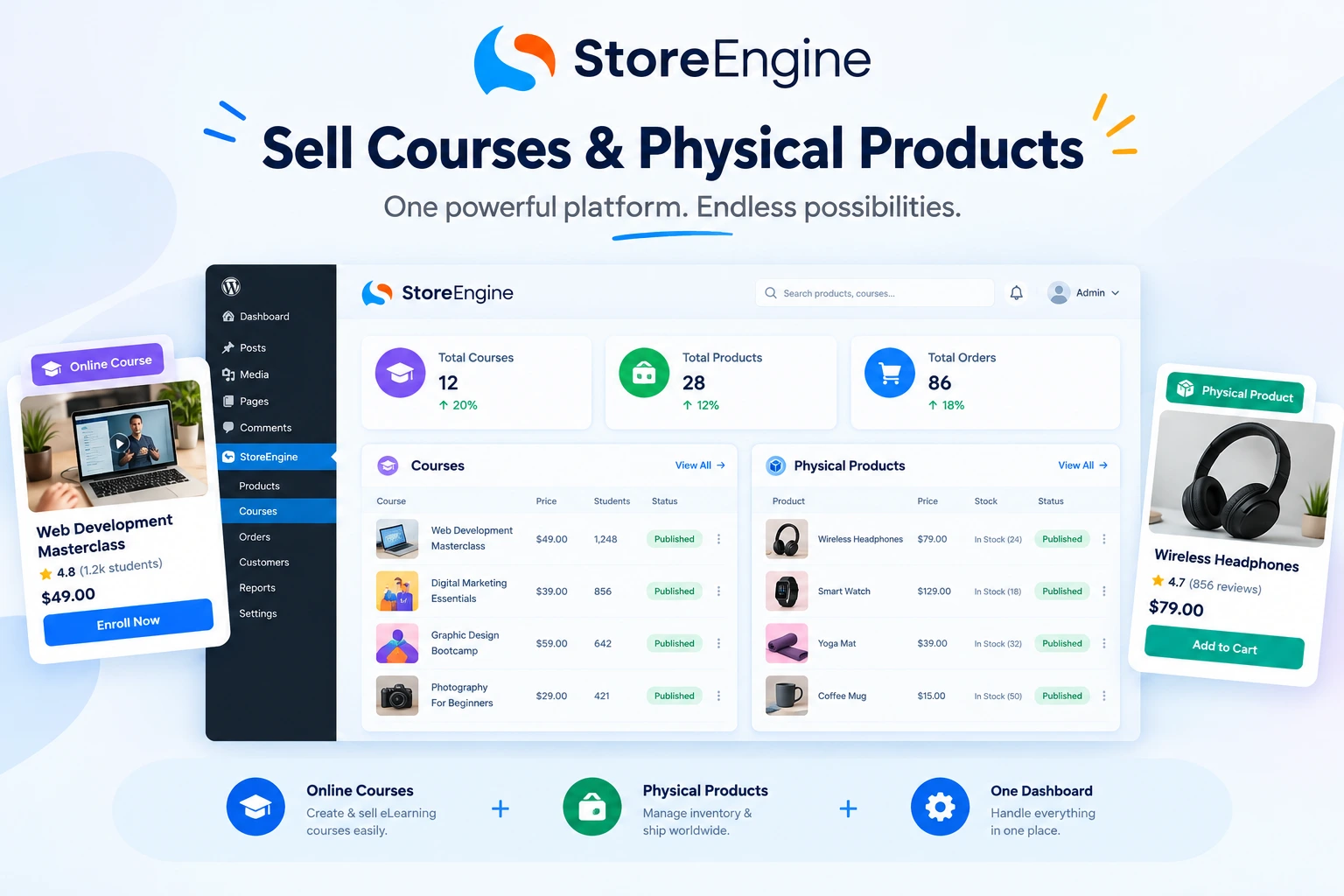
StoreEngine is a complete WordPress eCommerce plugin and store management platform — a fast, modern, lightweight solution that lets you sell digital products, physical products, subscriptions, memberships, courses, services, and licenses from a single Gutenberg-native core.
Think of it as the all-in-one commerce engine that course creators and physical product sellers have been waiting for.
StoreEngine is one of the few free plugins that includes built-in LMS integration (via Academy LMS), making it a viable choice for anyone selling digital courses and content along with physical or digital products. You install it, and 90% of the features you’d normally pay for in WooCommerce, SureCart, or EDD are already included.
You can explore the full plugin at StoreEngine.
What Makes StoreEngine the Right Choice for a Hybrid Store
1. Sell Courses Natively — No Third-Party LMS Required
StoreEngine integrates directly with Academy LMS, which means your course creation, enrollment management, and payment processing all live in one ecosystem. Students buy a course, get instant access — no manual enrollment, no broken automations.
Course creators running online academies via Academy LMS choose StoreEngine for its native payment gateway, full course checkout integration, and support for bundles and installments.
2. Sell Physical Products With Full Inventory Control
Physical product selling in StoreEngine includes SKU tracking, variants (size, color, material), and stock status — all built in. You can manage inventory for your physical goods alongside your digital products from the same dashboard.
No separate plugin. No separate inventory system. Everything in one StoreEngine dashboard.
3. Built-In Subscriptions & Memberships
Want to offer a monthly membership that unlocks both premium courses and discounts on physical products? StoreEngine handles that natively.
Subscription products in StoreEngine support flexible billing cycles with trials, upgrades, downgrades, and cancellations — plus memberships with gated content, courses, and community access through one-time or recurring plans.
That’s a membership + subscription model without installing a separate plugin.
4. Native Affiliate System
Turn your best students into your best marketers. StoreEngine’s built-in affiliate system lets you track referrals, manage payouts, and grow your store without bolting on another tool.
StoreEngine’s built-in affiliate system turns users into promoters — track referrals, manage payouts, and grow faster, all from a single platform.
Explore StoreEngine’s affiliate tools to see how this works for hybrid stores.
5. Upsells, Order Bumps & Conversion Funnels
When someone buys your course, why not offer the companion workbook at checkout? StoreEngine’s upsell and order bump features let you set exactly that up — boosting your average order value without extra plugins or complex configurations.
StoreEngine supports upsells, order bumps, and conversion funnels to lift average order value, plus automated reminders and recovery flows to win back lost sales.
StoreEngine vs. The Competition: A Quick Comparison
|
Feature |
StoreEngine |
WooCommerce + LMS |
Standalone LMS |
|
Sell Physical Products |
✅ Built-in |
✅ Core feature |
❌ Not supported |
|
Sell Online Courses |
✅ Native LMS integration |
⚠️ Needs separate LMS plugin |
✅ Core feature |
|
Subscriptions & Memberships |
✅ Built-in |
⚠️ Paid add-ons required |
⚠️ Limited |
|
Affiliate System |
✅ Built-in |
⚠️ Paid plugin required |
❌ Rare |
|
Invoicing |
✅ Built-in |
⚠️ Add-on required |
❌ Rare |
|
Plugin Count Needed |
1/2 |
5+ |
3+ |
|
Performance Impact |
Lightweight |
Heavy |
Moderate |
|
Pricing Model |
Transparent |
Add-on heavy |
Platform fees |
The verdict? If you want a clean, lightweight eCommerce solution that handles everything without the plugin overload, StoreEngine wins on simplicity, cost, and capability.
How to Set Up a Course + Physical Product Store With StoreEngine
Getting started is straightforward. Here’s the blueprint:
Step 1: Install StoreEngine on WordPress
Head to your WordPress dashboard → Plugins → Add New → search for “StoreEngine.” Install and activate. You’ll also want to install aBlocks (free) for the visual Gutenberg storefront builder.
Step 2: Set Up Your Physical Products
Go to StoreEngine → Products → Add New. Choose “Physical Product.” Add your variants (size, color), set your stock quantity, configure shipping options. Done.
Step 3: Connect Academy LMS for Courses
If you haven’t already, install Academy LMS. You can create courses with Academy LMS for free, and all created courses can be sold through a WordPress website using StoreEngine for payments. Link your courses to StoreEngine products for seamless enrollment on purchase.
Step 4: Create Bundles (Course + Product)
This is where the magic happens. Use StoreEngine’s product bundle feature to pair a course with a physical product — sell your “Complete Pottery Kit” that includes the online masterclass and the clay and tools shipped to their door.
Step 5: Configure Payment Gateways
Stripe and PayPal integrations work out of the box in StoreEngine — everything just works securely, smoothly, and without slowing down your site.
Set up your preferred gateway, configure your currency, and you’re ready to take orders.
Step 6: Set Up Upsells at Checkout
Navigate to your product settings and enable order bumps. When a customer buys the pottery kit, offer an “Advanced Techniques” course at a discounted price — right at checkout.
Visit StoreEngine’s checkout optimization features for the full configuration guide.
Revenue Strategies for Hybrid Course + Product Stores
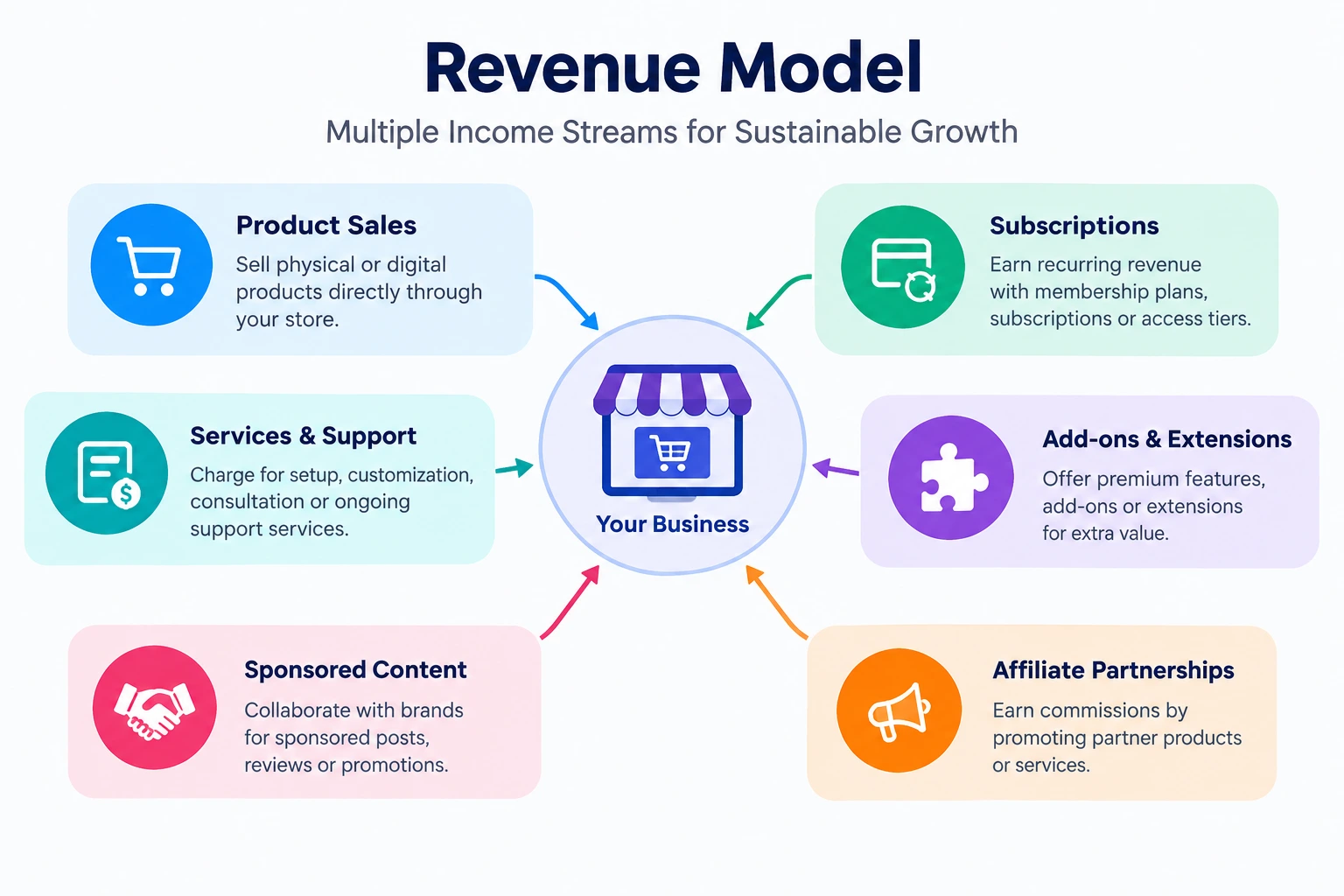
Once your store is live, the real opportunity is in how you structure your offers:
Strategy 1: The Starter Bundle Sell a beginner course + introductory physical product kit together at a slight discount. Lower the barrier to entry, higher average order value.
Strategy 2: The Subscription Box + Learning Path Combine a monthly physical product box with access to an ongoing course series. Recurring revenue, recurring value.
Strategy 3: Certification + Merchandise Sell a professional certification course. When students complete it, offer branded merchandise (hoodies, mugs, certificates) as a natural post-completion upsell.
Strategy 4: Workshop + Materials Kit Sell a live or recorded workshop with a physical kit of materials mailed to attendees beforehand.
All of these work seamlessly with StoreEngine’s subscription and membership engine — no extra tools required.
Monetization & Passive Income: Making It Work Long-Term
Course creators on Kajabi alone have earned over $6 billion, and the global e-learning market reached $325 billion in 2025, projected to hit $1 trillion by 2032.
The passive income potential is real — but it requires the right infrastructure. Here’s what a sustainable hybrid store looks like:
Solo entrepreneurs selling ebooks, courses, software, templates, or printables love StoreEngine’s built-in digital file delivery, easy-to-send invoicing, license key system, and one-click checkout that works right out of the box.
You can see the full feature set at StoreEngine Pro.
Who Is This Setup For?
StoreEngine serves physical and retail sellers who manage inventory, POS, shipping, suppliers, and returns — as well as subscription and membership businesses, course creators, service providers, and marketplace builders — all from one eCommerce dashboard.
This setup is ideal for:
If your expertise has both a digital and physical dimension, you have a hybrid store waiting to be built.
StoreEngine: Built for Scale, Not Just for Launch
Since its first launch on April 10, 2025, StoreEngine has evolved rapidly into a powerful and reliable eCommerce solution for WordPress — with a commitment to shipping fast, listening closely, and improving continuously.
Rated 5/5 on WordPress.org, StoreEngine is the fastest-growing WordPress eCommerce plugin for creators, businesses, and developers who want full control without complexity.
What sets it apart for the long haul:
You can check the full StoreEngine roadmap to see what’s coming next.
Common Mistakes When Building a Hybrid Course + Product Store (And How to Avoid Them)
Most creators who attempt to run a hybrid store hit the same walls. Here’s what to watch out for — and how StoreEngine sidesteps each one.
Mistake 1: Treating courses and products as completely separate businesses
The biggest opportunity in a hybrid store is cross-selling. If someone buys your physical pottery kit, they’re already your ideal student. The checkout is the moment to offer the course. If you’re using separate platforms, you’ll miss that moment entirely.
StoreEngine’s upsell and order bump system is built for exactly this — connecting your physical and digital offers at the highest-intent moment.
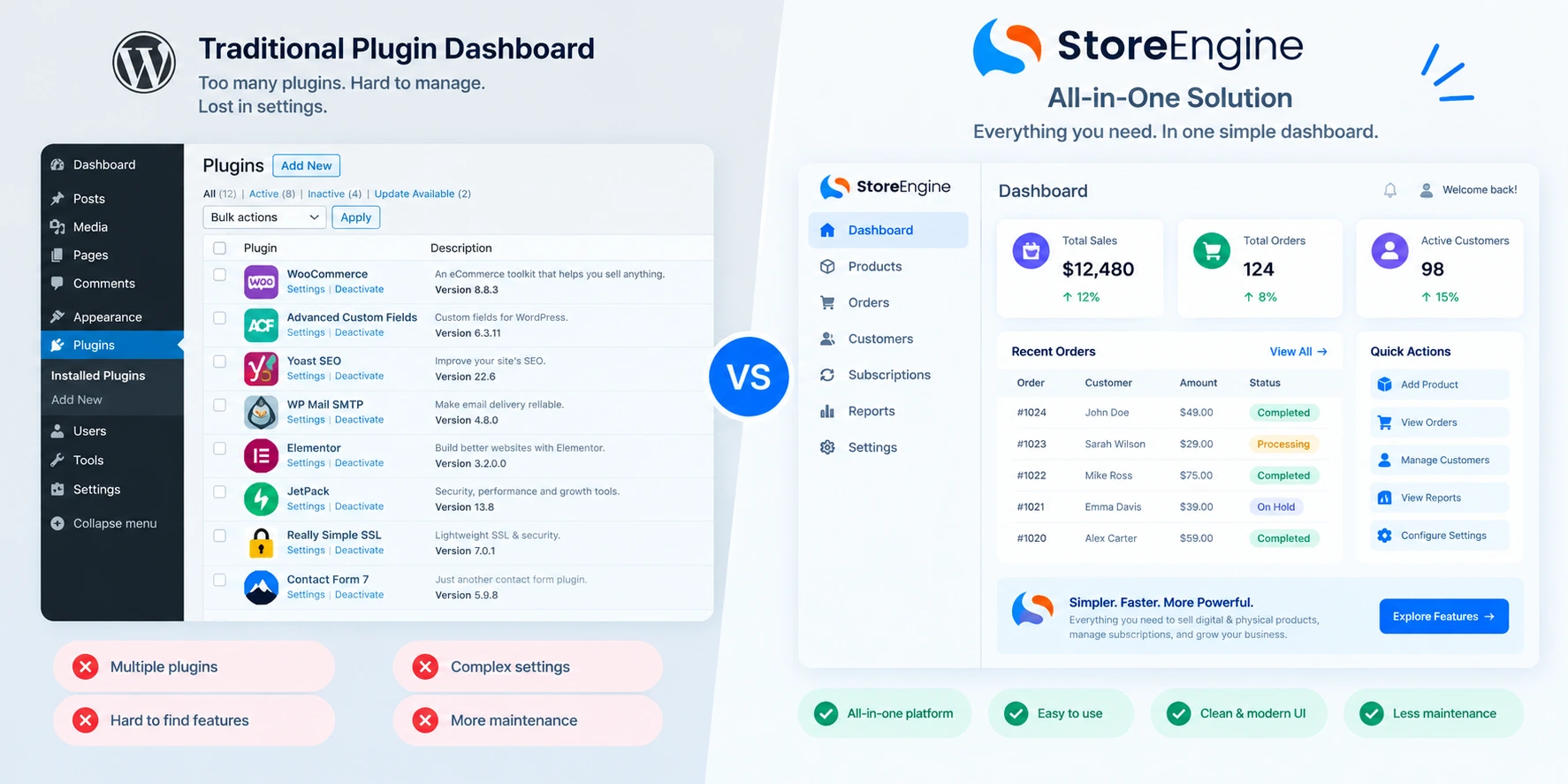
Mistake 2: Using too many plugins and wondering why the site is slow
StoreEngine gives you all the bundle packages at the most competitive price — and the best part is a lifetime deal option. Most popular plugins like WooCommerce, SureCart, and EDD charge for yearly add-ons.
Every additional plugin is a potential conflict, a performance hit, and another annual invoice. The fewer moving parts, the more stable your store.
Mistake 3: Ignoring subscription and membership potential
A one-time course sale is good. A monthly membership that delivers a new physical product box and unlocks new course modules is extraordinary. StoreEngine includes built-in membership features — create memberships without a separate plugin, manage them alongside your store, and keep everything in one place.
Mistake 4: Building for launch, not for scale
Choosing a plugin because it’s easiest to start with often means migrating to something else six months later when you hit its limits. StoreEngine is built with scalability in mind — multi-vendor marketplace support, multi-location inventory, POS integration, and a public roadmap showing exactly where it’s headed.
See StoreEngine’s full feature list to understand the ceiling before you start building.
Digital Products You Can Add Alongside Your Physical Store
One underrated advantage of a hybrid store is how many digital products naturally complement physical goods — beyond just courses:
|
Digital Product |
Pairs Well With |
|
Online course / video series |
Physical toolkit, ingredient kit, gear pack |
|
Ebook / PDF guide |
Companion physical book or planner |
|
Printable templates |
Physical stationery or art supplies |
|
Software license / preset pack |
Physical merchandise or branded hardware |
|
Membership / community access |
Monthly physical subscription box |
|
Webinar / live workshop |
Materials kit shipped before the event |
All of these can be configured and sold through StoreEngine’s digital product system — with secure, signed download URLs for instant delivery and physical product shipping configured separately.
The Bottom Line
The era of managing separate platforms for courses and physical products is over.
Your customers want a unified experience. Your business needs a unified backend. And your sanity deserves a solution that doesn’t require stacking five plugins and praying they don’t conflict on the next WordPress update.
StoreEngine gives you everything — courses, physical products, subscriptions, memberships, affiliates, analytics, upsells — in one lightweight, Gutenberg-native WordPress plugin. Rated 5/5. Actively maintained. Built to scale.
The only thing left to do is build the store you’ve been thinking about.
→ Get started with StoreEngine today and launch your hybrid course + product store this week.
Frequently Asked Questions
Can I really sell both online courses and physical products from one WordPress store?
Yes — and this is exactly what StoreEngine was built for. You can sell digital products like courses and e-books for instant access, and physical products like books or kits that require shipping — all from the same store. StoreEngine handles both product types from one dashboard.
Do I need WooCommerce to sell courses on WordPress?
Not anymore. While WooCommerce is the most-installed eCommerce plugin on WordPress, familiar isn’t the same as appropriate — especially for course sellers. StoreEngine offers a native solution with built-in course integration, payments, and memberships without adding WooCommerce.
Is StoreEngine free to use?
StoreEngine has a free core available on WordPress.org with features like digital and physical product selling, subscriptions, memberships, affiliate tracking, and invoicing. Pro plans unlock advanced capabilities like subscriptions, memberships, affiliate management, and more. Visit StoreEngine’s pricing page for current plan details.
What payment gateways does StoreEngine support?
Stripe and PayPal integrations work out of the box in StoreEngine. Additional gateway support is being added regularly — check the roadmap for updates.
Can I bundle a course and a physical product together?
Absolutely. StoreEngine’s product bundle feature lets you create combo offers — pair a digital course with a physical product and sell them as a single SKU with one checkout.
What LMS works with StoreEngine?
StoreEngine natively integrates with Academy LMS — a free WordPress LMS plugin also built by the Kodezen team. You can create courses with Academy LMS for free, and all created courses can be sold through StoreEngine.