

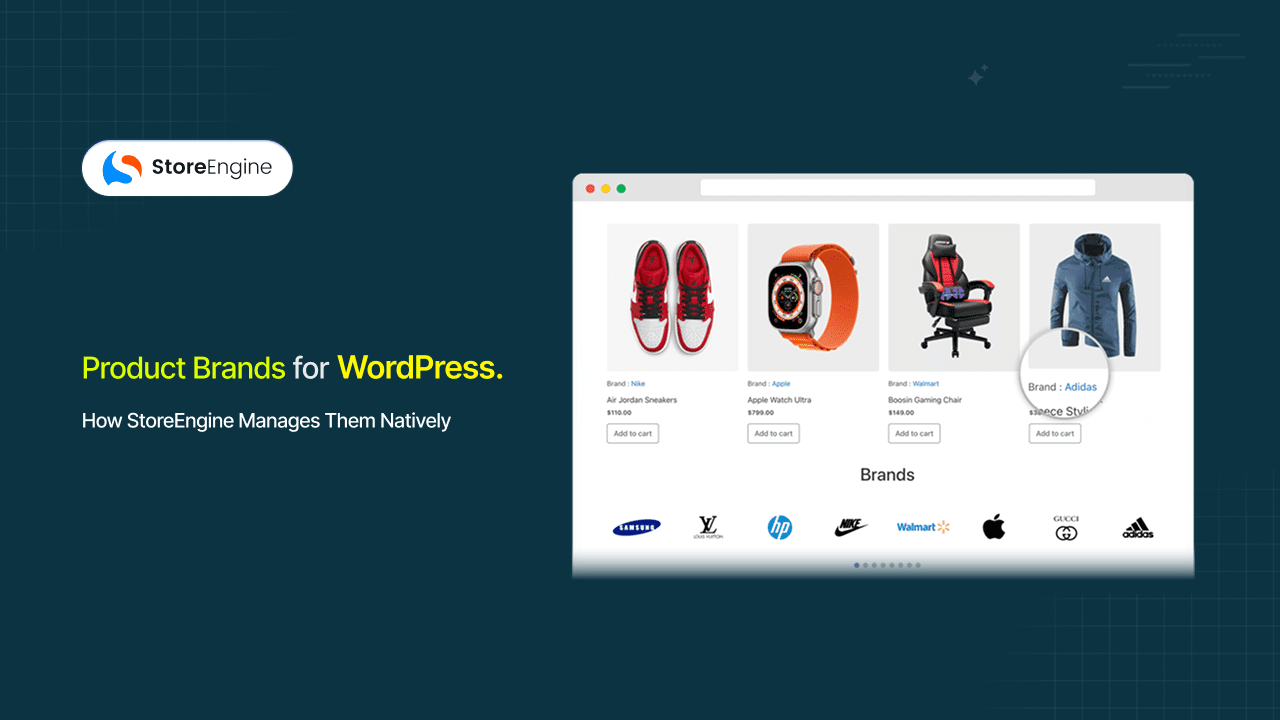

Your store has 200 products across a dozen brands — and a customer who came looking for everything you carry from one specific manufacturer can’t find a clean way to browse it. They click through two or three category pages, scan a search result that mixes all brands together, and leave. The catalog is full; the navigation just doesn’t reflect how they think.
This is what happens when product brands are treated as an afterthought — tagged in a product title, filed into a generic category, or handled with a third-party plugin you half-configured once and forgot about. Product brand management is a distinct organizational layer, separate from categories and tags, and most WordPress stores don’t have one. StoreEngine builds it in.
By the end of this article, you’ll understand exactly how StoreEngine’s Brands addon works, what it creates for both you and your customers, and whether it fits the way your store is structured.
Quick Answer: What Are Product Brands in StoreEngine?
Product brands in StoreEngine refer to a dedicated brand management system built into the platform that lets merchants create structured brand identities, assign them to products, and generate brand archive pages — without installing a separate plugin.
- What it is: A native brand management layer inside StoreEngine that treats brands as structured catalog entities, not just text labels
- Core mechanism: Merchants create brand profiles, assign them to products, and StoreEngine auto-generates a dedicated brand page for each one — browsable by customers and indexable by search engines
- Who it’s for: Multi-brand resellers, dropshippers, B2B stores, and any store where customers arrive already knowing which brand they want
- Main benefit: Customers can browse all products from a specific brand in one place, and brand pages get their own SEO-friendly URLs without custom code
- How to get started: Enable the Brands addon inside StoreEngine, create your first brand from the admin panel, and assign it to the relevant products — see the full feature breakdown here
What Happens to Product Discovery When Your Store Has No Brand Layer
When a product catalog grows past a certain size — usually somewhere around 50 to 100 products — category-based navigation starts to break down. Not because categories are wrong, but because they answer a different question than brand browsing does.
The Question Categories Can’t Answer
Categories answer: What type of product is this? Brands answer: Who made this, and can I see everything else from them?
These are not the same question. A shopper who wants to browse all products from a specific manufacturer doesn’t want to scroll through “Footwear” looking for the one brand they trust. Research shows that 71% of online buyers say it’s essential to recognize a brand before purchasing, and 42% of customers actively prefer to buy from brands they’ve shopped with before. If your store can’t match that intent with a direct navigation path, you’re putting friction between a motivated buyer and a purchase.
Why Workarounds Fall Short
What most stores do instead is try to simulate brand browsing through one of three workarounds: put the brand name in the product title, create a subcategory for each brand inside a main category, or bolt on a separate brand catalog plugin. All three have real problems.
The product-title approach is invisible to filters and navigation — it’s text, not structure. The subcategory approach bloats the taxonomy and still doesn’t give brands their own pages. And the third-party plugin approach adds another dependency to manage, update, and hope doesn’t conflict with the next version of your theme.

Before and After: What Brand Management Changes in Your Store
This is the clearest way to understand what the Brands feature actually does — not as a list of capabilities, but as a workflow change for both you and your customers.
|
Without Brand Management |
With StoreEngine Brands |
|
Brand name appears only in product title or a custom text field |
Brand is a structured entity with its own name, description, and image |
|
No dedicated page for a brand — customers search or scroll |
Each brand has an auto-generated archive page at a clean URL (e.g., /brand/sony/) |
|
Category pages mix all manufacturers |
Brand pages show only products assigned to that brand |
|
No brand-based filtering in the catalog |
Customers can navigate and filter the storefront by brand |
|
Brand data doesn’t feed into SEO |
Brand archive pages are crawlable, indexable, and rankable |
|
Changing a brand name means editing every product title |
Change the brand entity once; all assigned products update automatically |
What this table describes isn’t a cosmetic change. It’s the difference between a catalog that works for merchants and a catalog that works for customers. The admin task is simpler; the customer’s path to purchase is shorter.
How StoreEngine’s Built-In Brand Management Actually Works
The Brands add-on in StoreEngine is a native brand management layer that adds brands as first-class catalog entities — separate from categories and tags — with dedicated admin screens, product assignment, and auto-generated archive pages accessible to customers across the storefront without any additional plugin or shortcode configuration.
StoreEngine adds this layer on top of its product catalog. Brands exist as their own structured entities, and the relationship between a brand and a product is explicit and bidirectional. Here’s what that looks like from setup to storefront.
Step 1: Create a Brand
Inside the StoreEngine admin, brands get their own management screen. You give each brand a name, a description, and an image — typically a manufacturer logo or brand mark. This isn’t a custom field hack or a taxonomy workaround; it’s a dedicated interface built for this specific purpose.
What this actually solves is the consistency problem. When a brand is a structured entity rather than a piece of text inside a product field, every product that belongs to it stays consistent automatically. Rename the brand once, and it updates across every assigned product and every archive page simultaneously.
Step 2: Assign Brands to Products
From any product’s edit screen, you assign it to one or more brands. A single product can belong to multiple brands — useful for co-branded products or when you want to surface an item under both a manufacturer label and a product line sub-brand.
The assignment creates the relationship in StoreEngine’s data model. The product becomes part of that brand’s catalog, and the brand archive page will automatically include it.
Step 3: Brand Archive Pages Generate Automatically
This is the part most workflows get wrong when they try to build brand management with categories — they create the association but not the destination.
StoreEngine generates a dedicated archive page for every brand you create. No shortcode required, no widget configuration, no custom template work. The page exists at a consistent URL, lists all products assigned to that brand, and is immediately browsable. A clothing reseller carrying twelve apparel brands gets twelve separate brand pages out of the box — each one fully populated from the moment you assign products.

Step 4: Brand Navigation Surfaces Across the Storefront
Once brands are set up and products are assigned, brand navigation appears throughout the store — in menus, on product pages, and in browsing interfaces. Customers can click a brand name on a product page and land on the full brand archive. They can navigate to a brand directory and browse all brands the store carries, including brand showcasing on the homepage or featured brand sections if the store’s layout supports it.
The brand-based browsing experience isn’t a separate widget you have to manually configure for every page. It’s part of how the storefront works once the brands are in place.
Why Dedicated Brand Pages Matter for SEO
Brand Data Without a URL Is Invisible
A dedicated brand archive page is a crawlable, indexable URL that can rank for searches combining a brand name with a product category — searches like “Sony cameras store” or “Nike running gear online store.”
Most stores miss this entirely because their brand data doesn’t exist as a URL. It exists as text inside other pages. StoreEngine’s brand pages change that by giving each brand a consistent permalink, a structured set of products, and a description field that can carry relevant content. That’s the difference between a brand existing in your store and a brand being findable from outside it.
The Search Opportunity Most Stores Leave Open
For context: the market-leading WordPress ecommerce plugin only added native brand pages to its core in October 2024 — before that, it required a paid separate extension. The SEO value of a brand archive page isn’t new, but access to it without extra cost and setup friction is now part of what StoreEngine includes by default.
In practice, this matters most when you carry recognized brands. If someone searches for “[Brand Name] + [product type] + buy,” a brand archive page on your store is the right answer to that query. Without one, there’s no indexable destination for that search intent to land on.
Brand Loyalty Is Real — Your Store’s Navigation Should Reflect It
What Brand Loyalty Actually Looks Like in a Store
82% of customers prefer buying from companies they trust over companies that are simply trending. 48% of shoppers maintain active brand loyalty to consumer product brands. These aren’t abstract numbers — they describe the shopping behavior of the people arriving at your store right now.
Brand management doesn’t create loyalty. It meets it. A customer who already trusts a brand needs a path that respects that — a direct way to see everything that brand makes, filter to what they need, and check out without fighting the catalog structure to get there.
The Friction Cost of Not Having a Brand Layer
43% of users who land on a website go to the search bar first. If your search doesn’t surface brand-specific results and your navigation doesn’t offer brand browsing, you’re asking a loyal customer to do extra work. Some will. Many won’t.
StoreEngine’s Brands feature doesn’t require a separate analytics integration or a custom filter build to address this. The brand layer, once built, is present across the entire storefront automatically. A manufacturer plugin shouldn’t need to be bolted on — and with StoreEngine, it isn’t.
Is StoreEngine’s Brand Feature Right for Your Store?
- If you carry products from 3 or more distinct manufacturers or labels → brand pages give each one a dedicated home and reduce the navigation load on generic categories that were never designed to hold brand identity
- If customers regularly ask “do you carry [Brand]?” or search brand names on your site → brand-based navigation creates a direct path from that search intent to a full product listing, rather than a filtered guess
- If you run a multi-brand reseller, marketplace, or dropship operation → assigning products to brands and auto-generating archive pages removes the manual catalog maintenance that the product-title and subcategory workarounds require
- If you want brand pages to rank in search → StoreEngine’s brand archives are distinct, crawlable URLs with their own content — not filtered views of existing pages — which means they can be indexed and returned independently in search results
Frequently Asked Questions
What is product brand management in ecommerce?
Product brand management is the system a store uses to organize and display products grouped by the brand or manufacturer that made them. Rather than relying only on product categories, it creates a separate layer where each brand has its own identity, product assignment, and browsable page. It gives customers a way to shop by brand preference rather than by product type alone.
How does StoreEngine’s Brands feature work?
The Brands add-on in StoreEngine lets you create brand profiles inside the admin — each with a name, description, and image — and assign them to individual products. StoreEngine then auto-generates a dedicated brand archive page for each brand, listing all assigned products. Brand navigation surfaces across the storefront without requiring manual widget or shortcode setup on each page.
Does StoreEngine create dedicated brand pages automatically?
Yes. When you create a brand and assign products to it, StoreEngine generates a brand archive page at a consistent URL automatically. You don’t need to create the page manually, configure a shortcode, or set up a widget. The page is live and browsable as soon as products are assigned to the brand.
Can I assign a product to multiple brands in StoreEngine?
Yes. A single product can be assigned to more than one brand. This is useful for co-branded products, products that carry both a manufacturer label and a product line sub-brand, or any item you want to surface in multiple brand archives simultaneously.
What are the requirements for using the Brands feature in StoreEngine?
The Brands feature is available as an addon within StoreEngine and does not require any third-party plugin to function. You need StoreEngine installed and active on your WordPress site. The Brands addon is enabled from within the StoreEngine settings, after which brand management options appear in your admin panel. No additional theme configuration is required for brand archive pages to generate.
How is brand management different from product categories?
Product categories answer “what type of product is this?” — they organize by product type, not by origin. Brand management answers “who made this, and can I see everything else from them?” — it organizes by manufacturer or label identity. The two systems serve different customer intents and work best alongside each other, not as substitutes for each other.
Do brand pages in StoreEngine affect SEO?
Yes. Each brand in StoreEngine gets its own archive URL, which is crawlable and indexable by search engines. Brand pages can rank for searches combining a brand name with a product type or a buying qualifier. Unlike a filtered category view, a brand archive page is a distinct URL with its own content — which gives search engines something concrete to index and return in results.