


An eCommerce WordPress site needs more from hosting than a blog does: PHP 8.3+, MySQL 8.0+ (or MariaDB 10.6+), at least 256 MB PHP memory, NVMe SSD storage, a free SSL certificate, daily backups, and server response (TTFB) under 200ms. For stores processing real transactions, managed WordPress hosting is usually worth the premium. Here is exactly what to look for and why.
💡 Quick Takeaway:
Hosting sets your store’s performance floor — the fastest your site can possibly be before any optimization. Every 100ms of load time costs roughly 1% in conversions. For a store doing $1 million a year, a one-second speed improvement can recover $70,000+ in sales. Cheap hosting is rarely cheap once you count the lost checkouts.
Why does hosting matter more for a store than a blog?
A blog that loads slowly loses readers. A store that loads slowly loses money — directly and measurably. The speed-to-revenue relationship is now well documented: a one-second delay in page load costs approximately 7% in conversions, 11% fewer page views, and a 16% drop in customer satisfaction. On mobile, where 62% of eCommerce traffic now lives, slow pages see three times higher bounce rates.
Stores also carry loads a blog never faces: database writes on every order, payment gateway callbacks, session and cart data per visitor, inventory updates, and traffic spikes during sales. A hosting plan that comfortably serves a content site can buckle the moment a promotion sends a few hundred simultaneous shoppers to your checkout. That is why hosting choice is a revenue decision, not an IT detail.
What are the minimum server requirements in 2026?
These are the baseline specs your host must meet for a modern WordPress store. Anything less and you are running on borrowed time:
Shared vs managed vs VPS: which hosting type fits your store?
Shared hosting: the starting point
Shared hosting places many sites on one server, splitting the cost — typically $3-10/month. It is fine for testing an idea or a store with minimal traffic. The risks: your store’s performance depends on your server neighbors, disk throughput suffers when many accounts compete, and support rarely understands eCommerce-specific issues. If you start here, pick a host with solid uptime and backups, and plan to move once real revenue depends on the site.
Managed WordPress hosting: the store default
Managed hosting ($15-40+/month) is built specifically for WordPress: server-level caching tuned for WordPress, automatic core updates tested on staging, hardened security, and support teams who actually know the platform. The performance difference is measurable — WordPress on managed hosting achieves 55-65% Core Web Vitals pass rates, versus 33-40% for average self-hosted setups. For a transactional site, this tier is usually worth the premium: even a 100ms improvement in load time can lift conversions enough to offset the higher cost.
VPS: control and dedicated resources
A VPS gives you dedicated resources and full server control — useful for stores with custom server needs, high sustained traffic, or developer teams who want root access. The trade-off is responsibility: you (or someone you pay) manage the stack. For most store owners, managed WordPress hosting delivers the performance without the sysadmin burden; a VPS becomes relevant when you outgrow managed plans or need custom configurations.
The eCommerce non-negotiables beyond specs
Raw specs are the entry ticket. These operational features are what separate hosting that can run a store from hosting that should:
How hosting and your eCommerce plugin work together
Hosting sets the performance floor; your eCommerce plugin determines how much weight the server carries above it. The typical WordPress store problem is stack bloat: a base store plugin plus 15-25 add-ons for payments, subscriptions, checkout, marketing, and security — each adding database queries, scripts, and update risk on every page load.
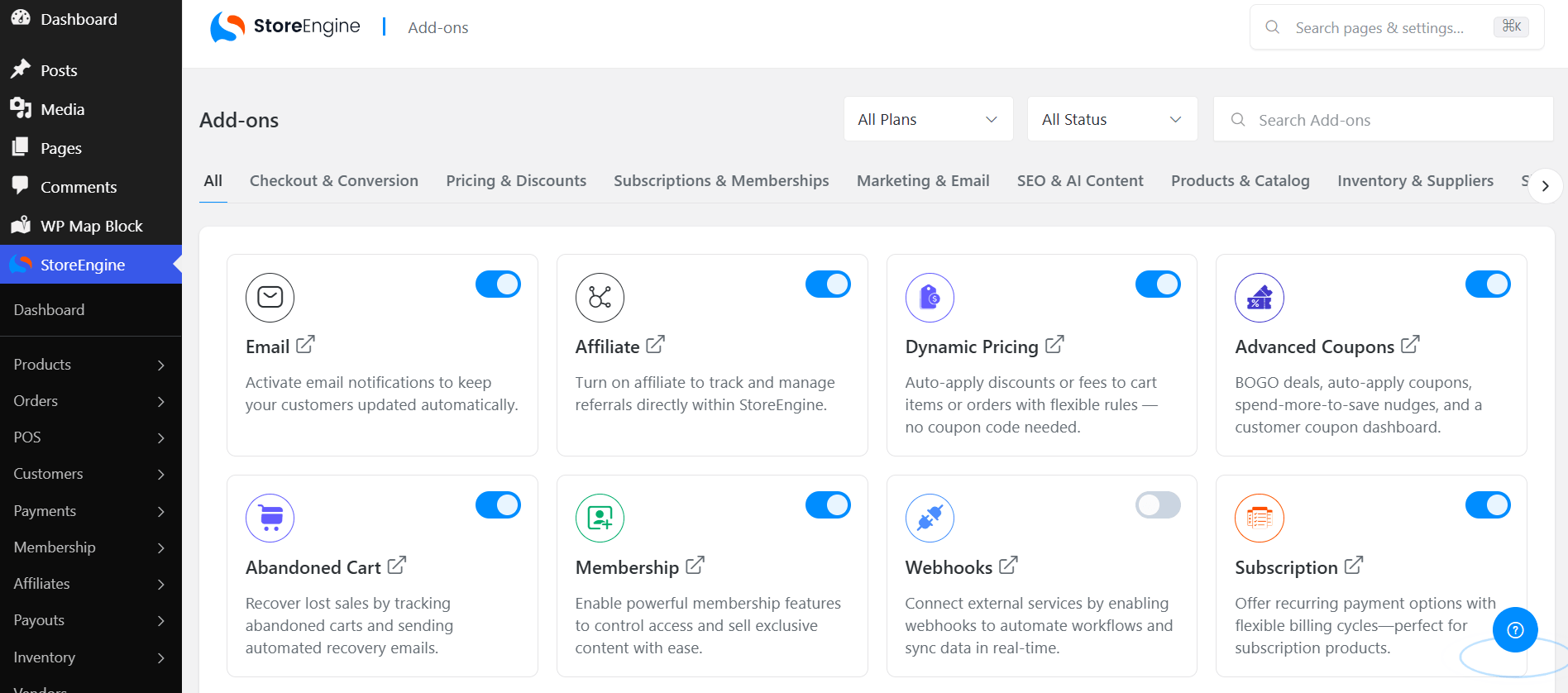
This is where plugin architecture matters as much as server specs. StoreEngine is built as a complete eCommerce platform in a single plugin: payments, checkout, subscriptions, memberships, affiliates, inventory, and more ship as native addons you toggle on only when needed. Fewer separate plugins means fewer database queries per page, fewer scripts to load, fewer conflicting updates — so the same hosting plan runs faster with StoreEngine than with an equivalent stacked setup. A lean plugin on modest managed hosting will often outperform a bloated stack on premium hosting.
The practical pairing for most new stores: entry-level managed WordPress hosting plus StoreEngine’s single-plugin architecture. That combination hits fast TTFB, clean Core Web Vitals, and reliable checkout without enterprise-level spend.
WordPress Hosting: A Decision Guide by Store Stage
Match your hosting tier to where your store actually is — upgrade as revenue and traffic grow, not before.
|
Store stage |
Recommended hosting |
Monthly budget |
Why |
|
Stage 1 Testing an idea |
Quality shared hosting |
$3–10 |
Low risk, low cost; migrate when revenue starts |
|
Stage 2 First real sales |
Entry managed WordPress |
$15–30 |
Speed, staging, backups protect actual revenue |
|
Stage 3 Growing store |
Mid-tier managed WordPress |
$30–60 |
More resources, better caching, priority support |
|
Stage 4 High volume / custom needs |
VPS or premium managed |
$60+ |
Dedicated resources, scalability, full control |
The rule of thumb: Move up a tier when the cost of downtime or slow pages exceeds the cost of better hosting. Once real revenue depends on your store, managed WordPress hosting usually pays for itself in recovered checkouts.
The Bottom Line
Hosting is the foundation every conversion stands on. Meet the 2026 baseline — PHP 8.3+, current database, SSL, NVMe storage — then choose the tier that matches your stage: shared to test, managed when revenue is real, VPS when you outgrow it. Pair that with a lean eCommerce plugin architecture, and your store will be fast where it matters most: the moment a customer decides whether to finish checking out.
Frequently asked questions
What are the minimum hosting requirements for a WordPress store in 2026?
PHP 8.3 or greater, MySQL 8.0+ or MariaDB 10.6+, at least 256 MB PHP memory (512 MB recommended for stores), a valid SSL certificate for HTTPS, and preferably NVMe SSD storage. Beyond the specs, a store also needs daily backups, a staging environment, and 99.9%+ uptime — operational features that matter as much as the raw numbers.
Is managed WordPress hosting worth the extra cost for eCommerce?
For a store processing real transactions, usually yes. Managed WordPress hosting achieves 55-65% Core Web Vitals pass rates versus 33-40% for average self-hosted setups, and speed converts directly to revenue — every 100ms of load time costs roughly 1% in conversions. The $10-25/month premium over shared hosting typically pays for itself in recovered checkouts, plus staging and tested updates that protect you from breaking your own store.
How much does hosting speed actually affect sales?
Substantially and measurably. A one-second delay costs approximately 7% in conversions, and every 100ms costs about 1%. For a store generating $1 million annually, a one-second improvement can recover $70,000+ in conversions. The effect is strongest on mobile, which carries 62% of eCommerce traffic and where slow pages see three times higher bounce rates.
Does my choice of eCommerce plugin affect hosting performance?
Significantly. Every active plugin adds database queries and scripts to each page load. A typical stacked setup — a base store plugin plus 15-25 add-ons — makes the server work harder on the same hardware. A consolidated platform like StoreEngine, where payments, subscriptions, memberships, and checkout are native addons in one plugin, keeps the stack lean — so the same hosting plan delivers faster pages and a quicker checkout.