








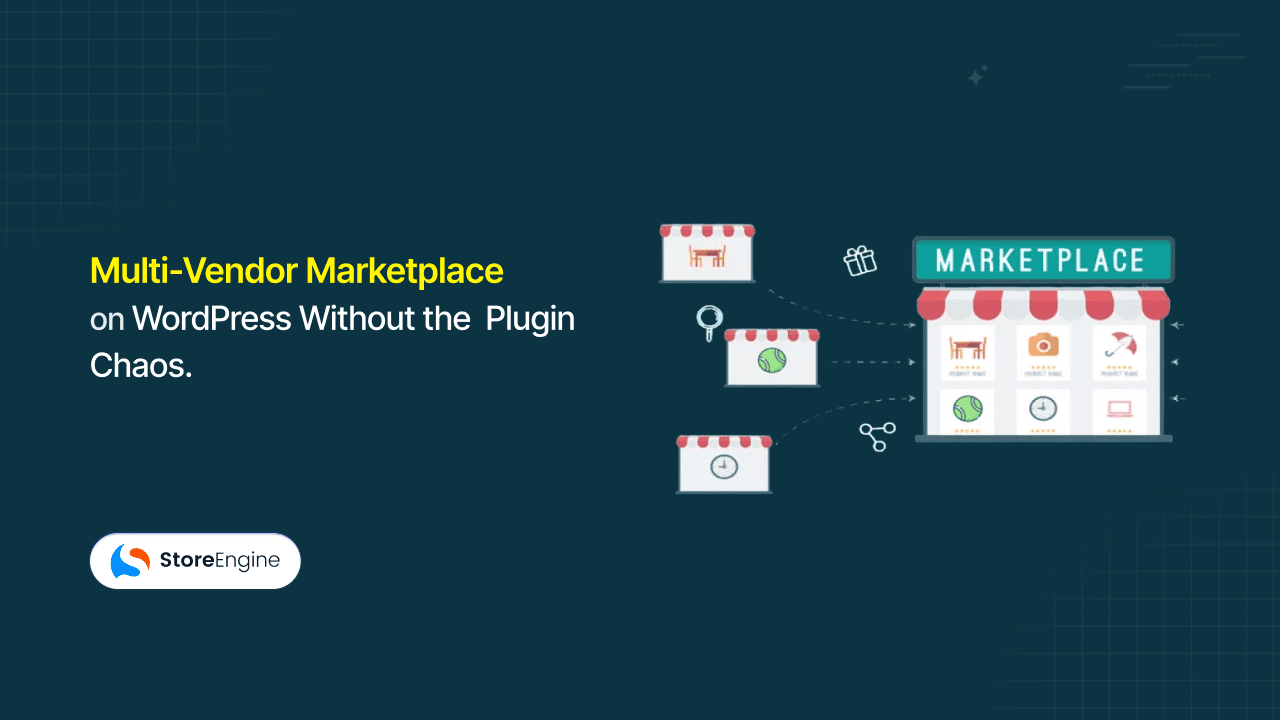

You want three sellers listing products on your store. So you install a marketplace plugin. Then a separate commission plugin. Then a vendor dashboard plugin on top of that. Six months in, vendor registrations are sitting unreviewed in one panel, commission calculations live in a spreadsheet nobody updates consistently, and adding a fourth seller means reconfiguring settings across four different places — none of which share data cleanly.
This is the predictable outcome of building multi vendor marketplace functionality on top of a store that wasn’t designed for it. Bolt-on approaches create split data systems where vendor actions log in one place, orders process in another, and the admin reconciles the two manually. StoreEngine’s Multi Vendor is a built-in addon that solves this by creating a native vendor layer directly inside the same ecommerce platform — so vendors operate independently in their own dedicated dashboards while the marketplace owner controls approvals, commissions, and all platform operations from one centralized admin view. No separate plugins. No external sync.
By the end of this article, you’ll understand exactly how a native vendor layer works architecturally, what vendors and administrators each get, and whether this model fits the marketplace you’re building.
Quick Answer: What Is StoreEngine’s Multi Vendor Feature?
- What it is: A built-in StoreEngine addon that transforms a single-seller store into a multi-vendor marketplace where multiple independent sellers can register, list products, and manage orders from dedicated interfaces.
- Core mechanism: StoreEngine creates a native vendor layer on top of its ecommerce system — vendors get their own dashboards; the marketplace owner controls approvals, commissions, and all marketplace operations from one centralized admin view.
- Who it’s for: WordPress store owners who want to host multiple sellers without managing separate plugins for vendor registration, product control, commission tracking, and marketplace administration.
- Main benefit: Every vendor operates independently within a scoped, dedicated space while the admin retains full cross-vendor visibility and control — with no fragmented plugin stack creating data gaps in between.
- How to get started: Activate the Multi Vendor addon from your StoreEngine settings. Vendor registration, the approval workflow, and individual vendor dashboards activate immediately within your existing store infrastructure.
The Real Problem With Managing Multiple Sellers Without a System
Building a multi-vendor marketplace the plugin-stacking way doesn’t just create complexity — it creates a specific kind of complexity that compounds with every seller you add.
The Plugin-Stacking Trap
Most WordPress store owners approach marketplace building the same way: start with an ecommerce base, add a marketplace plugin, layer on a commission plugin, then pull in a vendor dashboard solution from a third developer. It works well enough in a demo. In production, the technical architecture requires managing complex relationships between users, products, orders, and payments — and no general-purpose ecommerce platform coordinates that natively across independently built plugins.
What actually happens: each plugin reads from the database in its own way. A vendor adds a product in the vendor dashboard plugin; that product has to be recognized by the commission plugin as belonging to that vendor; the commission plugin has to pass the right calculation to the payment system; the marketplace plugin has to display it correctly. That’s four systems that need to agree, every time, on every transaction. They often don’t.
The part most workflows get wrong is assuming plugin compatibility means data consistency. Compatibility means they won’t crash each other. It doesn’t mean their records stay synchronized when a vendor updates a product, cancels an order, or gets their commission rate changed mid-month.
What Breaks First
Research into marketplace architecture is direct about what happens without native vendor infrastructure: “every new vendor adds more manual work, more data inconsistencies, and more friction for both sellers and customers.” The failures follow a predictable pattern.
Vendor onboarding has no structured approval gate, so either anyone can start selling immediately (a quality problem) or the admin manually reviews signups through a separate email or form process (a scale problem). Commission management becomes a spreadsheet — someone has to cross-reference which orders belong to which vendor, calculate the right percentage, and issue payouts without a centralized record. The admin has no single view of vendor activity; checking how a specific seller is performing means logging into at least two different plugin dashboards.
The Market Opportunity Behind All This Friction
Marketplaces now account for 62% of global ecommerce sales, and 40% of online businesses already operate some form of marketplace model. The business case for hosting multiple sellers under one platform is strong. The tooling most store owners reach for first wasn’t built for it. That gap — between the multi-vendor marketplace model’s potential and the fragility of the typical plugin-stacked implementation — is exactly what a native vendor layer closes.
What “Multi Vendor” Actually Means — The Two-Layer Architecture
Multi Vendor is a StoreEngine addon that builds a dedicated vendor layer directly into a StoreEngine-powered store, giving each seller their own management interface while the marketplace owner retains full administrative control through a centralized dashboard that oversees vendor registrations, commissions, product listings, and order activity across the entire platform.
The Vendor Layer vs. the Store Layer
Standard ecommerce platforms have one operational layer: the store owner sees and controls everything. Multi Vendor adds a structured second layer inside the same platform: a separate vendor space where each seller operates independently, within rules the admin defines.
The critical word is inside. StoreEngine’s Multi Vendor doesn’t create a parallel system that syncs with the store. It creates the vendor layer within the same platform — vendor product listings are products in the system, tagged to a vendor. Orders are orders in the system, routed to the right vendor. Commission calculations happen at the same moment as order processing, not afterward in a separate tool.
Why the Two Layers Need to Share One Foundation
When vendor data and order data share the same data foundation, a vendor updating a product price changes that record once, in one place. The order system reads the same record. The commission calculation reads the same order. Nothing needs to reconcile because nothing is separate.
Your ecommerce platform choice determines your marketplace’s capabilities and future limits. A vendor layer built on top of a separate ecommerce base is always working around that base. A vendor layer built inside the same system is working with it — every time a vendor acts, an order processes, or a commission is calculated.

What Vendors Get — The Dedicated Seller Experience
Once a vendor is approved on a StoreEngine marketplace, they receive a dedicated operational space scoped entirely to their own store — with product management, order tracking, and sales monitoring in one vendor-specific interface, and no visibility into any other seller’s data.
Vendor Registration and Onboarding
Vendors register through the marketplace’s structured vendor registration workflow — separate from standard customer account creation. The registration enters a queue rather than activating vendor access automatically.
This is a deliberate design decision, and it matters more than it sounds. Uncontrolled vendor registration lets unqualified sellers go live before the admin reviews them. Structured registration with an approval gate means the admin decides who represents the marketplace before any products go live. In practice, this matters most when you’re building a curated niche marketplace where seller quality is part of the product you’re offering buyers.
The Vendor Dashboard
Each approved vendor gets a dedicated vendor dashboard — their own management interface within the platform. From this dashboard, vendors manage their product catalog, track their orders, and monitor their own sales performance, all without accessing the main admin panel or seeing other vendors’ products, orders, or earnings.
The vendor dashboard is scoped to that seller’s operation. They have what they need to run their piece of the marketplace independently and nothing that bleeds into another vendor’s space.
Vendor Product Management
Vendors list, edit, and manage their own products from within their dashboard. A vendor selling handmade ceramics adds their SKUs, sets prices, and manages inventory from their vendor interface — without touching the admin panel or interfering with another seller’s catalog.
Product submissions can be configured to require admin approval before going live, giving the marketplace owner an additional quality control checkpoint. Or they can publish directly for platforms operating on a trusted-seller model.
Vendor Order Management
When a customer purchases a vendor’s product, that order routes to the vendor through their dashboard. Vendors can view and manage fulfillment for their own orders.
What they don’t see is the rest of the marketplace’s order history. Full cross-vendor order visibility belongs to the admin. Each vendor’s order access is scoped to their own sales — clean, separated, and operationally distinct from every other seller on the platform.

What the Admin Controls — Centralized Marketplace Oversight
The admin layer is where the marketplace owner operates. While vendors manage their own slice of the platform, the admin sees the full picture — every vendor, every product, every order, every commission — and sets the rules every seller operates within.
Vendor Approval Workflow
New vendor registrations surface in the admin dashboard as pending applications. The admin reviews each application and either approves the vendor — activating their dashboard and selling privileges — or rejects it.
This approval step is the quality gate for the entire marketplace. Every vendor who appears on the platform passed through this checkpoint. For a curated marketplace — artisan goods, verified service providers, licensed resellers — this single control point maintains platform standards without requiring the admin to intervene at every subsequent step.
Commission Management
The admin sets commission rates that determine what percentage of each vendor’s sales goes to the marketplace. This can be configured as a global rate applied to all vendors, or set per vendor for platforms with tiered multi-vendor pricing structures and seller agreements.
What this actually solves is the manual commission calculation problem. Because commission tracking runs in the same pipeline as order processing inside StoreEngine, the commission is calculated at the moment the order is recorded — not in a separate step after the fact. There’s no end-of-month reconciliation spreadsheet. No cross-referencing orders against vendor records in a third-party tool.
Vendor Performance Monitoring
The admin can monitor vendor activity, sales volume, and operational performance from the centralized admin view. As marketplace management research consistently shows, “as marketplaces scale, manually managing vendor relationships becomes increasingly complex — technology helps automate vendor processes, improve efficiency, and enhance decision-making.”
Vendor performance monitoring from the admin dashboard means identifying which sellers are active, which are underperforming, and which may need intervention — all from the same tool used for everything else in the platform.
Centralized Marketplace Control
Everything flows through one admin view: pending vendor registrations, active seller accounts, product listings across all vendors, commission tracking, and order oversight. The admin doesn’t need to visit separate plugin dashboards to get a complete operational picture of the marketplace.
In practice, this matters most when scale increases. At five vendors, a fragmented approach is manageable. At twenty-five, it becomes a full-time coordination job. Centralized marketplace control keeps the admin’s operational load from growing linearly with seller count.

Before and After: Single-Seller Store vs. Multi-Vendor Marketplace
Every operational difference between a solo store and a managed multi-seller marketplace comes down to whether vendor data and platform data share the same foundation. Here’s what that looks like across the workflows that matter most.
|
Operational Area |
Without a Multi Vendor System |
With StoreEngine’s Multi Vendor Addon |
|
Vendor registration |
Generic account signup, no structured intake |
Dedicated registration workflow with admin approval gate |
|
Seller activation |
Manual setup per vendor, no defined path |
Vendor dashboard activates automatically on admin approval |
|
Product management |
Admin manages all products, or vendors access the main admin panel |
Each vendor manages their own catalog from a scoped vendor dashboard |
|
Order visibility |
All orders in one admin view with no vendor separation |
Vendors see their own orders; admin sees the full cross-vendor picture |
|
Commission tracking |
Spreadsheet reconciliation or a separate commission plugin |
Built-in commission management running in the same pipeline as order processing |
|
Admin oversight |
Spread across multiple plugin dashboards |
Centralized marketplace control — approvals, commissions, vendor performance in one view |
|
Adding a new seller |
Reconfigure multiple plugins per new vendor |
Vendor registers, admin approves, dashboard activates — no additional configuration |
|
Performance monitoring |
Requires external analytics tool or manual data export |
Vendor performance monitoring from the admin dashboard, no third-party tool needed |
|
Data consistency |
Order and vendor records in separate systems, subject to sync failure |
Same data foundation for all vendor actions and order records |
The pattern across every row is the same: the plugin-stacked approach distributes responsibility across tools that don’t share context. The native approach keeps context in one place.
Built-In vs. Bolted-On: Why the Vendor Layer Belongs Inside Your Ecommerce System
When StoreEngine’s Multi Vendor addon creates a vendor layer, it doesn’t install a new system alongside the store — it activates a vendor-scoped view of the existing platform. That architectural difference is what separates a native multi-vendor solution from a plugin-stacked one, and it shows up most clearly when something needs to change.
The Plugin-Stack Architecture Problem
A store running separate marketplace, commission, and vendor dashboard plugins has multiple systems reading from one database. When they all agree, things work. When they don’t — after a plugin update, a version mismatch, or a configuration change — the failure mode is invisible until a vendor reports missing orders or the admin discovers commissions weren’t calculated for a week.
I’ll be direct about this: bolt-on marketplace plugins are built to be general enough to work with any ecommerce base. That generality is also their weakness. They can’t make assumptions about how the underlying platform records transactions, so they build their own records alongside — which creates the sync problem in the first place.
What Native Integration Actually Delivers
A vendor product in StoreEngine’s Multi Vendor system is a product with a vendor tag — not a record in a separate vendor plugin database that has to map back to a WooCommerce or platform product ID. A vendor order is an order with a vendor route. A commission is a calculation that runs when the order is written, using the same order data, in the same transaction.
There’s no sync because there’s nothing separate to sync.
The Scalability Implication
A plugin-stacked marketplace gets more operationally fragile as vendor count grows. Each new seller multiplies the surface area where integrations can fail — more products to route, more commissions to calculate across more vendor records in more plugin tables. The digital marketplace sector is projected to grow from $580 billion in 2024 to over $1 trillion by 2030, with a 10.6% CAGR. Building on an architecture that breaks at twenty vendors is not a foundation for that kind of growth.
A native vendor layer scales differently. New vendors add records to an existing data structure. The complexity grows with the business — not with the integration surface.
Is StoreEngine’s Multi Vendor Right for Your Marketplace?
- If you want to host multiple sellers on WordPress without adding separate marketplace plugins → Multi Vendor creates the vendor layer inside StoreEngine. No additional plugin purchases, no cross-plugin configuration, no sync dependencies to manage.
- If you need structured vendor onboarding with an admin approval gate before sellers go live → The vendor registration and approval workflow activates when the addon is enabled. Every seller passes through a review step before they can list products or access their dashboard.
- If you need commission management that ties directly to order records without manual reconciliation → Commission tracking runs in the same order processing pipeline — calculated at the point of sale, recorded in the same system as the transaction itself.
- If you’re building a niche multi-seller store where centralized admin control over who sells matters → The vendor approval workflow, vendor performance monitoring, and centralized marketplace control give the admin full visibility and gatekeeping authority from one dashboard.
This feature is less critical if you sell only your own products with no plans to host third-party sellers, or if your marketplace model requires highly specialized commission structures that need custom development beyond standard percentage-based configurations.
Frequently Asked Questions
What is a multi-vendor marketplace?
A multi-vendor marketplace is an ecommerce platform where multiple independent sellers list and sell products under one unified storefront. The marketplace owner administers the platform — approving vendors, setting commission rates, and overseeing operations — while each vendor manages their own products and orders from a dedicated interface. Amazon, Etsy, and eBay are large-scale examples of this model applied at platform scale.
What’s the difference between a multi-vendor marketplace and a regular ecommerce store?
A regular ecommerce store has one seller — the store owner manages all products, fulfillment, and orders. A multi-vendor marketplace hosts multiple sellers, each with their own product catalog and order management scope, while the marketplace owner acts as the platform administrator rather than a seller. The administrative role shifts from managing products to managing sellers, vendor approval workflows, and platform-wide commission rules.
How does commission management work in StoreEngine’s Multi Vendor setup?
The marketplace admin configures commission rates in the admin dashboard — either a global rate applied to all vendors or per-vendor rates for tiered multi-vendor pricing agreements. Commission calculation runs inside StoreEngine’s order processing pipeline, meaning the commission is recorded when the order is recorded. There’s no separate calculation step, no external spreadsheet, and no reconciliation process required at payout time.
How do vendors register and get approved on a StoreEngine marketplace?
Vendors register through the marketplace’s dedicated vendor registration workflow — separate from standard customer account creation. The registration enters an admin approval queue rather than activating selling privileges automatically. The admin reviews each application and approves or rejects it before the vendor receives access to their dashboard and product management tools.
Can vendors manage their own products and orders without seeing other sellers’ data?
Yes. Each vendor’s dashboard is scoped to their own operation — they manage their own product listings, view their own orders, and monitor their own sales performance. They have no visibility into other vendors’ catalogs, order histories, or earnings. The admin retains full cross-vendor visibility from the centralized marketplace control panel.
Do I need a separate multi-vendor plugin if I’m using StoreEngine?
No. StoreEngine’s Multi Vendor is a built-in addon — you activate it within StoreEngine and no third-party marketplace plugin is required. Because the vendor layer is part of StoreEngine’s own architecture, vendor data, product records, and order history all share the same data foundation as the rest of your store. See StoreEngine’s features page for the full addon list and documentation.
What kind of stores and multi-vendor app use cases benefit most from this setup?
Niche curated marketplaces (handmade goods, artisan products, digital products from multiple creators), verified service provider directories, reseller networks, and community-driven stores where the owner’s role is curation and administration rather than direct inventory management. Multi Vendor works best when the store owner earns through commissions and platform oversight — not through their own product sales. It also suits multi-vendor app scenarios where vendors need mobile-accessible dashboards for managing products and orders on the go.
How is a native vendor layer different from adding a marketplace plugin to a standard ecommerce setup?
A standard marketplace plugin sits on top of a separate ecommerce base — it reads that platform’s order data, stores vendor records in its own tables, and calculates commissions in its own separate process. Any time those systems disagree after updates, configuration changes, or high transaction volume, data inconsistencies surface. StoreEngine’s Multi Vendor stores vendor records, product assignments, and commission data in the same structure as the rest of the platform — no external sync, no separate failure surface, no reconciliation step between systems.
For the full StoreEngine addon list, including Multi Vendor setup documentation, visit storeengine.pro/features/.