

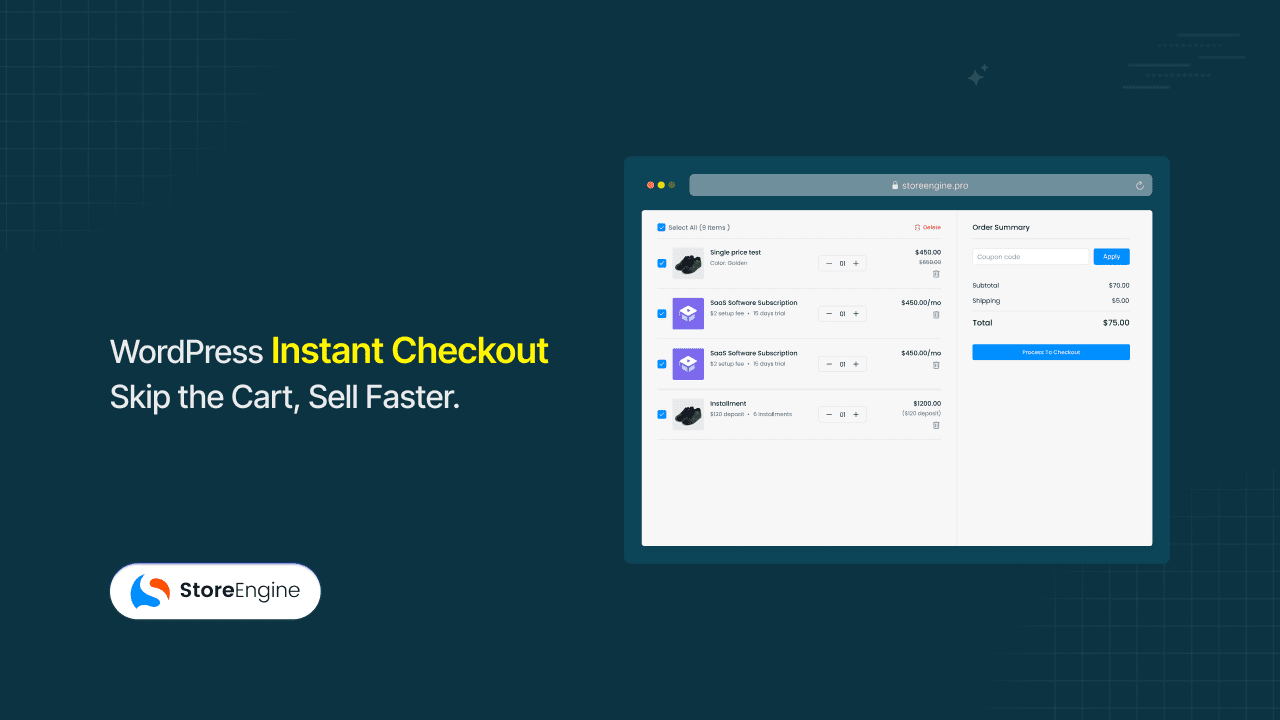

You spent three months building an online course, ran a paid campaign, and watched 100 people click through to the product page. Forty added the course to their cart. Twelve actually paid. The other twenty-eight got lost somewhere between the cart page and the payment screen — the part of your checkout you barely look at.
That gap is what WordPress Instant Checkout is designed to close. Instead of routing buyers through a cart page they don’t need, it preloads a checkout session the moment they click — they land on payment, not on a summary of what they just decided to buy. StoreEngine has this built in, not bolted on through an add-on stack. It has also passwordless login features.
By the end of this article, you’ll know how Instant Checkout works inside StoreEngine, when it’s the right call (and when it isn’t), and how Instant Checkout URLs turn any email or ad link into a one-click buy.
Quick Answer: What Is WordPress Instant Checkout?
- Instant Checkout is a flow that skips the cart page and sends a buyer straight from product click to the payment screen.
- The mechanism: a click on an Instant Checkout button or URL preloads the checkout session and routes the buyer directly to checkout — no cart-page stop in between.
- It’s built for stores selling digital products, online courses, memberships, software plans, single-offer landing pages, and ad-driven sales funnels.
- The main benefit is fewer steps between intent and payment, which means less drop-off and a higher completed-order rate on single-product purchases.
- To get started in StoreEngine, enable Instant Checkout on the product, generate the button or URL, and place it where buyers already click.
What’s the Multi-Step Checkout Actually Costing You?
The default ecommerce checkout process has five page loads between “I want this” and “I bought this”: product page → add to cart → cart page → checkout page → payment. Every page in that chain is a fresh chance for the buyer to leave.
The numbers behind this are not subtle. Baymard Institute’s running aggregation of 50 abandonment studies puts the average documented cart abandonment rate at 70.22% — about seven of every ten people who add an item to a cart never complete the purchase. Roughly 18% of shoppers specifically cite a “too long or complicated checkout process” as their reason for abandoning. Baymard’s testing across large ecommerce sites also finds that better checkout page design alone can lift conversion rates by an average of 35.26% — billions of dollars in recoverable orders sitting inside the same traffic stores are already paying for.
Why the usual ecommerce checkout optimization fixes don’t actually fix it
Shrinking the form-field count helps, but it doesn’t address the structural problem: the cart page itself is a checkpoint your buyer didn’t ask for. Most “Buy Now” buttons still pass through cart-redirect logic, which means the buyer briefly sees the cart anyway. Adding a checkout-skip plugin on top of a generic ecommerce setup introduces its own conflicts — plugins fighting plugins is the most common reason a “fast checkout” tutorial breaks in production.
The honest assessment is that the cart page made sense fifteen years ago, when buyers needed to double-check a basket of several items before paying. For a single-product purchase in 2026 — a $19 ebook, a course enrollment, a monthly membership — the cart page is overhead. It exists because the platform expects it, not because the buyer wants it. Reducing ecommerce checkout friction means removing the steps that exist for the platform’s convenience, not the buyer’s.

What Is Instant Checkout? The Direct Product-to-Payment Flow
Instant Checkout is a purchase method that removes the cart page from the buyer’s path entirely. When a buyer clicks an Instant Checkout button or link, StoreEngine writes the product into a preloaded session and sends the buyer directly to the checkout page, where they complete payment in a single step.
This matters because a one-page checkout for ecommerce and a direct product-to-checkout flow are not the same thing. A one-page checkout still routes the buyer through cart-then-checkout, just visually merged. Instant Checkout removes the cart step at the routing level, before any page renders.
How it’s different from a regular “Buy Now” button
A standard “Buy Now” button in most WordPress setups still touches the cart layer — the product is added, the cart redirects, and only then does the checkout load. Instant Checkout uses a preloaded checkout session, so the cart page is never rendered. The buyer’s experience is one click, one screen, one payment.
How it’s different from express checkout (Apple Pay, Google Pay, Stripe Link)
Express checkout speeds up the payment-fields step by pulling in saved card and address details. It doesn’t remove the cart page. Instant Checkout removes the cart page. The two stack cleanly — a buyer can land on an Instant Checkout page that also has Apple Pay enabled, and the result is one tap on mobile.
How StoreEngine’s Instant Checkout Works Under the Hood
The mechanism is simpler than most setup guides suggest. Once you understand the four steps, the value becomes obvious.

Step 1 — Click
The buyer clicks an Instant Checkout button (placed on a product page, landing page, or sidebar widget) or follows an Instant Checkout URL (from an email, ad, or social post). The click carries the product identifier and any coupon parameters in the URL.
Step 2 — Session preload
StoreEngine writes the product into the buyer’s cart session in the background — silently, with no cart page rendered. If a coupon parameter is present, it’s applied to the session at the same moment. The part most workflows miss is this preload step: without it, redirecting away from cart just lands the buyer on an empty checkout page, and they have to start over.
Step 3 — Direct redirect
Instead of routing to /cart, the request goes straight to /checkout. The buyer’s first visible page after the click is the payment form, not a summary of what they just decided to buy.
Step 4 — Payment
The checkout page loads with the product, price, any active coupon, and the buyer’s payment gateway options already in place. Card, wallet, or whatever payment method you’ve enabled — the buyer fills the required fields and pays.
The whole point is that step 3 happens because of step 2. A redirect without a preloaded checkout session is the most common reason DIY direct-checkout setups silently fail.
When Instant Checkout Wins: Six Store Scenarios
Instant Checkout isn’t the right default for every store. It’s the right default for a specific shape of purchase — single-product, decision-already-made, low cart-page utility.
1. Single-SKU digital downloads
A solo ebook author selling a $24 PDF doesn’t need a cart page. Buyers arrive from one of three places — an email, an affiliate link, or a search result — and they aren’t assembling a basket. With Instant Checkout enabled on the product, the click lands directly on the payment screen and the file delivery happens minutes later.
2. Online courses and enrollments
Course platforms lose more enrollments at the cart page than anywhere else, because the buyer’s intent decays each second they spend not paying. Instant Checkout cuts the path: ad → course page → Instant Checkout button → payment → enrollment confirmation. No detour for “review your cart.”
3. Membership signups
A monthly membership at a fixed price is a single decision. Buyers don’t need to review a quantity or compare line items. Instant Checkout routes them past the cart and into payment, which matters even more for recurring billing — every saved second between intent and the first charge is real revenue.
4. Software and SaaS plans
For a SaaS plan with three pricing tiers, the friction isn’t picking the plan — that happened on the pricing page. The friction is everything that happens after. Instant Checkout on each pricing tile turns the “Choose this plan” button into a direct route to payment.
5. Ad-driven sales funnels
Paid traffic is the most cost-sensitive traffic you have. Every step between the ad click and the payment screen costs money in two ways: the ad spend that doesn’t convert, and the buyer-intent decay between click and pay. Instant Checkout reduces the funnel from four screens to two.
6. Single-offer landing pages
A flash-sale page, a webinar-replay upsell, a podcast-promo bundle — these pages exist to convert one specific offer to one specific buyer. Instant Checkout buttons placed inline on the landing page turn it into a single-purpose conversion machine.
Instant Checkout URLs: Turning Any Link Into a Buy Button
This is the part of Instant Checkout that competitor pages mention but rarely walk through. An Instant Checkout URL is a shareable campaign checkout link that encodes a product (and optionally a coupon, quantity, or variant) and routes the click directly to the StoreEngine checkout page.
In practice, this matters most when your buyer is already warm. They opened your email because they wanted what you wrote about. Sending them to a product page first asks them to re-decide a choice they already made.
Where Instant Checkout URLs change the outcome
- Email broadcasts. The CTA button in a launch email goes straight to checkout. The buyer who’s been waiting for the launch doesn’t have to navigate.
- Paid ads. Meta or Google ads can deep-link to the Instant Checkout URL instead of the product page. For warm retargeting audiences, this is where ROAS shifts.
- SMS and WhatsApp. Both channels favor short links and one-action experiences. An Instant Checkout URL fits the medium.
- Push notifications. “Your wishlist item is back in stock” — followed by a click that lands the buyer one tap away from owning it.
The campaign-link use case is also where coupons earn their place: an Instant Checkout URL with a coupon parameter baked in means the discount is already applied when the checkout loads. The buyer never sees a “have a coupon?” field they have to remember.
The Old Way vs. The Instant Checkout Way
What this actually solves is intent decay. Every page load between the click and the payment screen is time the buyer spends re-evaluating whether they want this. The old way treats the cart as a feature; for a single-product purchase, it’s overhead.

Workflow comparison: where the two paths actually diverge
|
Workflow Element |
Default Multi-Step Flow |
Instant Checkout Flow |
|
Page loads from click to payment |
4 (product → cart → checkout → payment) |
2 (click → checkout/payment) |
|
Buyer decisions required mid-flow |
“Continue shopping or proceed?” decision on cart page |
None — buyer is on payment immediately |
|
Form fields visible to buyer |
Cart line items + checkout fields displayed across two pages |
Checkout fields only, on one page |
|
Mobile taps to complete |
6–8 taps typical |
3–4 taps typical |
|
Coupon application |
Buyer must enter code on cart or checkout |
Coupon pre-applied via URL parameter |
|
Best-fit products |
Multi-item carts, comparison-heavy categories |
Digital products, courses, memberships, single-offer pages |
When the comparison flips the other way
The comparison is workflow-against-workflow, not product-against-product. Instant Checkout is the better default for one specific shape of purchase. The default flow is still the better default when buyers genuinely assemble baskets — a fashion store, a grocery, a multi-SKU lifestyle brand. Picking correctly between the two is the actual decision, and one of the best practices for ecommerce checkout design is matching the flow to the purchase shape, not picking a single default for the whole store.
What Works Alongside Instant Checkout
Instant Checkout doesn’t strip your checkout of its other capabilities. The cart-page skip is the only thing being removed. Everything else — discounts, gateways, mobile behavior, guest checkout, ecommerce checkout customization options — runs the way you’ve configured it.
Coupons and discounts
Coupons work in two places with Instant Checkout. They can be applied directly inside the checkout form, the same way they would on any standard checkout. More usefully, they can be encoded into the Instant Checkout URL itself — the buyer clicks an email link, the checkout page loads, and the discount is already showing. That removes a “did I get the discount?” anxiety moment that costs real conversions on time-limited offers.
Payment gateways
Whatever payment gateways you’ve set up in StoreEngine — Stripe, PayPal, Mollie, regional processors, or wallet methods like Apple Pay and Google Pay — they appear on the Instant Checkout page exactly as they would on a default checkout. The ecommerce checkout integration is identical; the cart-page skip happens at the routing layer, before gateway logic runs. Express wallet buttons stack on top of the cart-page skip, which is the configuration that compresses the entire purchase to two or three taps on mobile.
Guest checkout and mobile flow
Ecommerce guest checkout works on Instant Checkout exactly as on the default flow — buyers who don’t want to create an account complete the purchase as guests. Mobile is where Instant Checkout earns most of its conversion lift, because mobile is where checkout drop-off is worst — Baymard data puts mobile cart abandonment at roughly 80% compared to 66% on desktop. Cutting two page loads on a mobile flow eliminates the most expensive moments in the funnel: the moments where slow rendering or a wandering finger sends the buyer somewhere else.
Picking the Right Trigger: Button, Link, or Default Flow
Three trigger types cover almost every Instant Checkout decision. Picking among them depends on where the buyer is in their decision and how they arrive.
Match the trigger to the buyer’s situation
|
Trigger |
Best for |
Watch-out |
|
Instant Checkout button on product page |
Visitors arriving from organic search or browsing — they need product info first, then a fast path to pay |
Don’t replace “Add to Cart” entirely if you also sell multi-item baskets |
|
Instant Checkout URL in campaigns |
Warm traffic that has already decided — email subscribers, retargeted ad audiences, wishlist re-engagement |
URLs can be scraped and shared; use coupon expiration if the URL carries a discount |
|
Default cart flow |
Multi-item buyers, comparison shoppers, gifts being assembled |
Keep this default for category pages and multi-product stores |
In practice, this matters most when stores try to apply Instant Checkout uniformly across every product. The right model is per-product or per-product-category: Instant Checkout on the digital course, the default flow on the merch store, the URL on the launch email. A flexible checkout configuration — different triggers on different products — is more useful than a global on/off switch.
Setting Up Instant Checkout in StoreEngine
The setup is light enough to walk through in three steps. The deep configuration lives in the StoreEngine documentation; this section gives you the shape of it.

- Enable Instant Checkout on the product. Open the product in the StoreEngine product editor and turn Instant Checkout on. This is the per-product control — it doesn’t change your global checkout for products you didn’t opt in.
- Place the button or copy the URL. Use the Instant Checkout button block on landing pages and product pages, or copy the generated Instant Checkout URL for use in campaigns. The URL accepts coupon and quantity parameters.
- Test the end-to-end flow. Open the URL or click the button in a fresh browser session, confirm the cart page is skipped, confirm the coupon (if any) is pre-applied, and confirm the payment gateway loads correctly.
Full step-by-step instructions and the parameter reference live on the StoreEngine features page.
Decision Framework: Is Instant Checkout Right for You?
- If you sell single-SKU digital products → enable Instant Checkout on every product to remove the cart step that adds nothing for buyers who came to buy one specific file.
- If you run paid traffic to course or membership landing pages → use Instant Checkout URLs as the campaign destination so warm ad clicks land on payment, not on a re-decision page.
- If you sell a multi-product basket store → keep the default flow on category pages, and use Instant Checkout selectively on flash-sale or single-offer landing pages.
- If your audience reaches checkout primarily on mobile → enable Instant Checkout plus an express wallet method (Apple Pay or Google Pay) to compress the mobile purchase to a small number of taps.
FAQ
Is Instant Checkout free in StoreEngine?
Instant Checkout is a built-in feature in StoreEngine rather than a separate paid add-on. You enable it inside the product editor — there’s no external plugin to install or license to purchase on top of your StoreEngine setup. Current plan inclusions and pricing details are listed on the StoreEngine pricing page.
Is Instant Checkout the same as one-page or single-page checkout?
They’re related but not identical. A one-page or single-page checkout visually merges the cart and checkout into one page but still loads cart logic in between. Instant Checkout removes the cart-page step at the routing level, so the buyer’s first visible page is the payment form. The practical difference is one less page render and one less moment of intent decay.
Will Instant Checkout work with my payment gateway?
Yes — Instant Checkout uses the same gateway configuration as your default StoreEngine checkout. Whatever you have set up (Stripe, PayPal, Mollie, regional processors, Apple Pay, Google Pay) will appear on the Instant Checkout page exactly as on a standard checkout. The cart-page skip happens before the payment step, so gateway behavior is unchanged.
Can I apply coupons or discounts with Instant Checkout URLs?
Yes. Instant Checkout URLs accept a coupon parameter, which means the discount is pre-applied when the buyer lands on the checkout page. You can also let buyers enter a coupon code manually on the checkout form, exactly as in a default checkout flow. The URL-encoded coupon approach removes a friction moment on launch emails and time-limited campaigns.
Does Instant Checkout work on mobile?
Yes, and mobile is where it produces the largest measurable conversion lift. Mobile checkout drop-off is significantly higher than desktop, and removing the cart page eliminates two of the most expensive page loads on a touch device. Combined with an express wallet method, Instant Checkout compresses the mobile purchase to a small number of taps.
When should I NOT use Instant Checkout?
If your store is built around multi-item baskets — apparel, grocery, home goods, anything where buyers assemble several products before paying — the cart page is doing real work and Instant Checkout shouldn’t be your default. Reserve it for single-product purchases, course enrollments, memberships, and dedicated campaign landing pages where the buyer arrives with one decision already made.
How is Instant Checkout different from a “Buy Now” button?
Most “Buy Now” buttons in WordPress still route through the cart page — they add the product and then redirect, which means the cart loads briefly. Instant Checkout uses a preloaded session, so the cart page is never rendered at all. The user-visible difference is one less screen between click and payment; the technical difference is the session-preload step that makes the direct checkout redirect actually work.
Closing
Cart-page friction is the most fixable problem in WordPress ecommerce, and the fix isn’t another plugin stacked onto a generic checkout. It’s a checkout flow designed to skip the step buyers never asked for in the first place. StoreEngine’s Instant Checkout is built around that single idea — direct product-to-payment routing, preloaded sessions, and campaign-ready URLs — so single-product, course, and membership stores can stop losing buyers between intent and payment. See how Instant Checkout fits the rest of the StoreEngine feature set →