

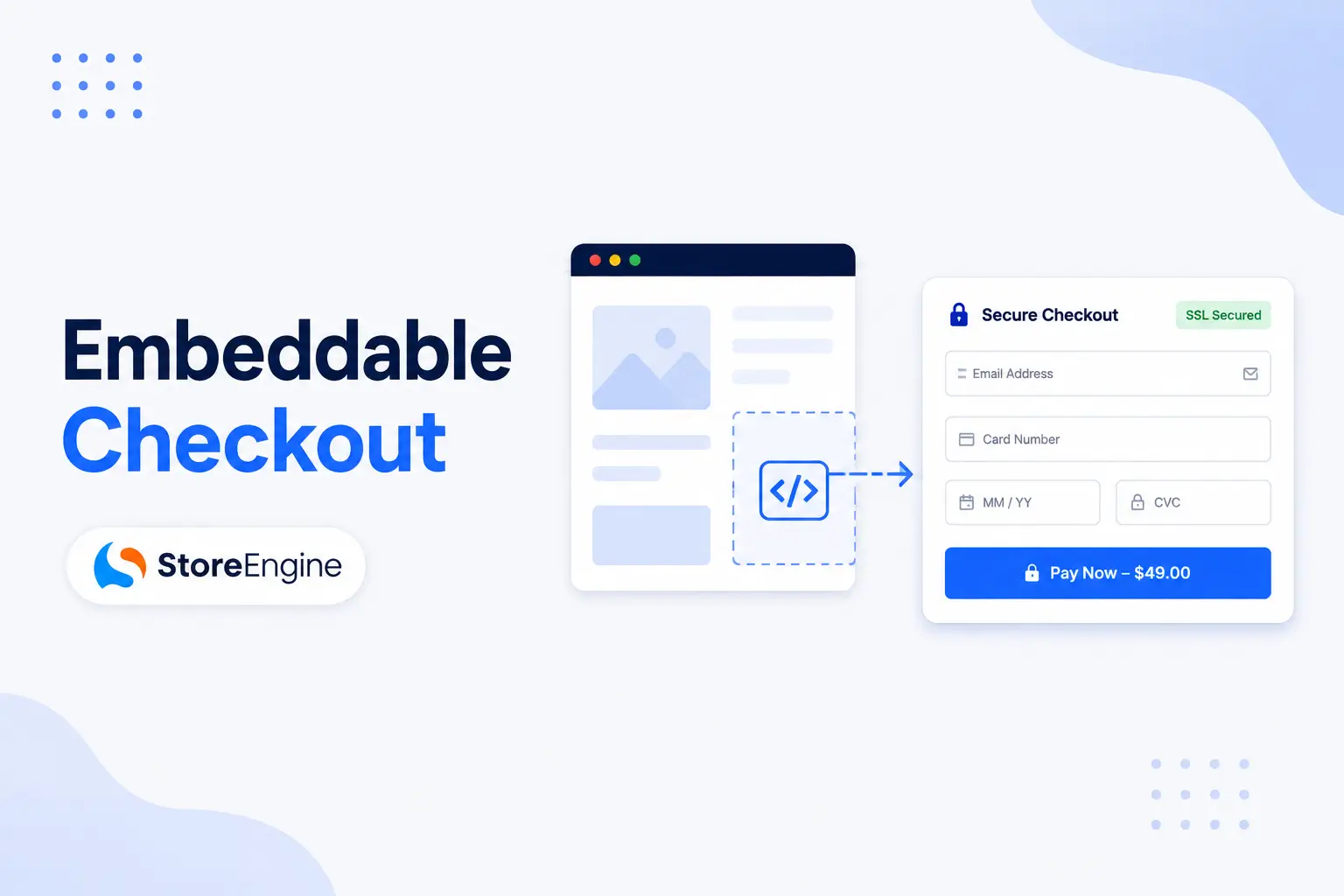

Today’s online shoppers expect a fast and seamless buying experience. If they have to leave a landing page, blog post, or promotional page just to complete a purchase, there’s a greater chance they’ll lose interest before checking out. Every additional click creates another opportunity for distraction or cart abandonment.
That’s why many eCommerce businesses are adopting embeddable checkout. Instead of redirecting customers to a separate checkout page, it lets them complete their purchase right where they decide to buy. Whether they’re browsing a product page, reading a blog, or viewing a special offer, customers can move from interest to purchase without unnecessary interruptions.
In this guide, you’ll learn what an embeddable checkout is, how it works, where it can be used, and why it can help improve the customer experience for WordPress stores.
What Is an Embeddable Checkout?
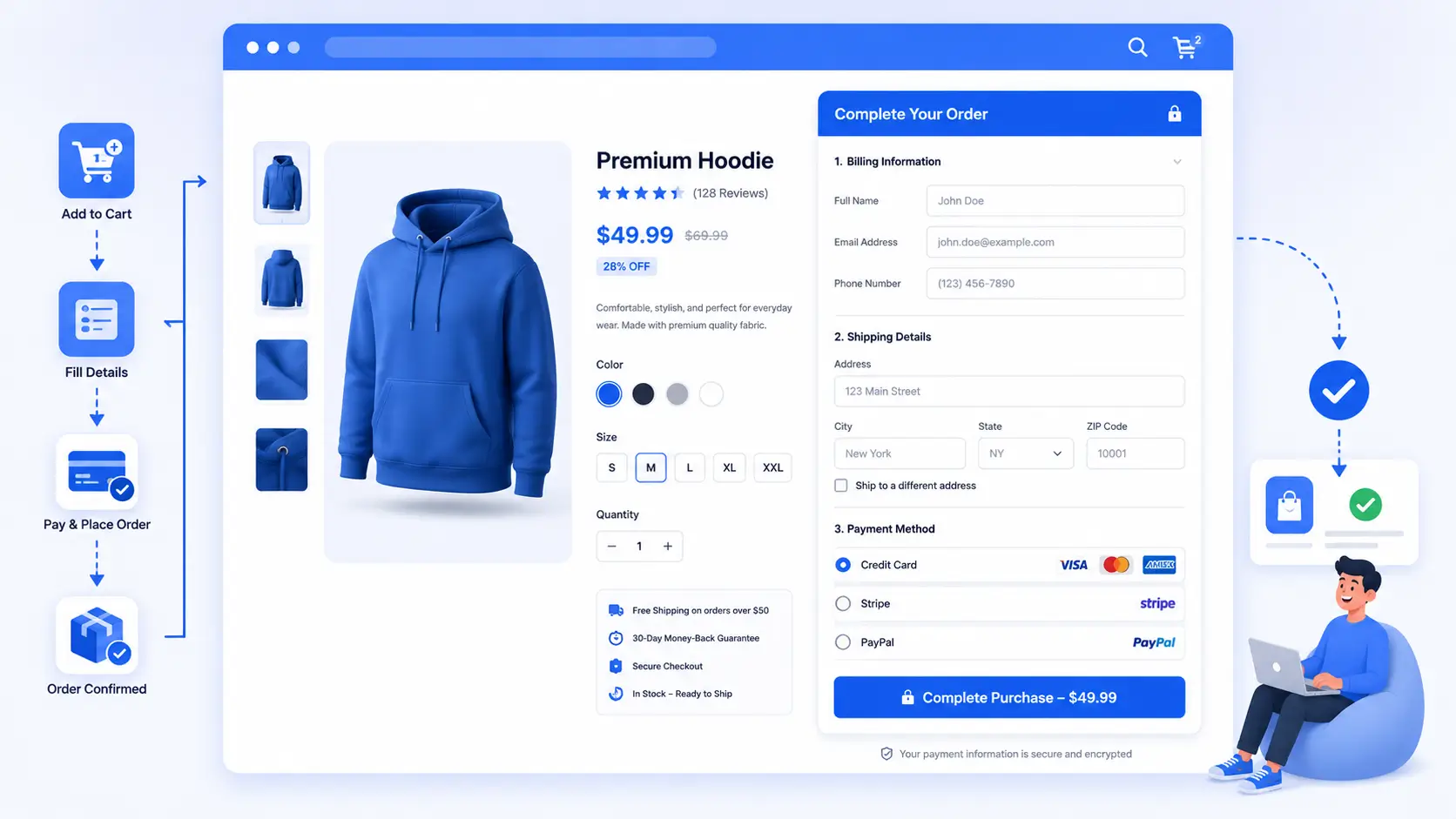
An embeddable checkout is a checkout form that can be placed directly on any page of your website instead of requiring customers to visit a separate checkout page. It allows shoppers to review their order, enter their billing and shipping information, choose a payment method, and complete the purchase without leaving the current page.
This creates a smoother shopping experience by reducing unnecessary page transitions and keeping customers focused on completing their purchase.
Before exploring embeddable checkout in detail, it’s important to understand how it fits into your overall sales funnel. Checkout is only one part of converting visitors into customers. To learn how every stage works together, read our How to Build a Sales Funnel on WordPress (No External Tools) guide.
Why Use an Embeddable Checkout?
Every extra step in the buying journey introduces friction. When customers click a Buy Now button and are redirected through multiple pages before reaching checkout, some will inevitably leave before completing their purchase.
An embeddable checkout removes this interruption by allowing customers to complete their purchase exactly where they decide to buy. This creates a faster, more convenient shopping experience while keeping customers engaged throughout the purchasing process.
It can also help maintain the visual consistency of your website since customers remain on the same page instead of moving to a separate checkout screen. This seamless experience is particularly valuable for stores focused on maximizing conversions from marketing campaigns and landing pages.
How Does an Embeddable Checkout Work?
Instead of sending customers to a dedicated checkout page, an embeddable checkout displays the checkout form directly inside the page they’re already viewing.
The typical process looks like this:
- A customer visits a landing page, product page, or blog post.
- They click a Buy Now or Purchase button.
- The checkout form appears on the same page or is already embedded within the content.
- The customer enters their billing and shipping information.
- They choose a payment method.
- The order is completed without leaving the page.
Because the entire purchasing process happens in one place, customers experience fewer interruptions and can complete their purchase more quickly.
Modern WordPress eCommerce platforms also support responsive embedded checkout forms that work well across desktops, tablets, and mobile devices. Many solutions integrate secure payment gateways such as Stripe and PayPal, making it easy for customers to pay safely without being redirected elsewhere.
This streamlined approach reduces friction, improves the overall shopping experience, and helps businesses create a more efficient purchase flow.
Benefits of an Embeddable Checkout
An embeddable checkout does more than simply shorten the buying process—it creates a smoother shopping experience by allowing customers to complete their purchase without leaving the page they’re on. By reducing unnecessary redirects and keeping shoppers focused, it helps remove common obstacles that can slow down or interrupt the buying journey.
If you’re interested in simplifying the checkout experience even further, you may also want to read our guide on One-Page Checkout for WordPress: Does It Really Boost Conversions? While one-page checkout streamlines the checkout process into a single page, embeddable checkout makes it possible to place that experience exactly where customers are ready to buy.
Reduces Checkout Friction
Every additional page load or redirect adds friction to the buying journey. Customers may become distracted, hesitate, or leave the site before completing their purchase.
An embeddable checkout keeps everything in one place, reducing unnecessary steps and making it easier for shoppers to complete their orders.
Creates a Better User Experience
Customers appreciate a simple and consistent shopping experience. Staying on the same page throughout the purchase process feels more natural than jumping between multiple screens.
This seamless flow helps build confidence and makes the buying process less overwhelming, especially for first-time visitors.
Improves Mobile Shopping
A growing percentage of online purchases happen on smartphones and tablets. On smaller screens, every extra tap or page load can negatively affect the user experience.
An embeddable checkout minimizes navigation, making it easier for mobile shoppers to complete purchases quickly without unnecessary interruptions.
Supports Higher Conversion Rates
While results vary from one store to another, simplifying the checkout experience often encourages more customers to complete their purchases.
By removing unnecessary distractions and reducing the number of steps required, an embeddable checkout can help lower cart abandonment and improve overall conversion performance.
Perfect for Marketing Campaigns
Landing pages, email campaigns, paid advertisements, and promotional pages are designed to encourage immediate action. Redirecting customers to another page before checkout can interrupt that momentum.
Embedding checkout directly into these pages helps maintain focus and allows customers to purchase as soon as they’re ready.
Where Can You Use an Embeddable Checkout?
One of the biggest advantages of embeddable checkout is its flexibility. Instead of limiting checkout to a single page, you can place it wherever customers are most likely to make a purchasing decision.
Common use cases include:
Landing Pages
High-converting landing pages are designed around a single goal—encouraging visitors to take action. Embedding checkout directly into the page removes unnecessary steps between interest and purchase.
Product Pages
Allow customers to buy immediately after reviewing product details without sending them through multiple checkout screens.
Blog Posts
Educational articles, tutorials, and product reviews often influence purchasing decisions. Embedding checkout within relevant content allows readers to buy while their interest is highest.
Promotional Campaign Pages
Seasonal sales, limited-time offers, and product launches benefit from a faster checkout experience that minimizes distractions.
Email Marketing Campaigns
Customers arriving from promotional emails are already interested in your offer. An embeddable checkout helps them complete their purchase with minimal effort after clicking through.
How StoreEngine Helps You Sell Anywhere
StoreEngine includes an Embeddable Checkout feature that allows WordPress store owners to place a secure checkout experience on different parts of their website instead of relying solely on a traditional checkout page.
This makes it possible to create smoother purchasing journeys for landing pages, product promotions, marketing campaigns, and content-driven sales pages.
Because StoreEngine is built for WordPress, the checkout experience remains responsive across devices while supporting popular payment methods and maintaining a consistent shopping experience throughout your site.
Instead of forcing customers through multiple page transitions, StoreEngine helps businesses create faster purchase flows that keep shoppers engaged until they complete their order.
Best Practices for Using an Embeddable Checkout
Simply embedding a checkout form isn’t enough to maximize conversions. To create a smooth purchasing experience, it’s important to follow a few best practices that reduce friction and keep customers focused on completing their orders.
Place Checkout Near the Call-to-Action
Customers should be able to move from clicking a Buy Now button to completing their purchase with minimal effort. Position your embedded checkout close to your primary call-to-action so shoppers don’t have to search for it.
Keep the Page Clean
Landing pages and sales pages should have a clear purpose. Avoid unnecessary navigation menus, excessive banners, or distracting pop-ups that could pull customers away before they finish checking out.
Optimize for Mobile Devices
Many shoppers purchase using their smartphones. Make sure your embedded checkout is responsive, easy to navigate, and requires minimal typing on smaller screens.
Offer Trusted Payment Methods
Customers are more likely to complete their purchases when they can pay using familiar payment options such as credit cards, Stripe, or PayPal. Displaying trusted payment methods can also help build confidence during checkout.
Reduce Form Fields
Only ask for information that’s necessary to complete the order. Shorter forms are generally quicker to complete and create less friction for customers.
Test Your Checkout Experience
Regularly test your embedded checkout on different browsers and devices to ensure everything works as expected. Small usability improvements can make a noticeable difference in conversion rates over time.
Common Mistakes to Avoid
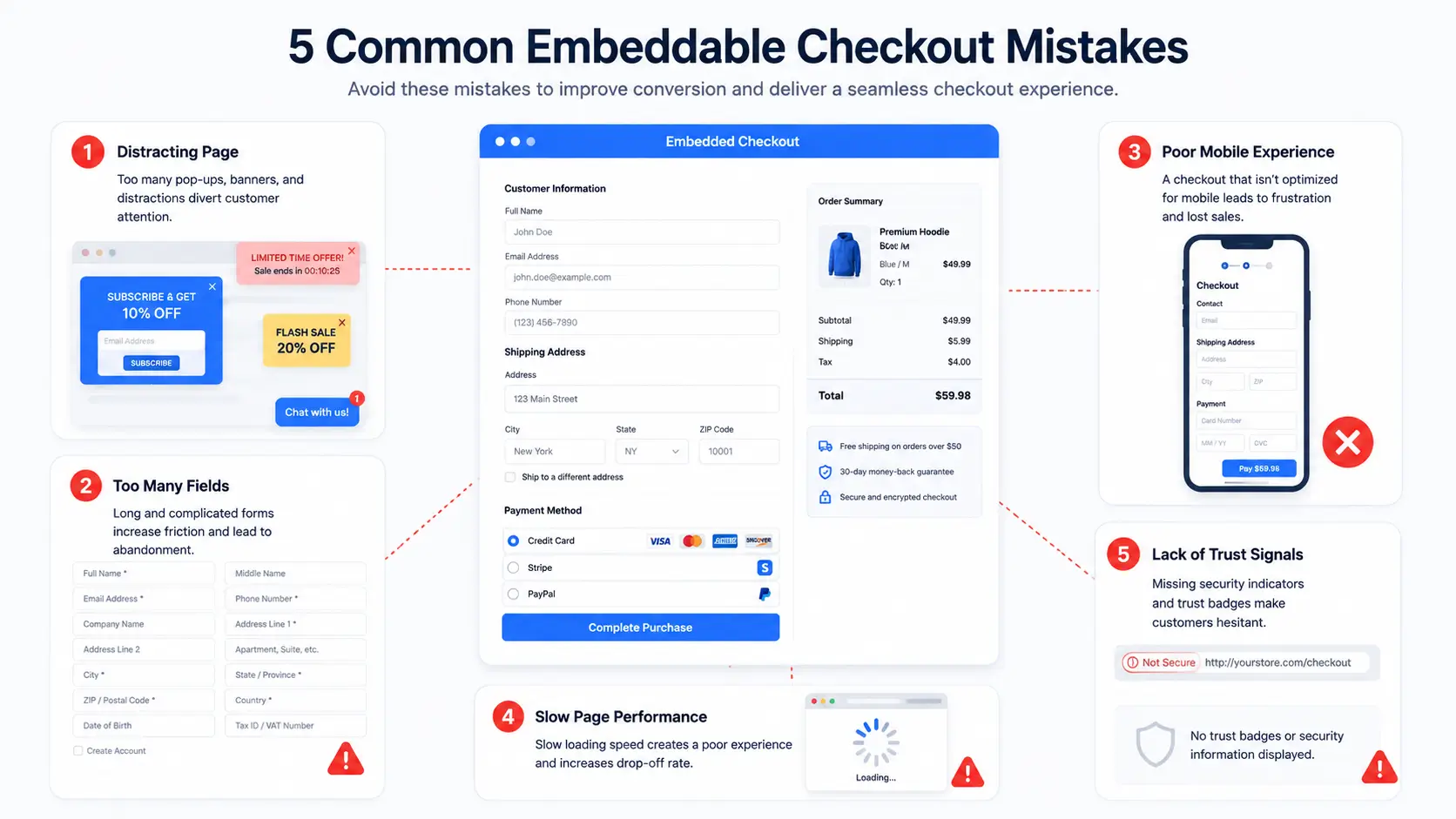
Even a well-designed embeddable checkout can lose effectiveness if common usability issues aren’t addressed.
Embedding Checkout on Busy Pages
Pages filled with excessive content, pop-ups, or competing calls-to-action can distract customers. Keep the checkout area clean and focused.
Asking for Too Much Information
Long forms increase the effort required to complete a purchase. Only request the details needed to process the order.
Ignoring Mobile Users
A checkout that works well on desktop but feels difficult on mobile can lead to higher abandonment rates. Always test the experience on different screen sizes.
Slow Page Performance
If the page loads slowly, customers may leave before they even begin the checkout process. Optimize images, scripts, and other page elements to maintain fast loading speeds.
Not Building Trust
Customers want reassurance that their payment information is secure. Use HTTPS, trusted payment gateways, and security indicators where appropriate to build confidence.
Conclusion
An embeddable checkout makes it easier for customers to complete their purchases by keeping the entire checkout process on the same page. Whether you’re selling from a landing page, product page, or blog post, reducing unnecessary page transitions can create a smoother shopping experience and help minimize checkout friction.
However, checkout optimization is just one part of building a successful online store. To learn how it fits into a complete customer journey, explore our How to Build a Sales Funnel on WordPress (No External Tools) guide. Once you’ve streamlined your checkout, you can further increase revenue by implementing strategies from our Order Bumps, Upsells & Cross-sells: Complete Guide.
For WordPress users, StoreEngine’s Embeddable Checkout feature makes it simple to place checkout wherever customers are ready to buy, helping create a faster, more convenient, and more seamless purchasing experience.
Frequently Asked Questions
What is an embeddable checkout?
An embeddable checkout allows customers to complete their purchase directly on the page they’re currently viewing instead of being redirected to a separate checkout page.
Where can I use an embeddable checkout?
You can embed checkout on landing pages, product pages, blog posts, promotional pages, sales pages, and other areas where customers are ready to purchase.
Does an embeddable checkout improve conversions?
While results vary depending on your store and audience, reducing unnecessary steps in the purchasing process can help minimize friction and encourage more customers to complete their orders.
Is embeddable checkout mobile-friendly?
Most modern WordPress eCommerce solutions offer responsive embedded checkout experiences that adapt to desktops, tablets, and smartphones.
Does StoreEngine support embeddable checkout?
Yes. StoreEngine includes an Embeddable Checkout feature that allows WordPress store owners to place checkout directly on landing pages, sales pages, blog posts, and other parts of their websites, creating a smoother purchasing experience.