


If your website offers valuable content, courses, or digital products, making everything freely available may not be the best way to grow your business. Content restriction, also known as content gating, allows you to reserve exclusive content for registered members or paying customers. This helps protect your premium resources while supporting a membership-based revenue model.
In this guide, you’ll learn what content gating is, why it’s beneficial, and how to restrict content and gate premium access using the StoreEngine Memberships Addon. We’ll also walk through creating membership plans, protecting premium content, and ensuring the right users have access to the right resources.
What Is Content Gating?
Content gating is a popular strategy for protecting valuable content and offering exclusive access to members or paying customers. By placing certain resources behind a membership or purchase requirement, website owners can encourage more signups, generate revenue, and provide added value to their audience.
What Does Content Gating Mean?
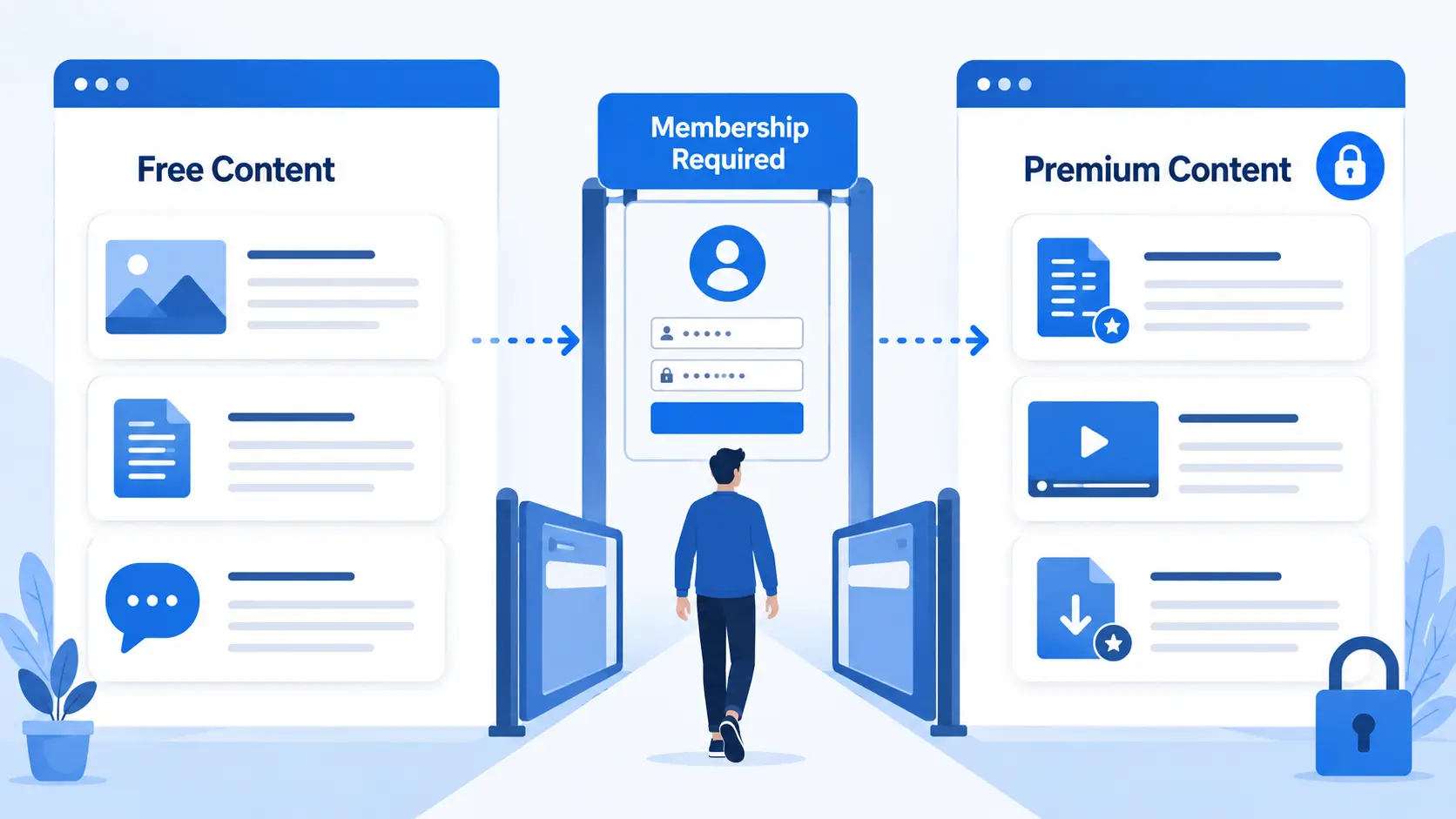
Content gating is the practice of restricting access to specific content on your website so that only authorized users—such as members or paying customers—can view it. Instead of making everything publicly available, you place a “gate” in front of premium content. Visitors must meet a requirement, such as purchasing a membership or logging into an eligible account, before they can access it.
Unlike simply hiding content, content gating helps protect valuable resources while encouraging visitors to become members or customers. It’s widely used by membership websites, online learning platforms, and businesses that offer exclusive digital content.
Types of Content You Can Restrict
With content gating, you can protect various types of content, including:
- Blog posts – Premium articles, tutorials, or guides.
- Pages – Private dashboards, resource libraries, or exclusive landing pages.
- Courses or lessons – Educational content available only to eligible members.
- Digital downloads – eBooks, templates, PDFs, or other downloadable files.
- Videos – Exclusive training videos, webinars, or video libraries.
- Member-only resources – Any content reserved for registered or paying members.
By combining free and premium content, you can attract new visitors while offering exclusive value to your members.
Why Restrict Premium Content?
Restricting premium content isn’t just about limiting access—it’s a way to create more value for your audience while supporting your business goals. Here are some of the key benefits of content gating.
Monetize Exclusive Content
Content gating allows you to offer high-value resources as part of a paid membership or subscription. Instead of relying only on ads or one-time purchases, you can generate recurring revenue by providing exclusive content to members.
Increase Membership Signups
Premium content gives visitors a reason to become members. Offering exclusive guides, downloads, or resources can encourage more people to sign up and unlock additional value.
Protect Valuable Resources
If you’ve invested time creating in-depth guides, digital products, or educational content, restricting access helps ensure those resources are available only to authorized users. This helps protect your premium content and its value.
Build Customer Loyalty
Exclusive content can give members an additional reason to stay engaged with your website. Regularly providing valuable member-only resources can improve retention and encourage long-term relationships with your audience.
How StoreEngine Makes Content Gating Easy
Managing premium content doesn’t have to be complicated. With the StoreEngine Memberships Addon, you can create membership plans and restrict access to exclusive content without writing custom code.
StoreEngine Memberships Addon Overview
The StoreEngine Memberships Addon helps you build a membership-based website by controlling who can access specific content. It integrates with your StoreEngine store, making it easy to manage memberships and premium content from a single platform.
Key Features
The Memberships Addon includes several features that simplify content gating:
- Membership plans – Create membership plans with custom pricing and access duration.
- Content restriction – Restrict selected pages, posts, or other content to eligible members.
- Content drip – Release content gradually based on your membership settings.
- Membership expiration – Set memberships to expire after a specific period or on a fixed date.
- Member access management – Control and manage access for your members.
With these features, you can protect premium content and deliver exclusive access through a simple membership system.
Step 1: Install and Activate the StoreEngine Memberships Addon
Start by installing and activating the StoreEngine Memberships Addon on your WordPress website. Once enabled, the Addon adds membership and content restriction features to your StoreEngine store, allowing you to create membership plans and manage access to premium content.
After activation, you can access the membership settings and begin configuring your membership plans, access rules, and other options before restricting content.
Step 2: Create a Membership Plan
After activating the add-on, create your first membership plan. A membership plan defines who can access your premium content and how long that access remains available.
Set Pricing
Configure the price for your membership plan based on your business model. Choose a pricing structure that reflects the value of the premium content you’re offering.
Configure Access Duration
Set how long the membership remains active. Depending on your plan, you can provide access for a specific period or until a defined expiration date.
Choose Membership Benefits
Decide which content or resources members can access. For example, you can provide access to premium pages, blog posts, downloadable resources, or other member-only content. Clearly defining these benefits helps visitors understand the value of your membership.
Step 3: Restrict Premium Content
Once your membership plan is ready, the next step is to decide which content should be available only to members.
Restrict Individual Pages
Limit access to selected pages, such as resource libraries, private dashboards, or other members-only pages.
Restrict Posts
You can also restrict individual blog posts, making it easy to offer a mix of free and premium content on your website.
Restrict Other Content
Depending on your website setup, you can apply membership restrictions to other supported content, allowing only eligible members to access them.
Display a Message for Non-Members
When visitors try to access restricted content, you can display a message informing them that the content is available only to members and encourage them to purchase or join a membership plan.
Step 4: Gate Premium Access
After restricting your content, configure who can access it based on your membership settings. This ensures that premium content is available only to eligible members.
Require Membership Before Viewing Content
Set access rules so that only users with the required membership can view restricted pages, posts, or other protected content.
Link Content to Membership Plans
Assign your restricted content to the appropriate membership plan, ensuring members receive access based on the plan they have purchased or been granted.
Verify Member Access
After a membership is activated, confirm that eligible users can access the protected content while non-members continue to see the restricted version.
Step 5: Test the User Experience
Before making your membership site live, test the entire experience to ensure your content restrictions work as expected.
View as a Guest
Visit your website without logging in to confirm that restricted content is unavailable to non-members and any access message is displayed correctly.
View as a Member
Sign in with a member account to verify that protected content is accessible according to the assigned membership.
Verify Access Rules
Review your membership settings and test different access scenarios to ensure the correct users can view the appropriate content.
Best Practices for Content Gating
A well-planned content gating strategy helps you protect valuable resources while providing a better experience for your members. Keep these best practices in mind to make your membership site more effective.
Gate Only High-Value Content
Reserve your most valuable guides, downloads, or premium resources for members, while keeping essential content free to showcase your expertise.
Clearly Explain Membership Benefits
Let visitors know exactly what they’ll gain from joining. Clearly outlining your membership benefits can encourage more signups.
Keep Some Content Free for SEO
Leaving some content publicly available helps improve search visibility, attract organic traffic, and build trust with new visitors.
Use Drip Content Strategically
If supported by your membership setup, release premium content gradually to keep members engaged over time.
Review Access Rules Regularly
Periodically check your membership settings to ensure the right users have access to the appropriate content and that your restriction rules remain up to date.
Common Mistakes to Avoid
Even with the right membership setup, a few common mistakes can reduce the effectiveness of your content gating strategy. Avoid these pitfalls to provide a better experience for your members and protect your premium content.
Restricting Everything
Avoid placing all of your content behind a membership gate. Keeping some valuable content free helps visitors discover your website, build trust, and understand the benefits of becoming a member.
Unclear Pricing
Clearly explain your membership pricing, features, and included benefits. Transparent pricing helps visitors make informed decisions and reduces confusion before they sign up.
Poor Onboarding
Make it easy for new members to find and access their exclusive content. A simple onboarding experience helps members get started quickly and improves their overall experience.
Skipping Access Testing
Always test your membership settings before going live. Verify that members can access protected content while non-members remain restricted according to your access rules.
Who Should Use Content Gating?
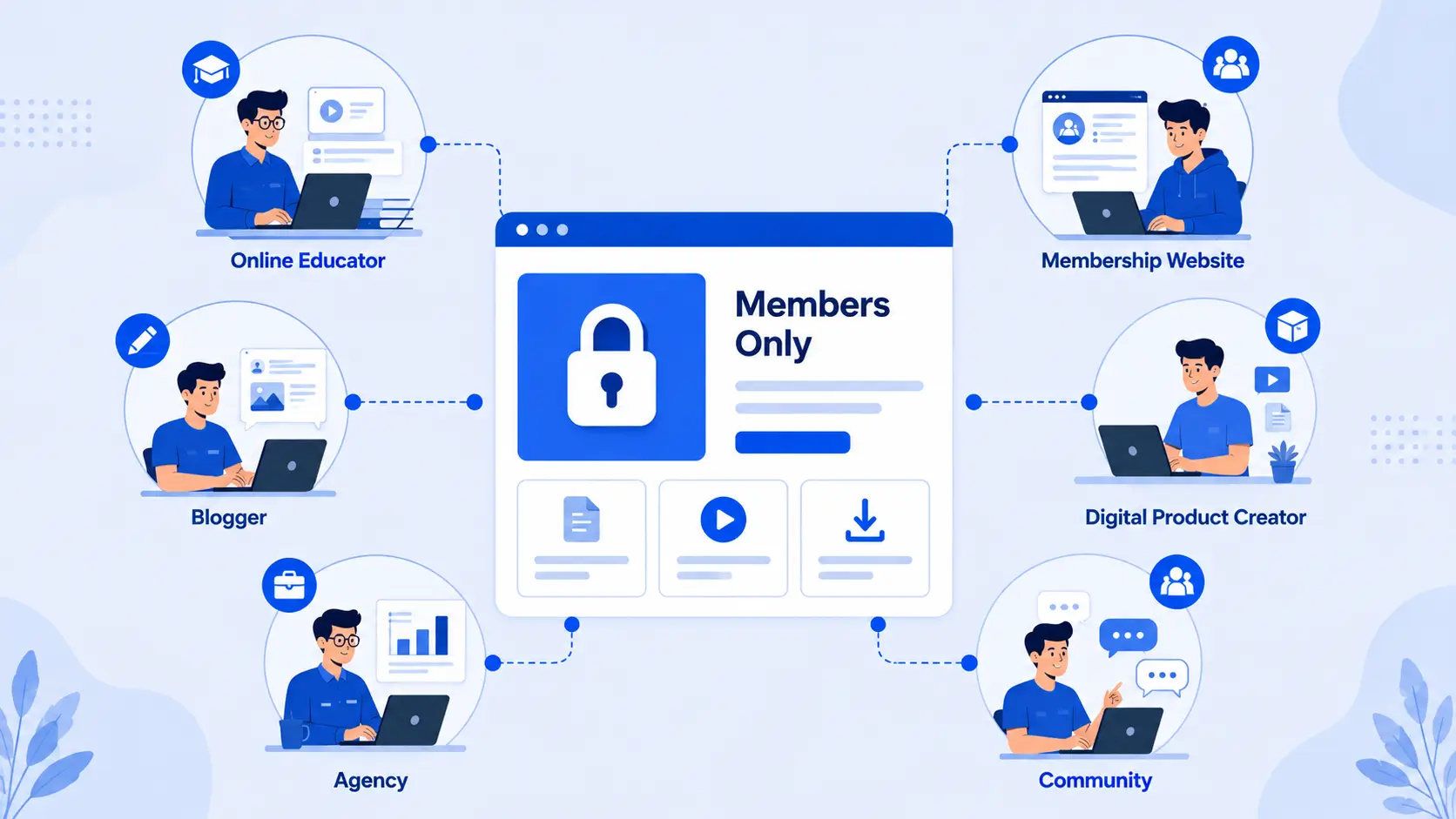
Content gating is useful for anyone who wants to protect valuable content and offer exclusive access to members or customers. It’s especially beneficial for the following types of websites:
Online Educators
Provide access to premium lessons, learning materials, or educational resources only to enrolled students or members.
Membership Websites
Create members-only content and build a sustainable membership-based business by offering exclusive benefits.
Digital Product Creators
Protect downloadable resources such as eBooks, templates, PDFs, or other digital products so they’re available only to authorized users.
Bloggers and Content Creators
Offer premium articles, tutorials, or exclusive resources to subscribers while keeping selected content free to attract new readers.
Agencies and Businesses
Share private resources, documentation, or client-exclusive content through a secure membership area.
Community-Based Websites
Restrict access to exclusive discussions, resources, or other members-only content to create a more valuable community experience.
Conclusion
Content gating is an effective way to protect valuable content while offering exclusive access to members or customers. By restricting premium resources, you can create additional value for your audience and support a membership-based business model.
With the StoreEngine Memberships Addon, you can create membership plans, restrict access to premium content, and manage member permissions from your WordPress website. Its membership and content restriction features make it easier to control who can access your exclusive resources.
Ready to offer members-only content? Start using the StoreEngine Memberships Addon to build a membership site and provide secure access to your premium content.
FAQs
What is content gating?
Content gating is the practice of restricting access to specific website content so that only authorized users, such as members or paying customers, can view it.
Can I restrict specific pages in StoreEngine?
Yes. With the StoreEngine Memberships Addon, you can restrict access to selected pages, posts, and other supported content based on your membership settings.
Can I create membership plans?
Yes. The StoreEngine Memberships Addon allows you to create membership plans with custom access settings and durations for your members.
Does StoreEngine support drip content?
Yes. The Memberships Addon includes a content drip feature, allowing you to release content gradually based on your membership configuration.
Can I limit access for a certain period?
Yes. You can configure membership access for a specific duration or until a defined expiration date, depending on your membership settings.