











Create and Share Direct Checkout Links in StoreEngine
StoreEngine provides an easy way to create a Direct Checkout Link for any product. Using this link, you can share it directly with your customers or students so they can skip the cart and go straight to checkout, speeding up the purchase process and increasing conversion.
Understanding Direct Checkout
Direct Checkout is a feature where the customer skips the Add to Cart step and goes directly to the Checkout page.
Benefits:
- Faster purchase process
- Higher conversion rate
- Ideal for sending direct links via email, Messenger, WhatsApp, or ads
Step 1: Accessing Your Product in WordPress
- Go to your WordPress Dashboard → StoreEngine → Products.
- From here, you can share the checkout link of your existing product, and you can also create a new product and share its checkout link—both ways will be the same.
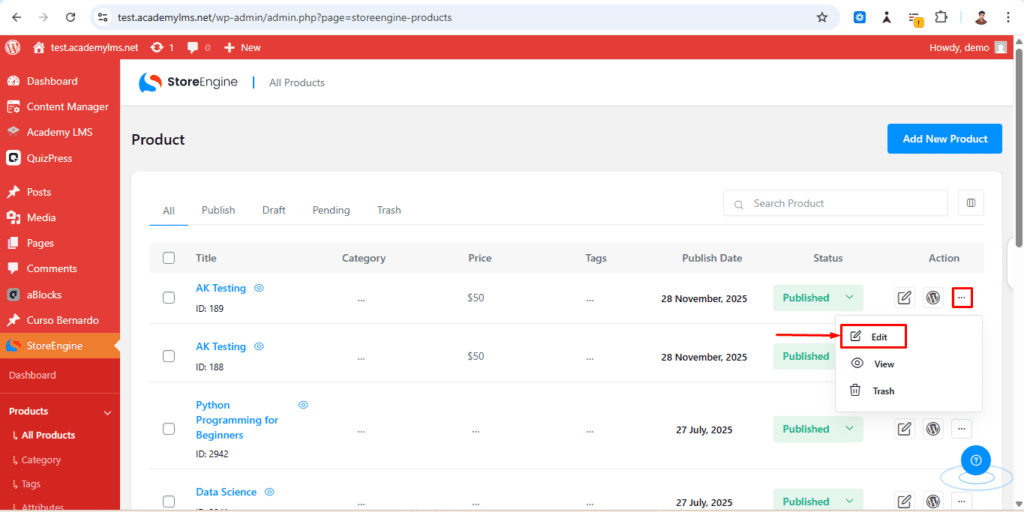
Step 2: Finding the Direct Checkout Link
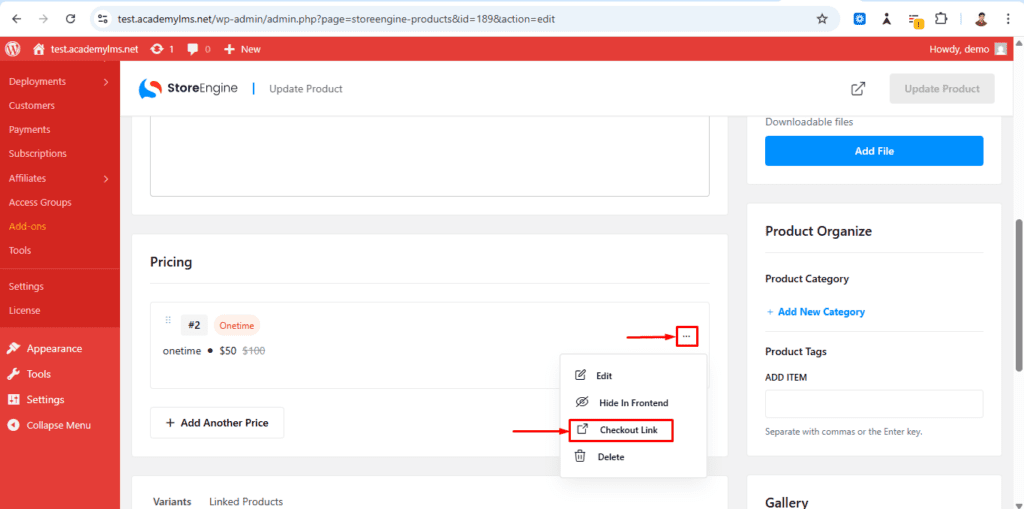
- On the Product Edit Page, scroll to the Pricing Section
- Click the three dots on the right of the pricing row → select Edit
- Click the three dots in the Pricing Section → select Get Checkout Link
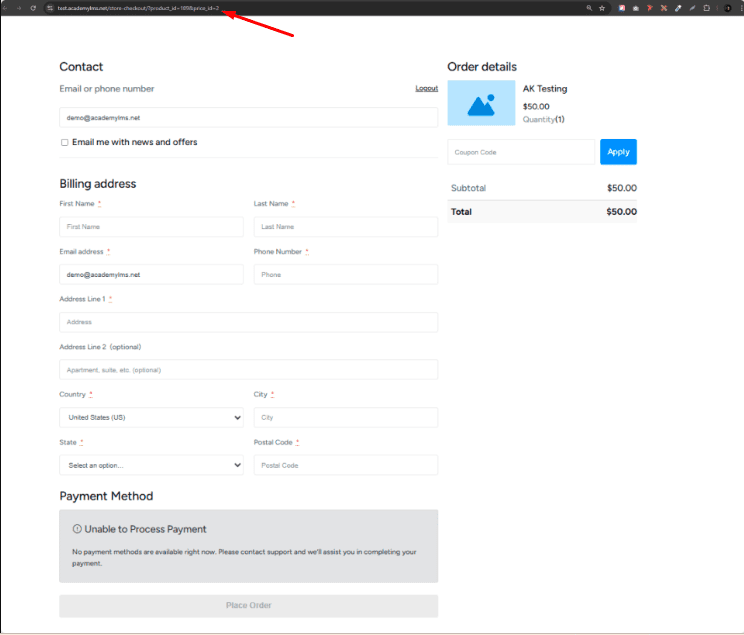
- A new tab will open in your browser → this is your Direct Checkout Link
Step 3: Sharing the Direct Checkout Link
Once you have the link:
- Copy the link
- Share it with your customers via:
- Email
- Messenger
- WhatsApp
- Any other contact method
- Email
Tip: You can also use this link in marketing campaigns or landing pages for direct purchases.
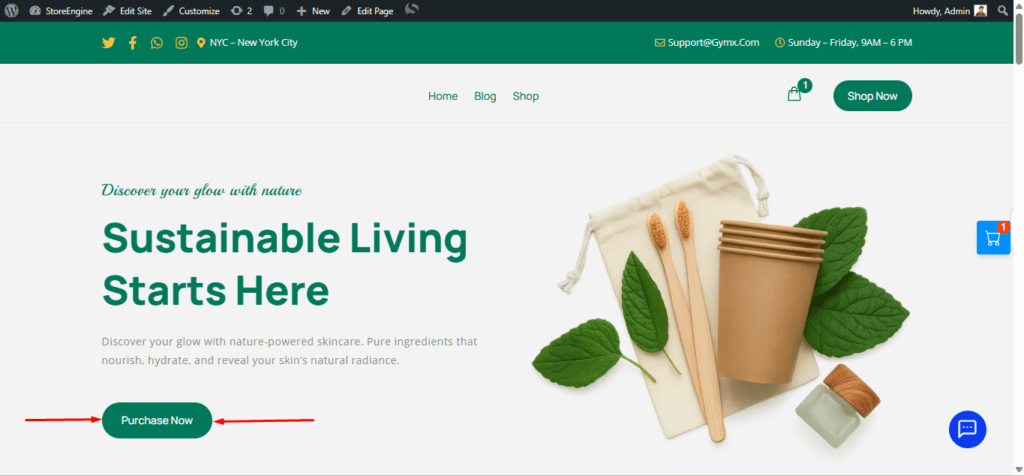
By sharing the checkout link of any product with a user, they can access the link directly and be taken straight to the checkout page for that product, as illustrated in the screenshot.
This guide helps you easily generate and share a Direct Checkout Link for any product using StoreEngine. Following these steps ensures your customers can purchase products faster without navigating through the cart page.