











StoreEngine is a WordPress plugin for creating eCommerce websites where you can sell both digital and physical products. Whether you want to offer one-time purchases, subscriptions, or monthly payments, StoreEngine has you covered, along with support for Cash on Delivery (COD).
In this guide, we’ll walk you through the two methods for installing and activating StoreEngine:
Installing from the WordPress Plugin Repository
Installing via Direct Upload (from your downloaded file)
Method 1: Installing StoreEngine from the WordPress Repository
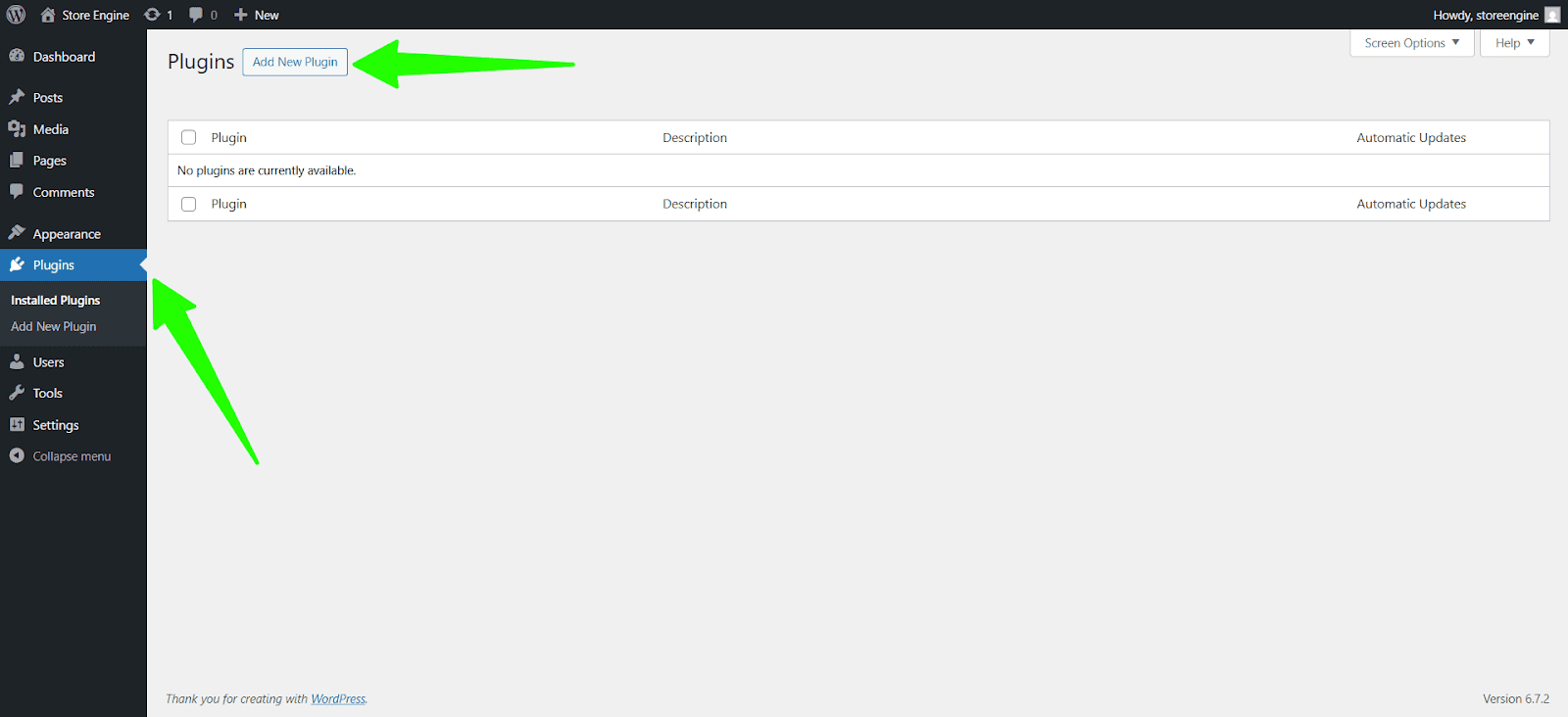
Step 1: After accessing your WordPress dashboard, go to Plugins → Add New.
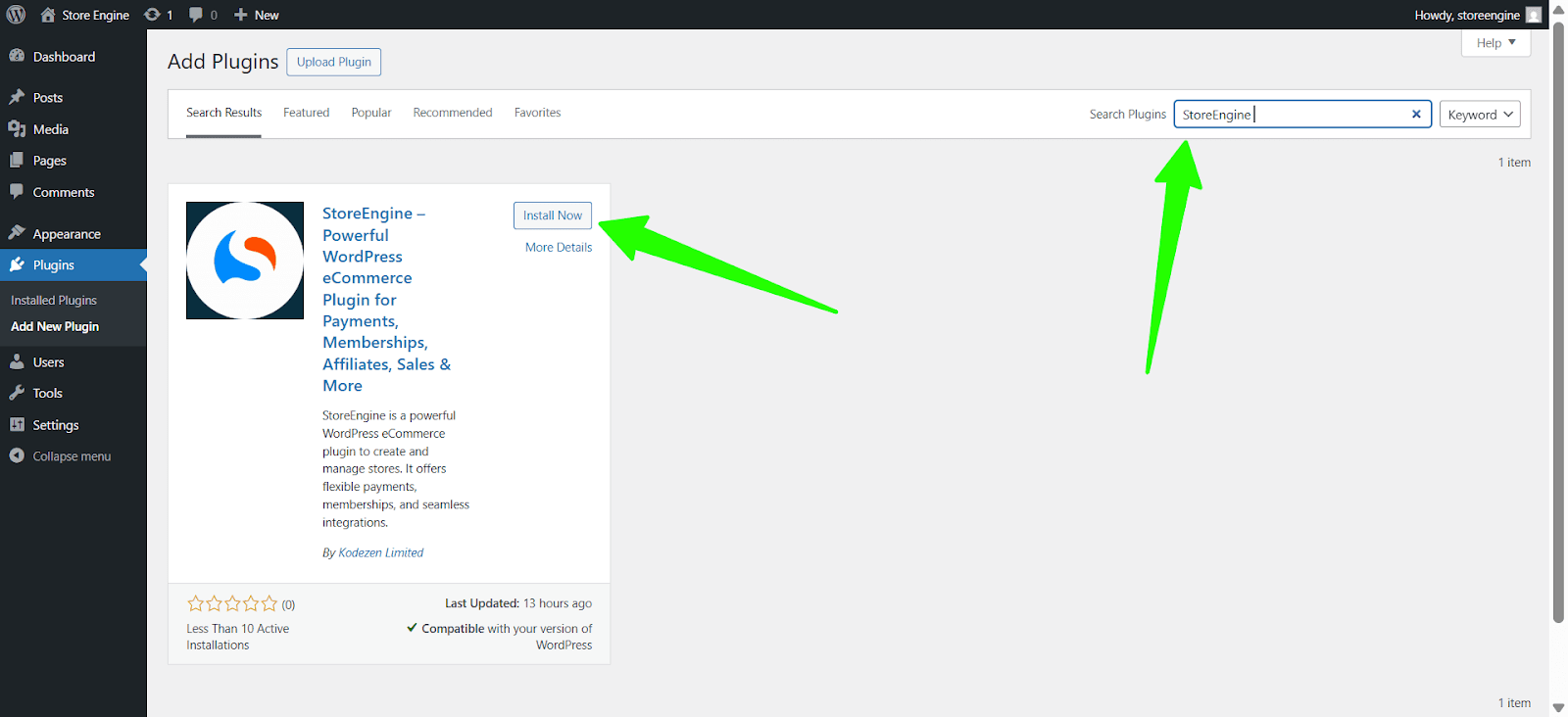
Step 2: Search for StoreEngine.
In the search bar at the top right, type StoreEngine. Once you find the StoreEngine plugin, click the Install Now button.
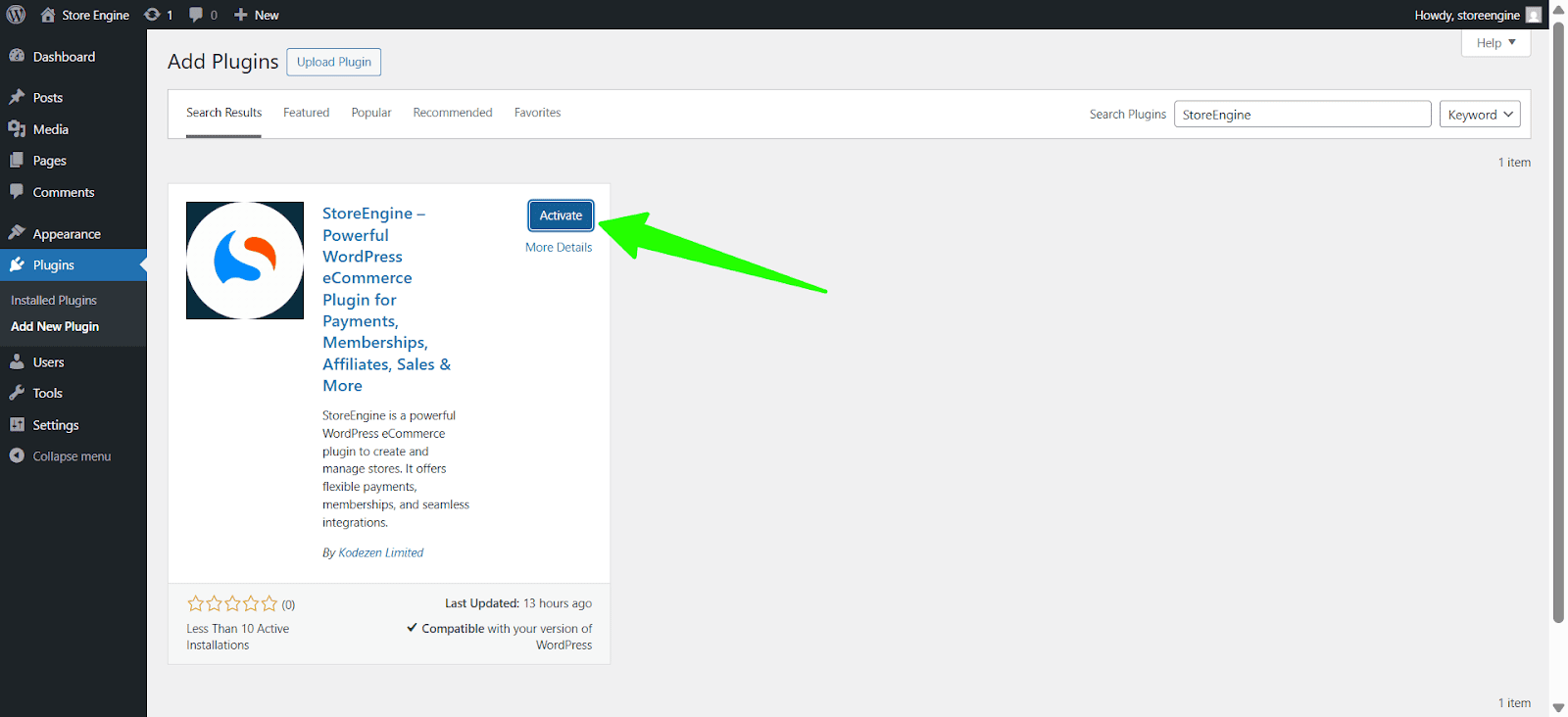
Step 3: Activate StoreEngine
After installation, click Activate. Your StoreEngine plugin is now active and ready to configure for your eCommerce needs!
Method 2: Installing StoreEngine via Direct Upload
Step 1: Download StoreEngine from WordPress.org
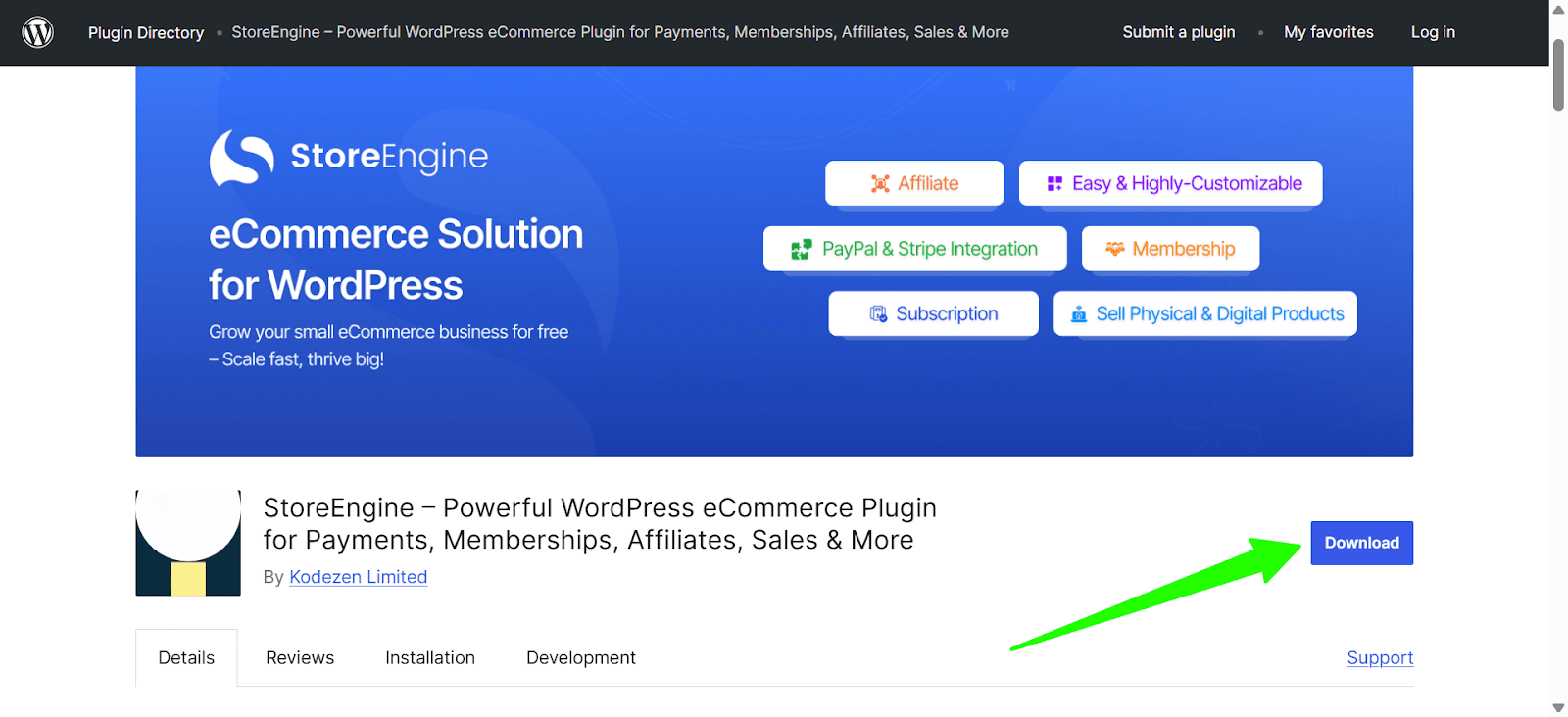
Go to WordPress.org Plugin Directory. Search for StoreEngine in the plugin search bar and click on Store Engine.
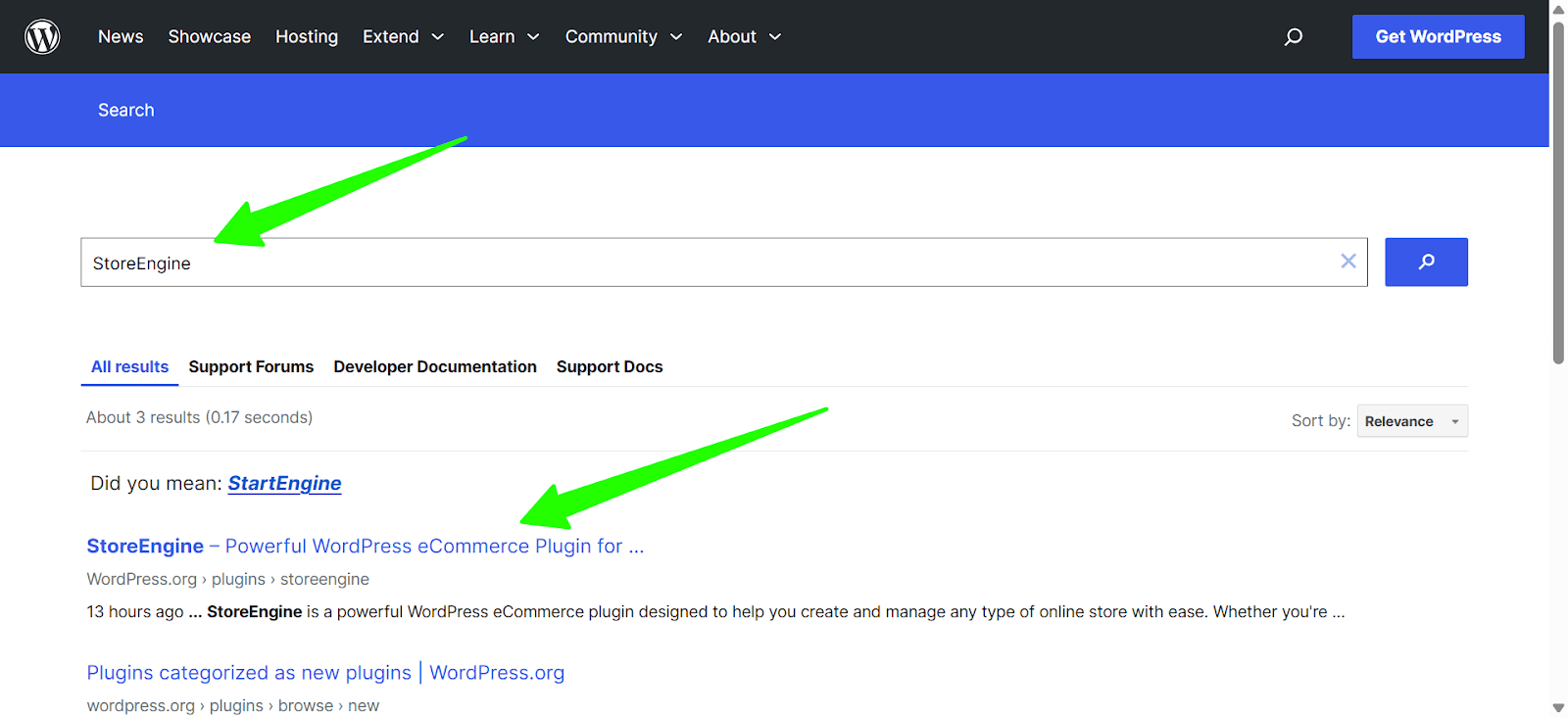
Download the StoreEngine.zip file to your computer by clicking the Download button.
Step 2: Go to the Plugins Section
In your WordPress dashboard, navigate to Plugins → Add New.
Step 3: Upload the Plugin
At the top of the page, click on the Upload Plugin button. Select the Choose File button and locate the StoreEngine.zip file you downloaded.
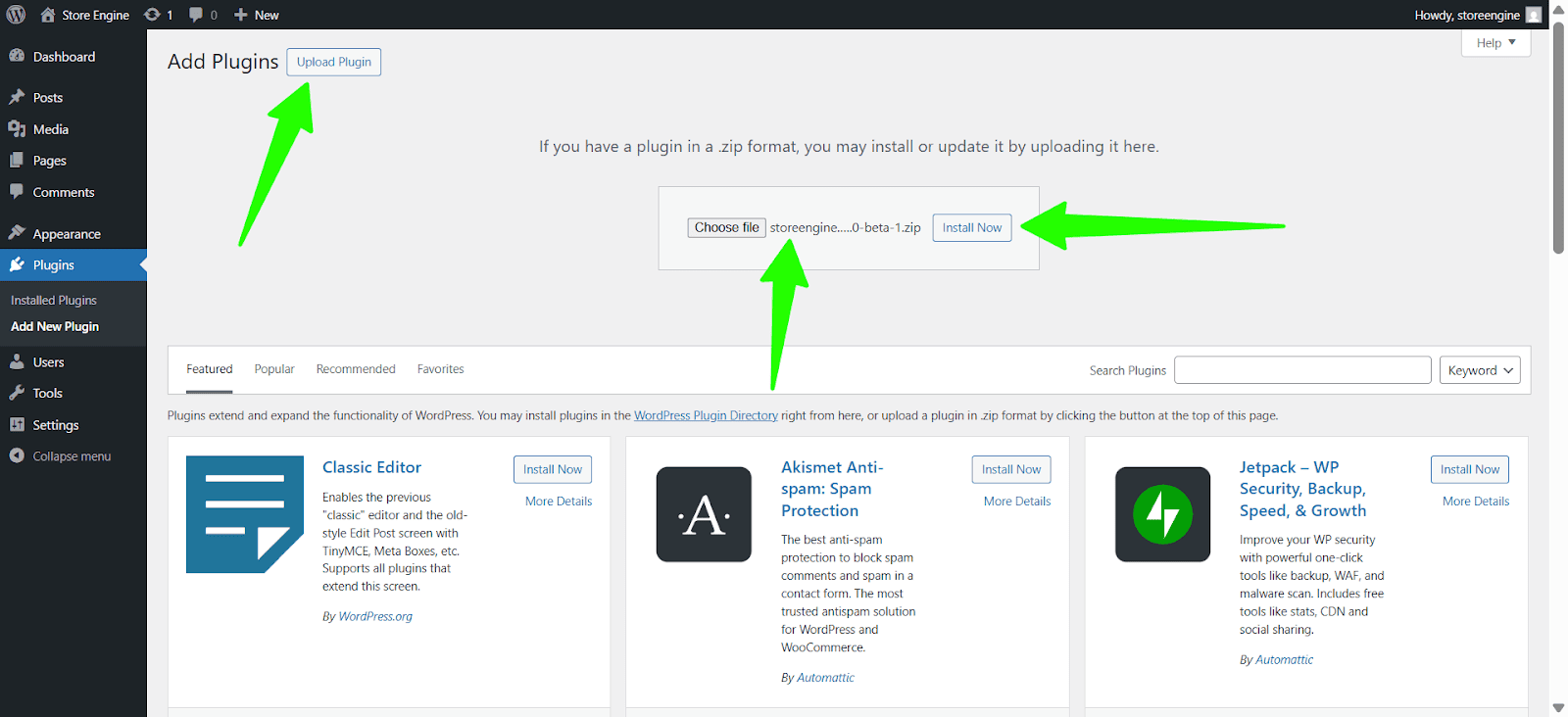
Click Install Now to begin the upload and installation process.
Step 5: Activate StoreEngine
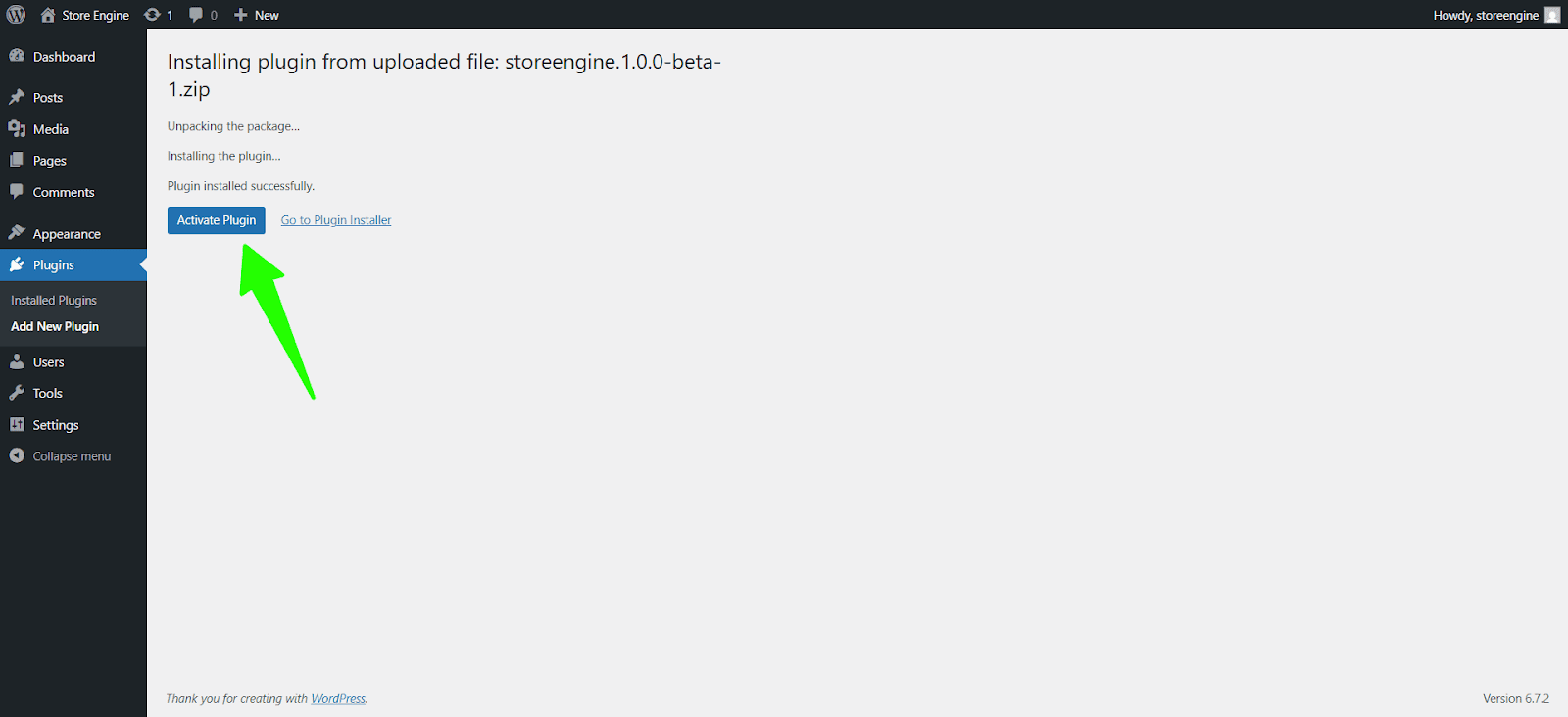
Once the installation is complete, click the Activate Plugin button. Your StoreEngine plugin is now activated and ready for setup!
Congratulations! You’ve successfully installed and activated the StoreEngine WordPress plugin using either the Repository or Direct Upload method. Now you can start building your eCommerce store, offering digital or physical products, and configuring payment options like one-time purchases, subscriptions, and Cash on Delivery.