











StoreEngine allows you to sell online courses seamlessly by integrating with learning management systems such as Academy LMS. Using StoreEngine’s product and order management features, you can monetize courses, manage enrollments, and track sales from a single dashboard.
This setup is ideal for creators, educators, and businesses looking to build a professional e-learning platform on WordPress.
Prerequisites
Before selling courses using StoreEngine, make sure the following requirements are met:
- WordPress is installed and configured
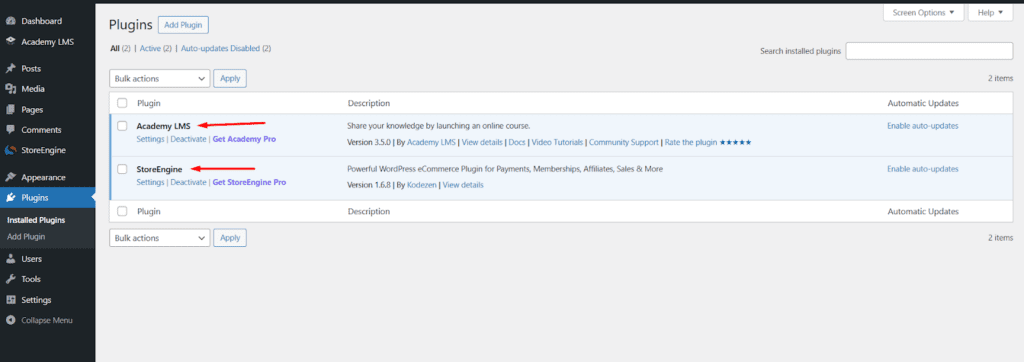
- StoreEngine plugin is installed and activated.
- Academy LMS (or supported LMS) is installed and activated.
- At least one course is created in the LMS.
- Payment methods are configured in StoreEngine.
Creating a Course in the LMS
First, you need to create a course using your LMS.
Steps:
- Go to Academy LMS → Courses
- Click Add New Course
- Enter course title, description, lessons, and curriculum.
- Publish the course
Once published, the course will be available for sale via StoreEngine. For more details, you can see this Academy LMS course creation documentation.
Creating, Pricing, and Integrating a Course Product
To sell a course, you need to create a StoreEngine product, set its price, and link it to an Academy LMS course.
Step-by-Step Instructions
- Navigate to StoreEngine → Products
- Click Add New Product
- Enter the product name and required details.
- Set the product price in the pricing section.
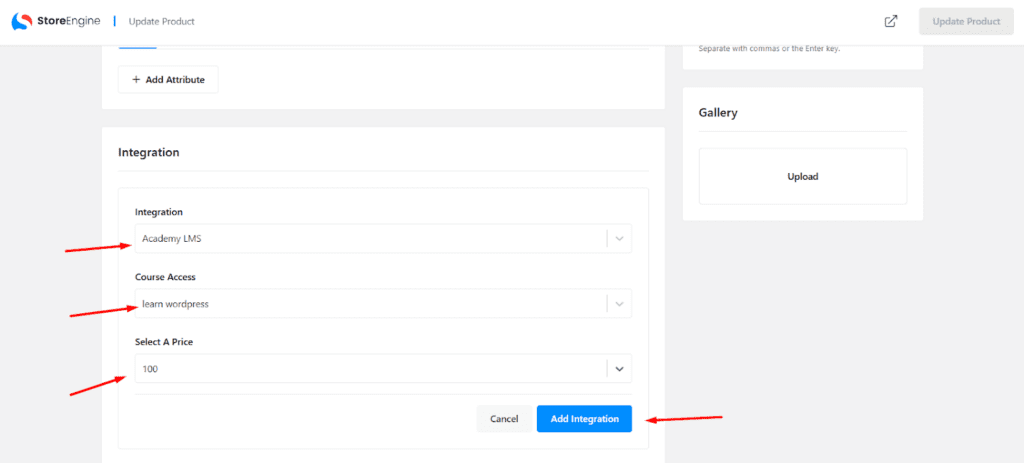
- Scroll down to the Integration section.
- From the Integration dropdown, select Academy LMS.
- Choose the course from the Course Access field.
- Confirm the price in the Select a Price field.
- Click Add Integration
- Click Publish or Update Product
Once published, the product is officially linked to the course.
Important Notes
- The Academy LMS plugin must be active.
- The selected course must be published.
- One product can be linked to one course.
- Course access is granted only after successful payment.
Selling and Checkout Process
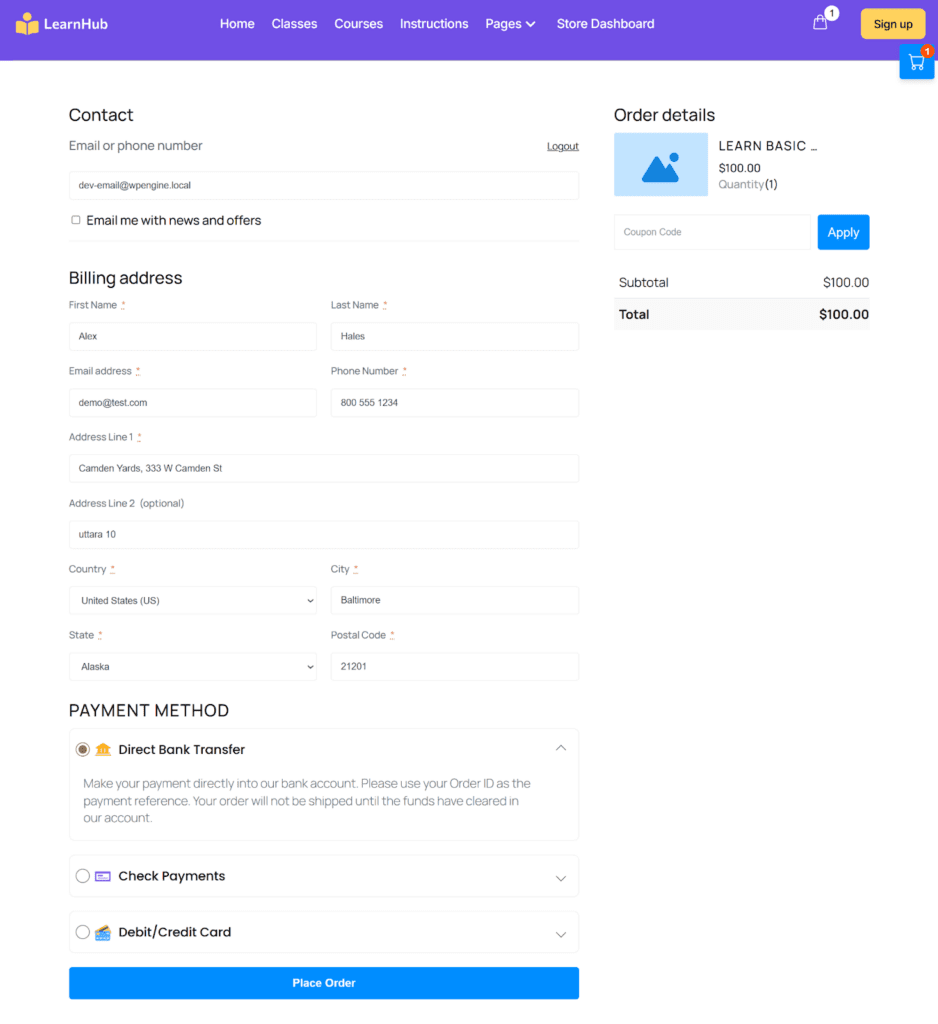
After the product is published, customers can purchase the course like any other product.
How It Works
- A user visits the course product page
- The user completes checkout via StoreEngine.
- Payment is processed through the selected gateway.
- Order status updates to Completed.
- The user is automatically enrolled in the course.
No manual enrollment is required. (Except: Bank payments and Checks).
Managing Course Orders
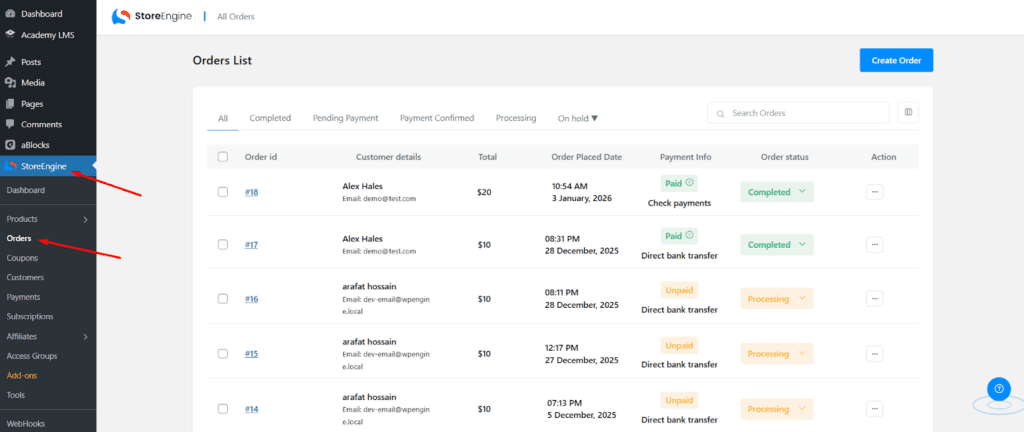
All course purchases can be managed from the StoreEngine Orders page.
Steps:
- Go to StoreEngine → Orders
- View order details such as product, customer, amount, and status.
- Monitor Processing and Completed Orders
- Process refunds if required
This gives full control over course transactions.
Conclusion
By combining StoreEngine with Academy LMS, you can build a scalable and professional course-selling platform on WordPress. StoreEngine handles payments, orders, and reports, while Academy LMS manages course delivery and learner progress, creating a comprehensive e-learning solution.