











The StoreEngine Dashboard is the central control panel for managing your online store. It allows you to manage products, orders, customers, payments, and reports from a single place. Using the dashboard, you can easily monitor store activity and make informed business decisions.
Main Sections of the Admin Dashboard
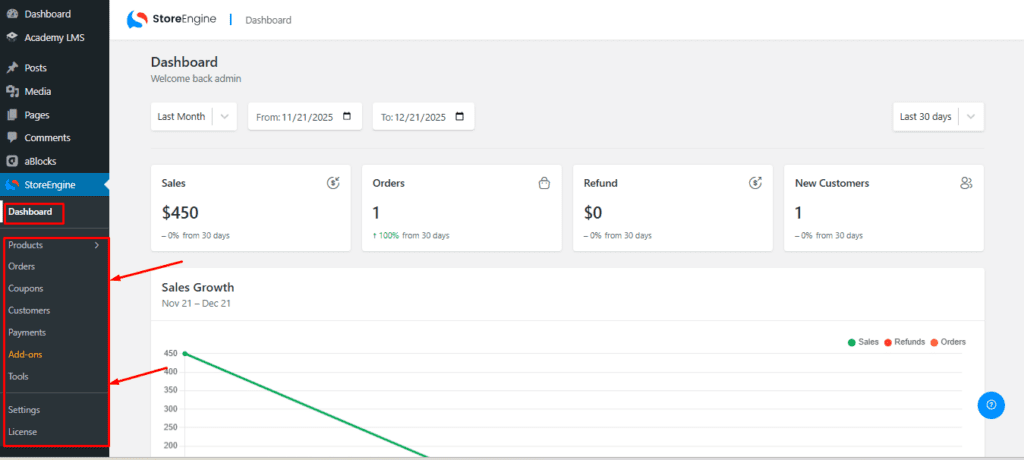
The navigation menu is located on the left or top side of the dashboard. It provides quick access to all major store management features.

Key sections include:
- Dashboard – View store performance and recent activity at a glance
- Products – Add, edit, and manage all your products
- Orders – Track and manage all customer orders
- Coupons – Create and manage discount coupons
- Customers – View and manage all customers
- Payments – View and manage payment history and transactions
Status Widgets
The dashboard homepage includes multiple status cards (widgets) that provide a quick overview of your store’s performance.
Common widgets include:
- Total Sales
- Total Orders
- New Customers
- Total Products
- Total Refunds
- Top-Selling Products
- Sales Growth
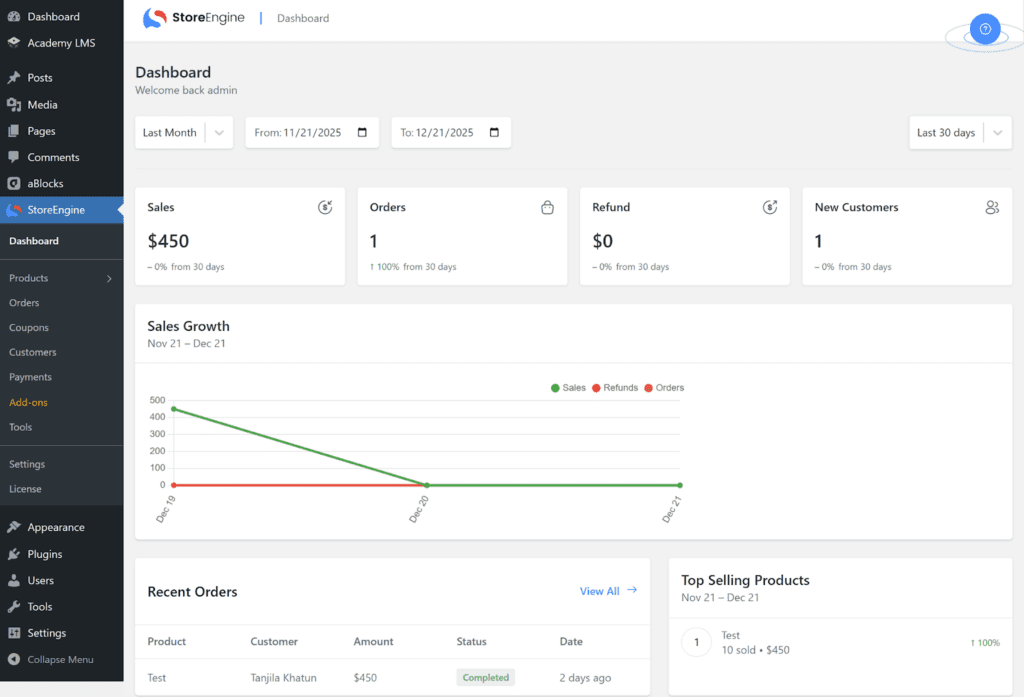
These widgets help you understand your store’s current performance at a glance.
Product Section
In the Product section, you can efficiently manage all aspects of your store’s products:
- View Products: Browse the complete list of all products in your store.
- Change Status: Update the status of any product (e.g., active or inactive).
- Edit Products: Modify product details, pricing, stock, and other attributes.
- Delete Products: Remove products that are no longer needed.
- View Details: Access detailed information for any product, including pricing, stock, and additional attributes.
This section serves as a centralized hub to monitor, manage, and maintain your entire product catalog.

Viewing Orders
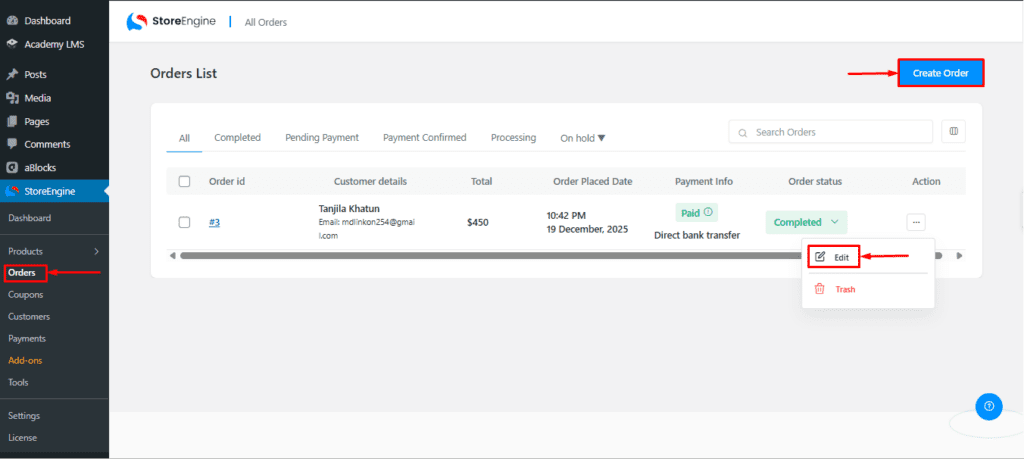
To view and manage orders:
- Open the Orders section
- View all orders along with their current status
- Click on any order to see detailed information
Managing Customers
To manage customers:
- Go to Customers from the navigation menu
- View the list of all registered customers
- Add new customers or edit existing customer details
- Update customer information and status as needed

Conclusion
The StoreEngine Dashboard gives you full control over your online store. With its clean interface and powerful features, you can efficiently manage daily operations, track performance, and grow your business with confidence.