










Smart selling starts with smart suggestions.
With StoreEngine’s built-in Upsell and Cross-Sell capabilities, you can effortlessly boost your average order value by showcasing relevant products at just the right moments—on the product detail page and the cart page.
Whether you’re promoting premium alternatives or helpful add-ons, this feature helps you turn single-product shoppers into multi-item buyers—without needing any third-party app or plugin.
Getting Started: How to Use StoreEngine Upsell & Cross-Sell
To start using the Upsell and Cross-Sell features in StoreEngine, follow these quick steps:
Step 1: Create or Edit a Product
Begin by heading to your StoreEngine dashboard:
- Either create a new product
- Or open any existing product you’d like to optimize
Step 2: Locate the Linked Products Section
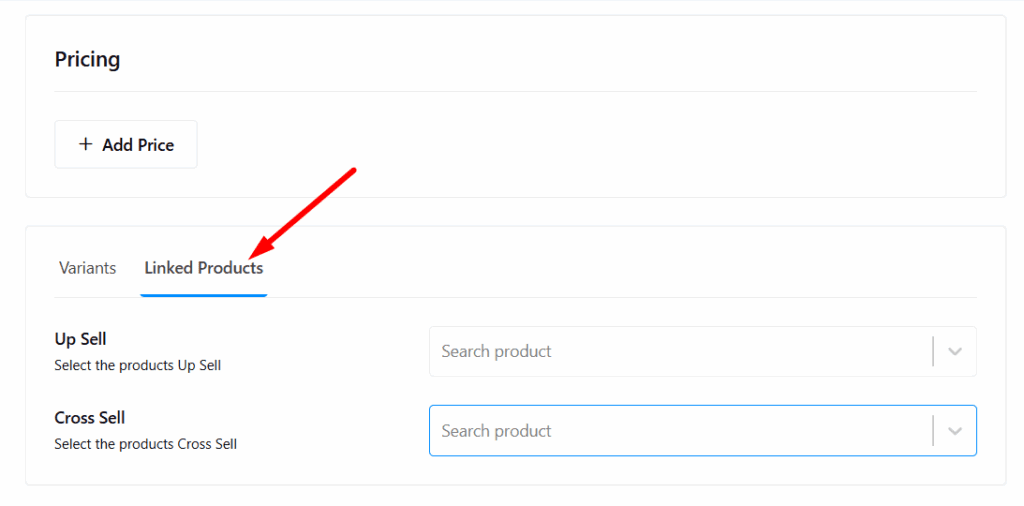
Inside the product editor:
- Scroll to the Pricing & Variants section
- Just below this, you’ll find the Linked Products tab
- Click on the Linked Products to manage Upsell and Cross-Sell items
Step 3: Add Upsell Products
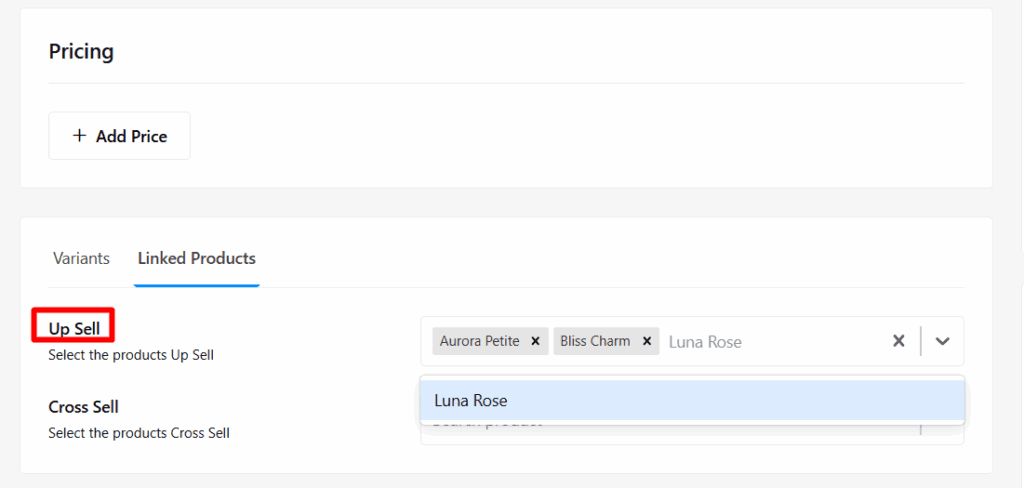
In the Upsell area:
- Use the search bar to find related or upgraded products
- Click to select one or more products you want shown as upsell suggestions on the product detail page
- Once selected, the items are instantly added to the upsell section
Tip: Think of upsells as premium alternatives or product bundles. These appear right on the product page—prime real estate for increasing value per order.
Step 4: Add Cross-Sell Products
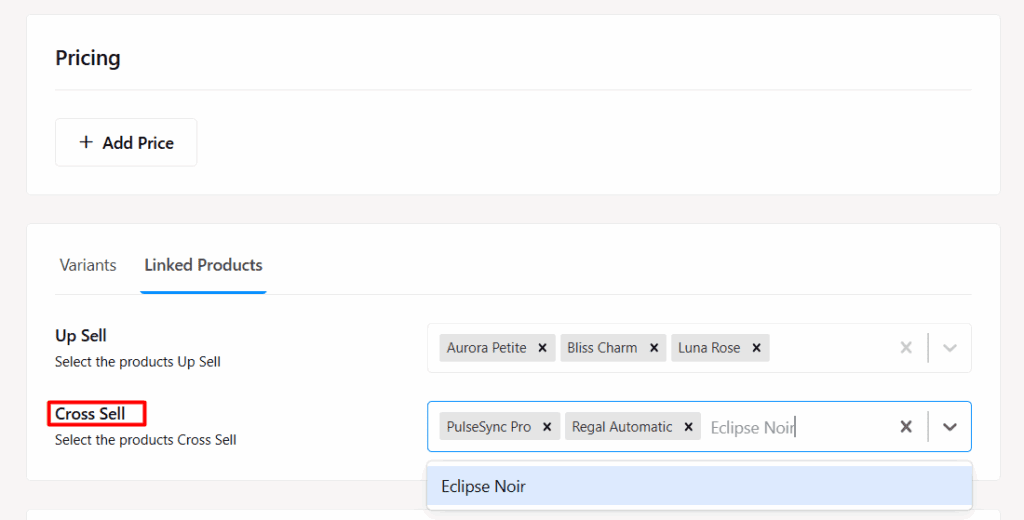
Now move to the Cross-Sell area:
- Just like before, search and select items you want shown on the cart page
- These are often accessories, complementary items, or small add-ons that increase cart value
Cross-sells appear when your customer is about to check out—perfect for last-minute impulse buys.
Step 5: Update the Product
After assigning both upsell and cross-sell products:
- Scroll up and click Update Product
- Your changes are saved, and the linked products will now appear in their designated areas on your store
You can repeat this process for any and all products in your store—giving you full control over your store’s product relationships.
The Upsell and Cross-Sell feature in StoreEngine isn’t just a tool—it’s a powerful growth strategy built into your product workflow. With just a few clicks, you’re giving your customers more value and giving your business more revenue—automatically.
So start linking products today, and turn every product page and cart into a high-converting opportunity.