


Tax rate packs are ready-made lists of rates for a region. Install one instead of typing each rate yourself.
How to Install a Tax Rate Pack in StoreEngine?
Step 1: Find the Tax Packs
To start, go to StoreEngine → Settings → Tax and find Install Tax Rates. Each card shows the region, how many rates it has and when it was last updated.
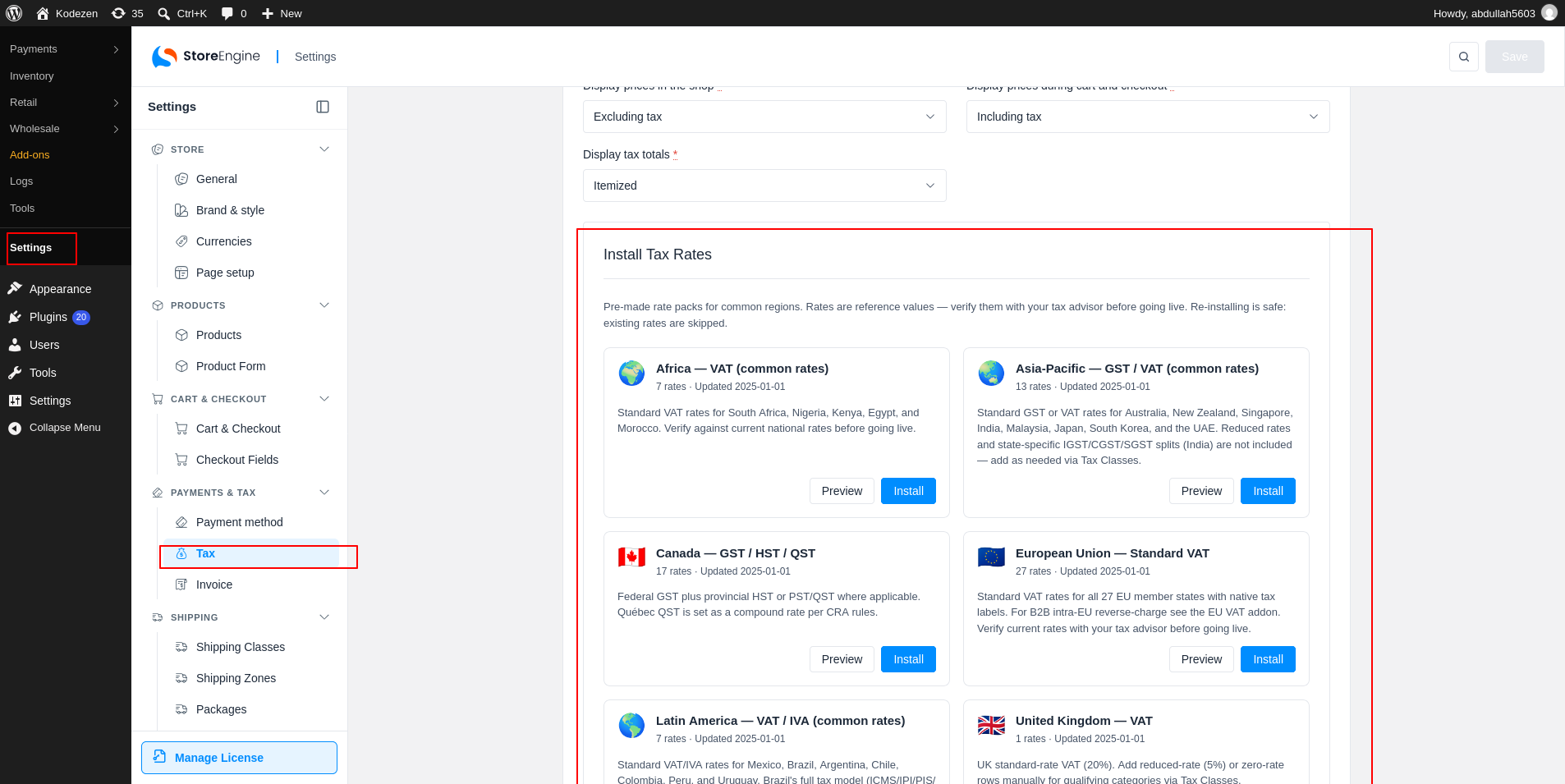
Available Packs
The packs are Africa, Asia-Pacific, Canada, European Union, Latin America, United Kingdom and United States.
Step 2: Preview a Pack
Click Preview on a card to see the rates inside. The list shows the Country, State, Rate, Name and Shipping of each rate.
Replace Existing Rates
If you already have some of these rates, leave Replace any matching rates I already have off. Duplicates are skipped, which is safer. Turn it on to replace matching rates with the pack’s values.
Step 3: Install a Pack
Click Install this pack (1). You can also click Install on the card to skip the preview. A message tells you how many rates were added, already present or replaced.
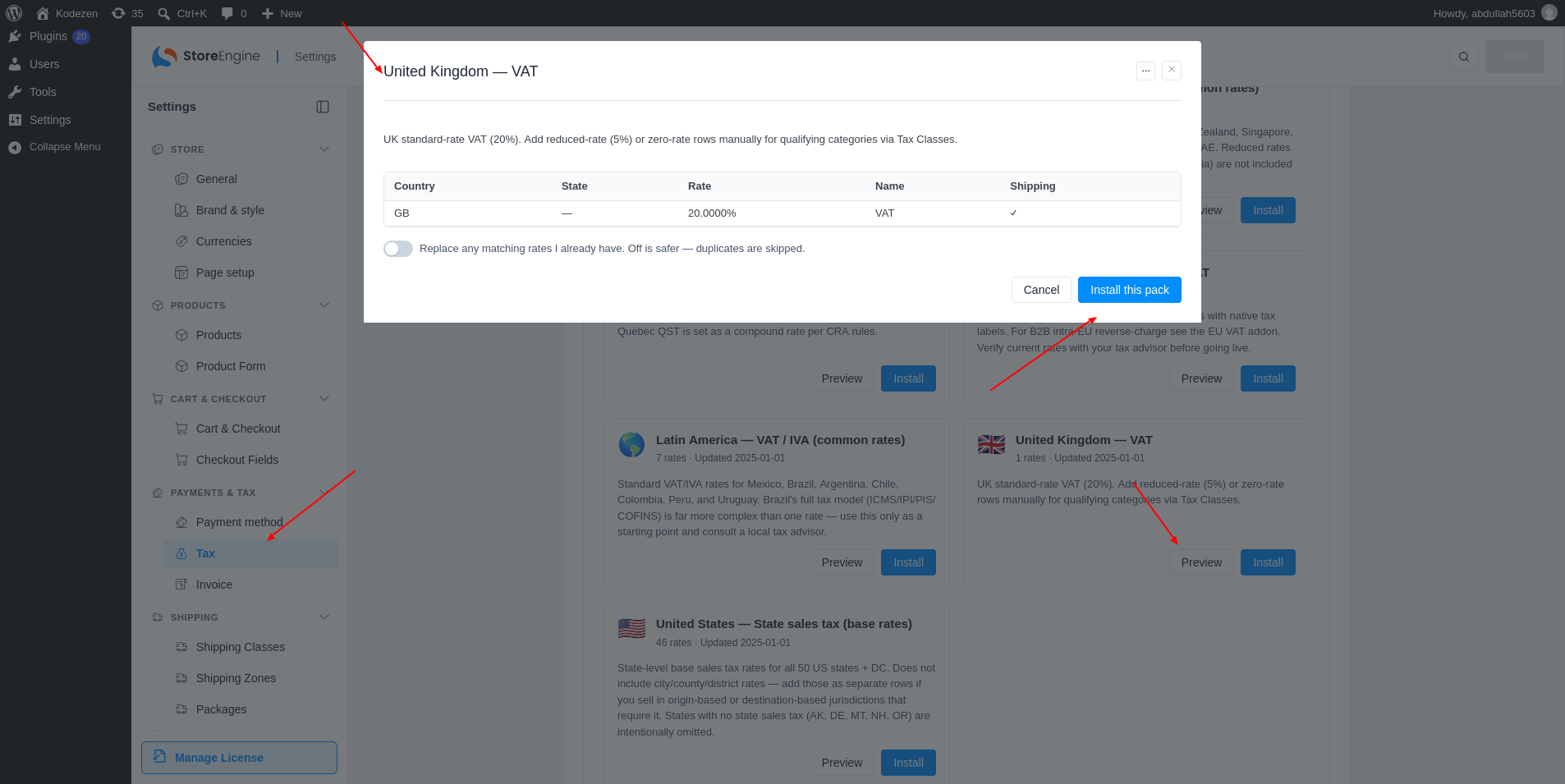
Check the Rates
The rates are reference values. Check them with your tax advisor before you go live.