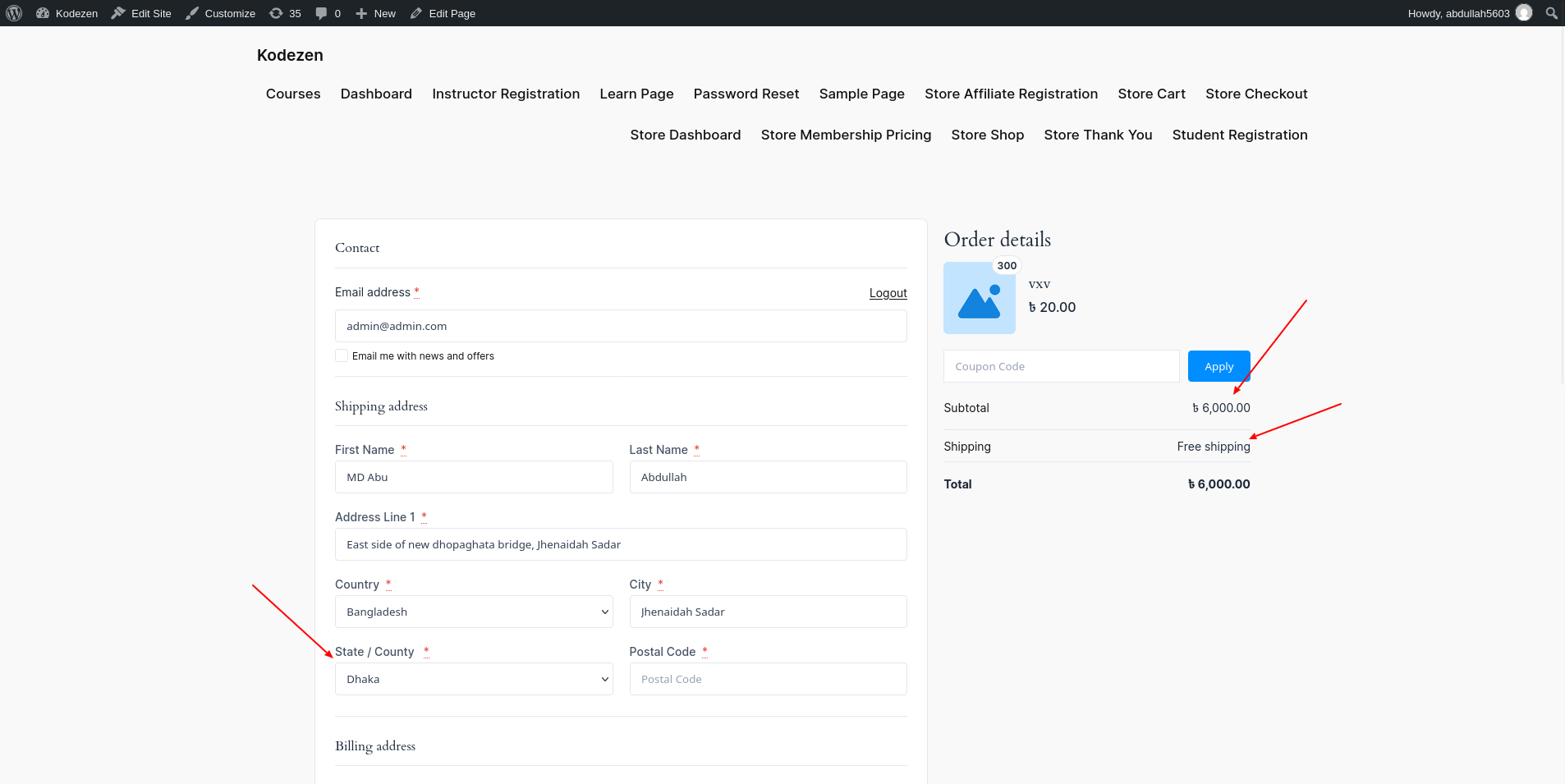
Free Shipping gives customers a shipping price of zero. You can offer it to everyone, or only when an order meets a condition.
How to Set Up Free Shipping in StoreEngine?
Step 1: Add the Free Shipping Method
To start, go to StoreEngine → Settings → Shipping Zones. Open a zone, click Add Another Method, and choose Free shipping.
Step 2: Choose When Shipping Is Free
Enter a Name. Then open Free shipping requires and pick a condition:
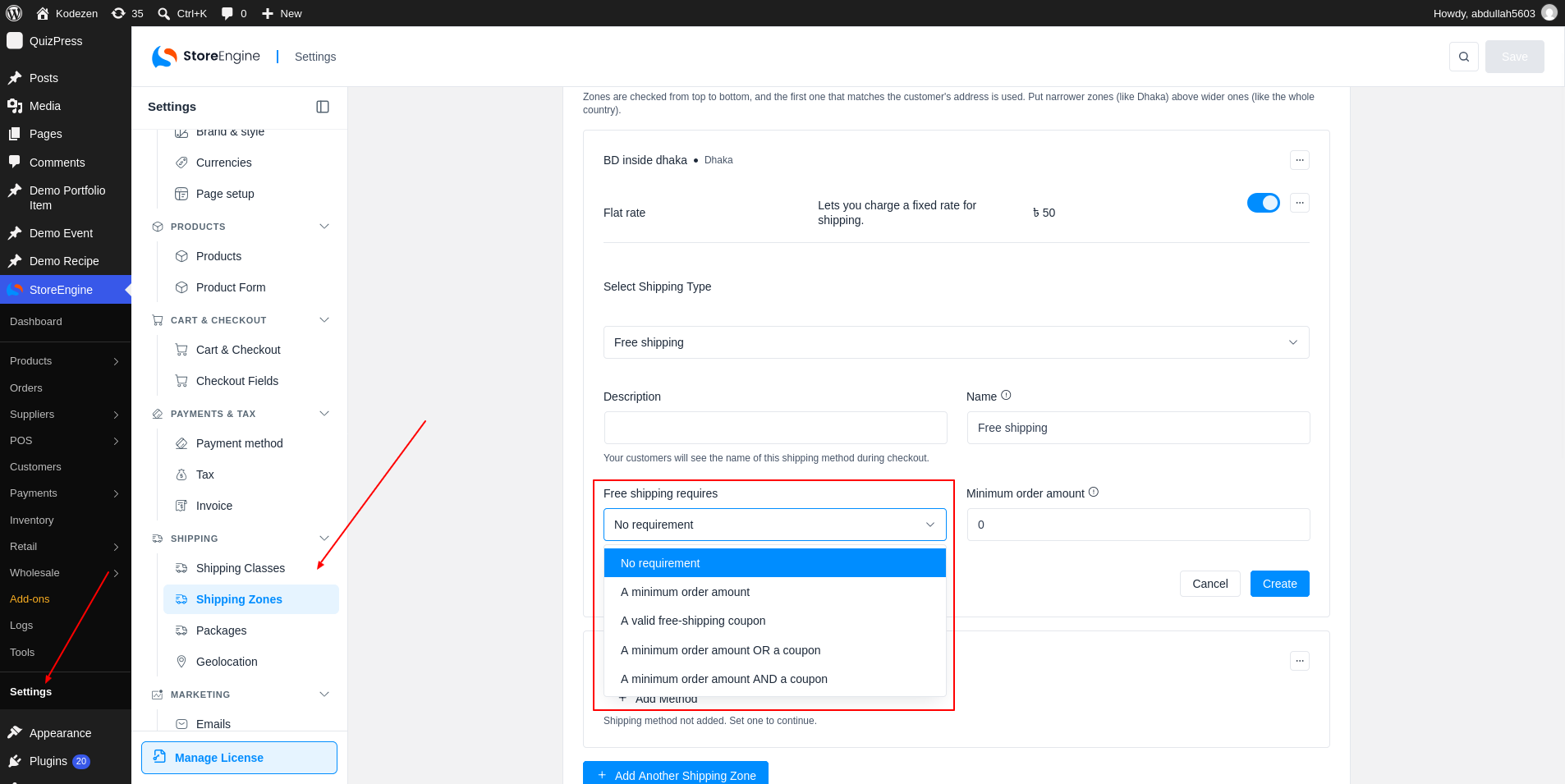
No requirement: free shipping for every order.
A minimum order amount: free when the subtotal reaches the amount you set.
A valid free-shipping coupon: free when the customer applies a coupon that gives free shipping.
A minimum order amount OR a coupon: free when either one is met.
A minimum order amount AND a coupon: free only when both are met.
Minimum Order Amount
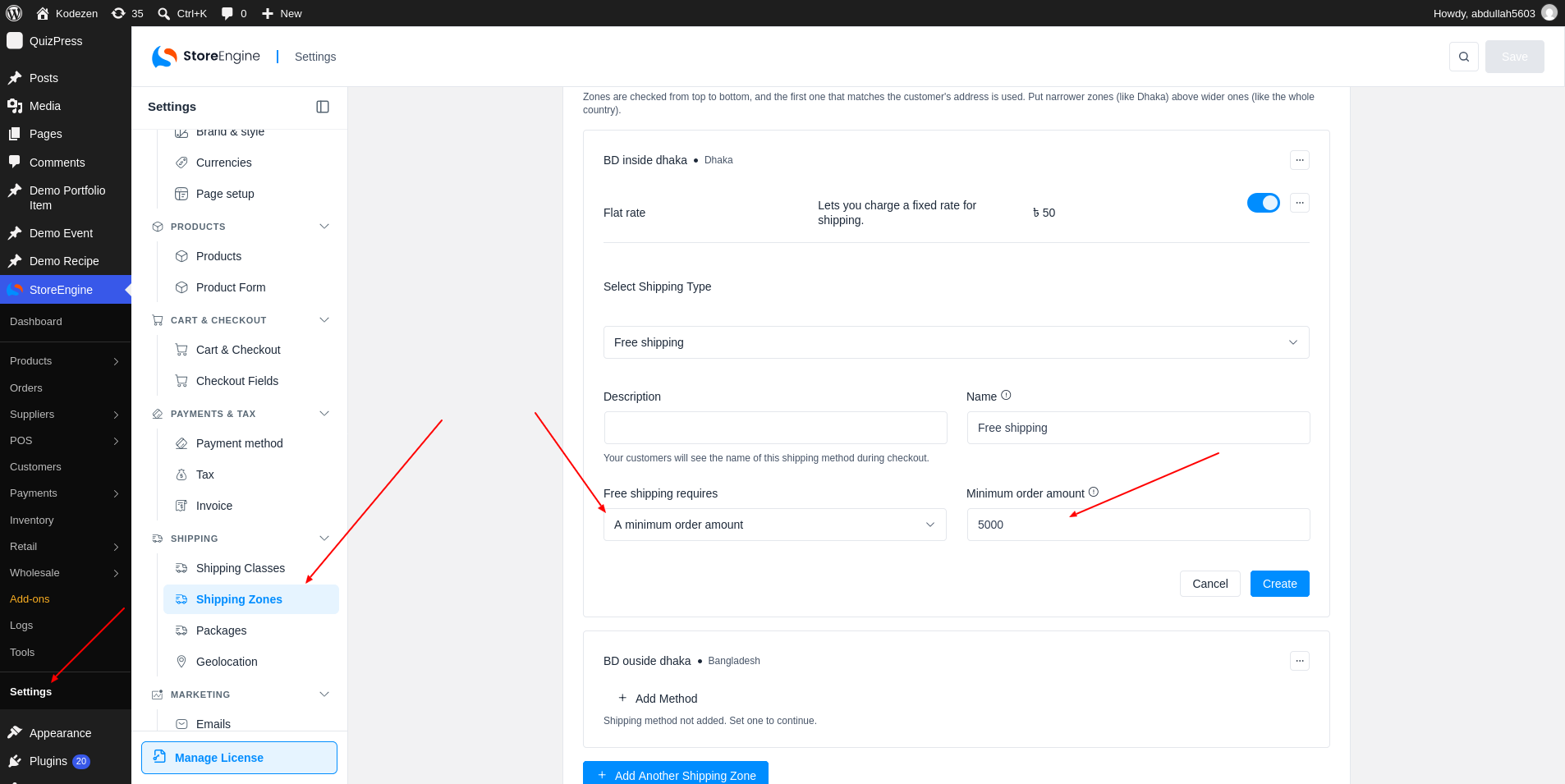
If you pick a condition with a minimum amount, enter it in Minimum order amount. The amount is the cart subtotal without tax.
Step 3: Save and Check at Checkout
Click Create. Customers see the method at checkout only when they meet the condition. Here, the order is 6,300, which is above 5,000, so Free Delivery shows.