


A packing slip tells your team what to put in the box. A delivery note goes with the parcel and the customer signs it. StoreEngine makes both from an order, next to the invoice.
Note: These documents come with the Invoice add-on. Turn it on under StoreEngine → Add-ons and download the font first. See the Invoice Addon guide.
How to Create a Packing Slip and Delivery Note in StoreEngine?
Step 1: Open the Documents From an Order
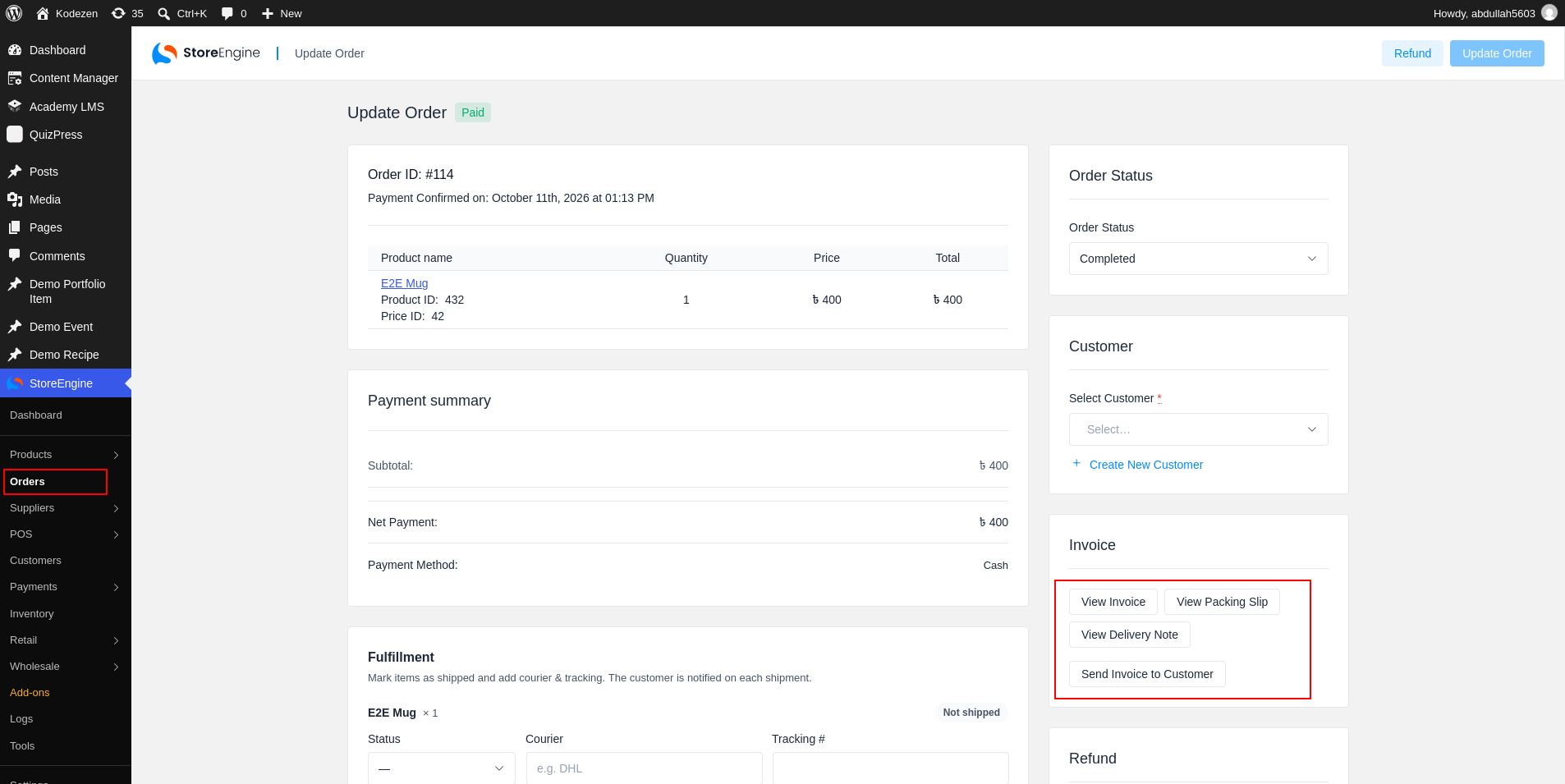
To start, open an order from StoreEngine → Orders. In the Invoice box, click View Packing Slip (2) or View Delivery Note (3). The document opens in a new tab as a PDF.
Step 2: View the Packing Slip
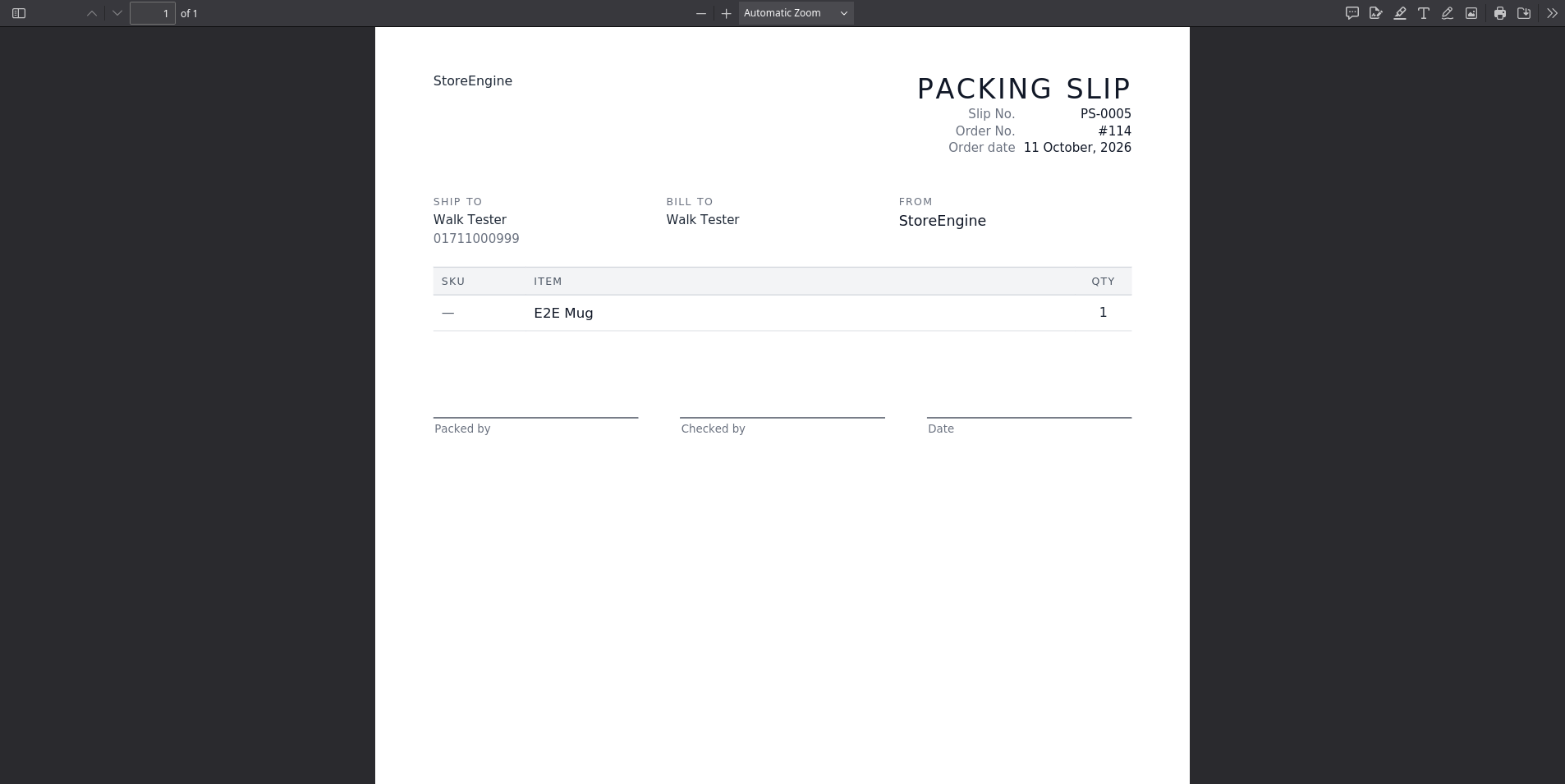
What the Packing Slip Shows
The packing slip has no prices, because it is for the warehouse. It shows:
Step 3: View the Delivery Note
The delivery note shows the note number (such as DN-0001), the address under Deliver to, and the items with Qty. When the order has a shipment, it also shows the Carrier and Tracking number. At the bottom, the customer can fill in Received by (name), Signature and Date.
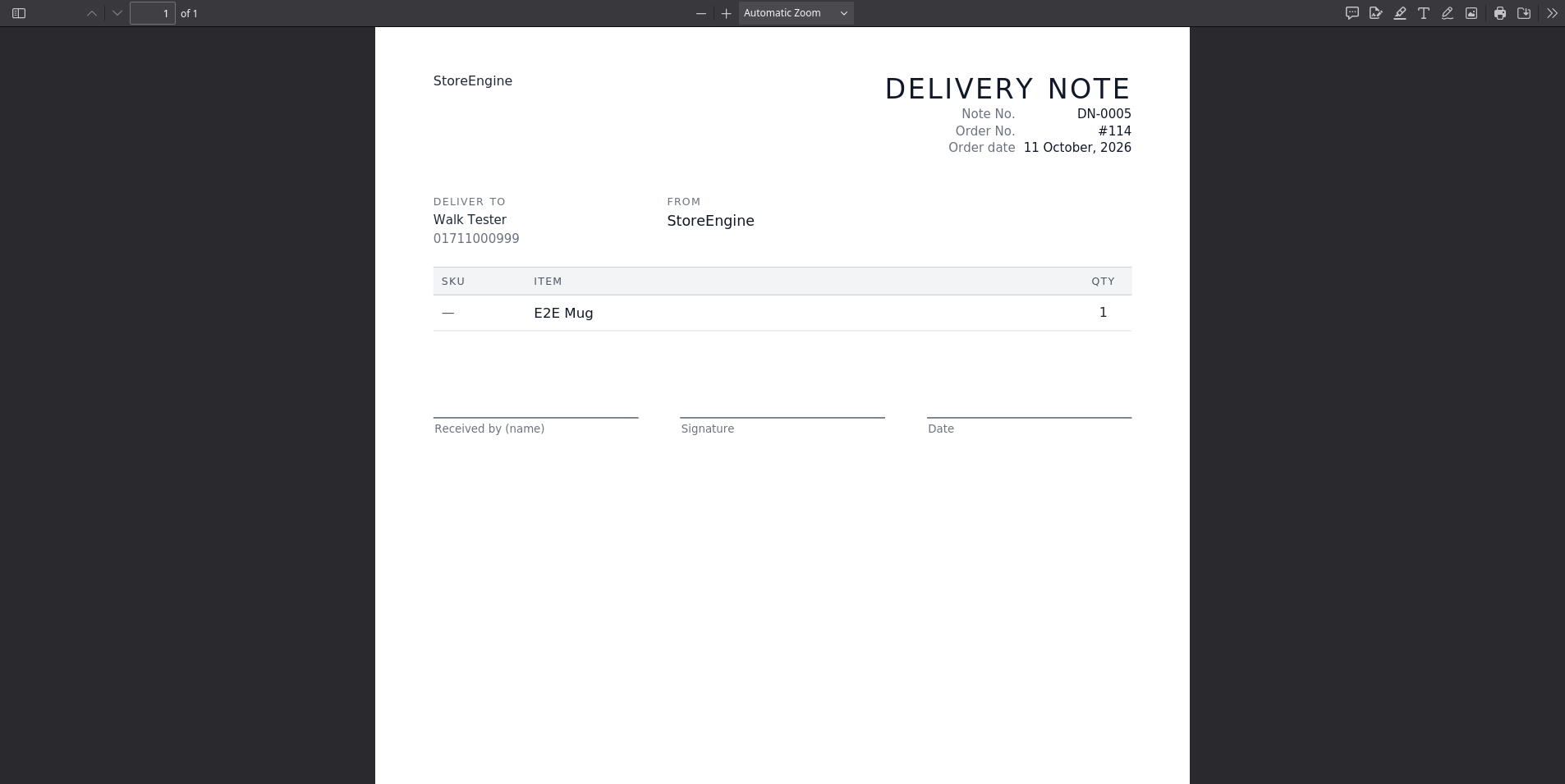
Each type has its own number series, and an order keeps the same number every time you open the document.
Change the Look of the Documents
Copy a template into your theme to change it. Put it in storeengine/invoice/packing-slip/template.php (or delivery-note) inside your theme folder. Add a style.css in the same folder to change the styles. A file in storeengine/invoice/base.css changes the shared look of every document.