









StoreEngine provides a powerful, professional, and user-friendly Customer Management Dashboard that allows you to manage all your store customers from one central location. This system is designed to simplify customer handling, keep data well-organized, and improve overall business efficiency.
With an intuitive interface, StoreEngine ensures that even non-technical users can easily manage customers, view purchase history, and track customer activity without any complexity.
Step 1: How to Manage Store Customers
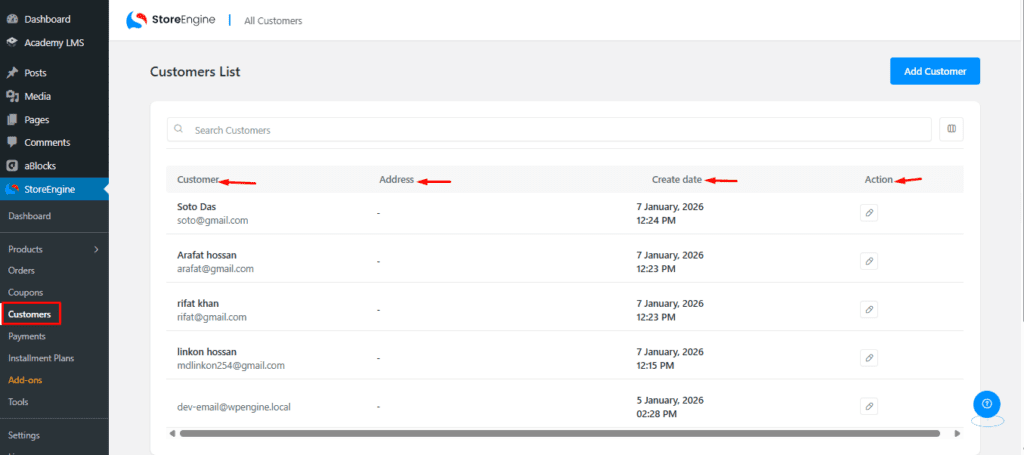
To manage your store customers, go to the Customer section under the StoreEngine Dashboard.
Here, you will see the following options:
- Customer: Displays the customer’s name and email address.
- Address: Shows the customer’s billing or shipping address.
- Created Date: Indicates when the customer account was created.
- Action: Allows you to view detailed information about each customer.
This section helps you easily track and manage all your store customers from one place.
Step 2: How to Access Any Customer’s Details
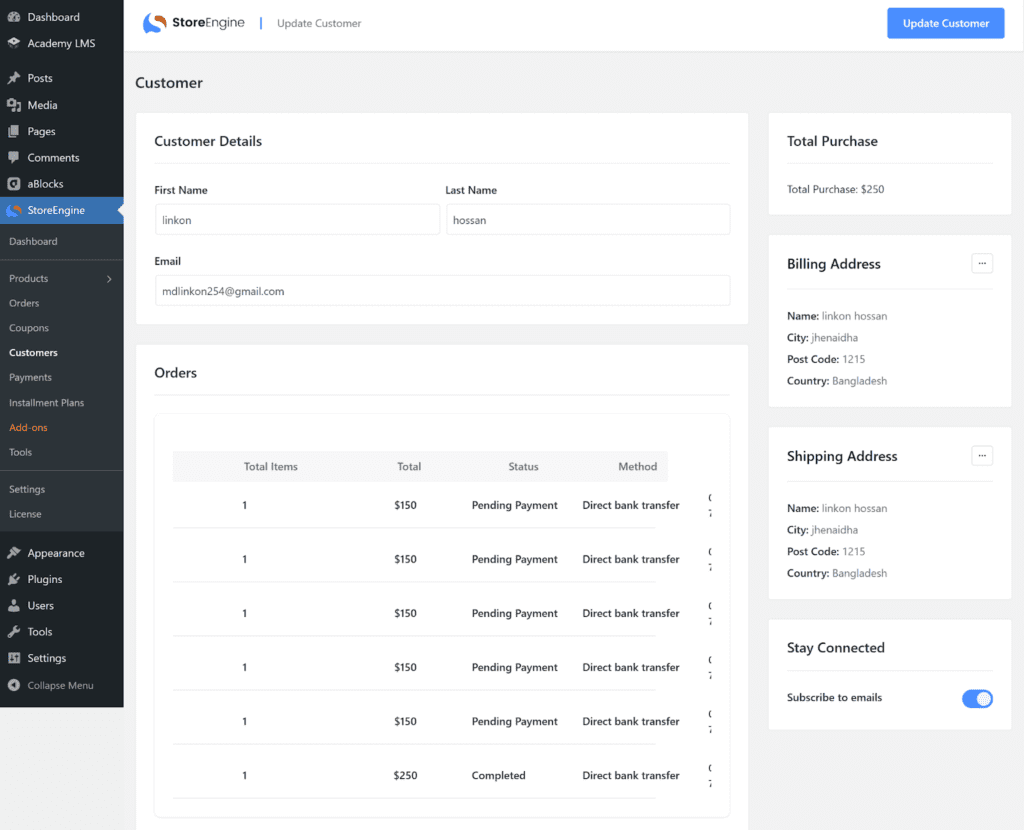
To view a customer’s details, click the Edit icon under the Action column in the customer list. You will be redirected to the customer details page.
On this page, you can find the following sections:
- Customer Details: View basic customer information.
- Orders: See all orders placed by the customer.
- Total Purchase: Check the total amount the customer has spent.
- Billing Address: View the customer’s billing address.
- Shipping Address: View the customer’s shipping address.
- Stay Connected: Manage and track customer communication and activity.
This layout helps you quickly understand and manage each customer’s complete profile.
How to Create a New Customer
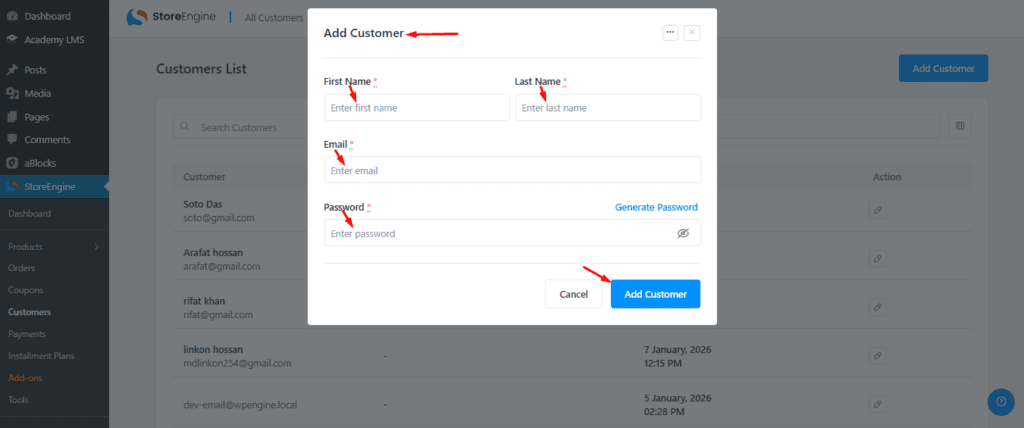
To create a new customer, go to the Customer List page and click on the Add New Customer button located at the top-right corner.
A pop-up window will appear where you need to enter all the required customer details. After filling in the information, click the Add Customer button at the bottom-left of the pop-up. The new customer will then be added successfully to your customer list.
StoreEngine makes customer management simple and efficient with its well-structured and user-friendly dashboard. From viewing customer lists and accessing detailed profiles to creating new customers, every task can be handled smoothly from one central place.
By using these features, store owners can save time, reduce manual effort, and maintain better control over customer data. Overall, StoreEngine provides a reliable and professional solution for managing customers effectively and growing your online business with confidence.