









Organizing your products into categories is essential for a great user experience and better SEO. StoreEngine provides a seamless way to create, organize, and manage these categories directly from your dashboard.
Step 1: Creating Product Categories
There are two primary ways to add a new category to your store.
Method A: Via the Category Section
- Navigate to the StoreEngine > Product Categories section.
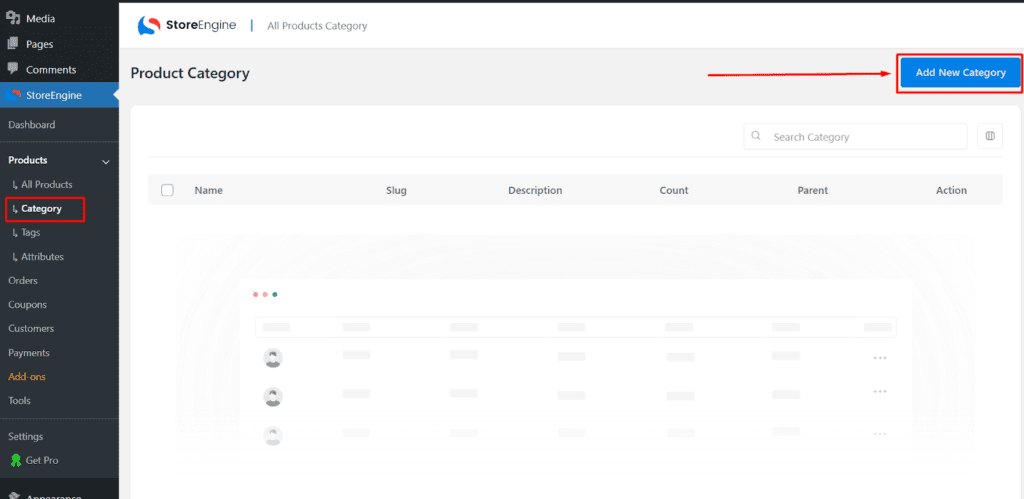
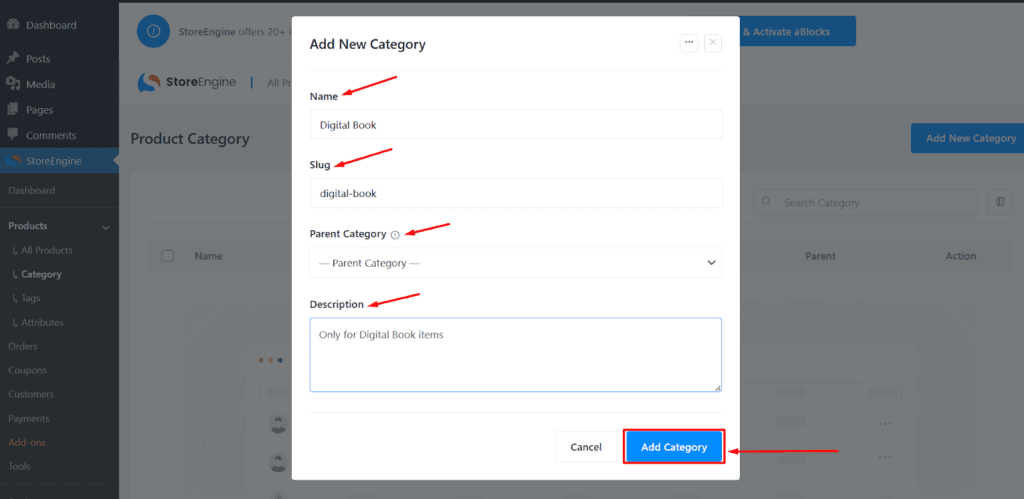
- Fill in the following details:
- Category Name: Enter the category name.
- Parent Category: If this is a subcategory, select its parent. Otherwise, leave it as “None.”
- Description: Provide a brief summary of what this category contains.
- Click the Add Category button to save.
Method B: While Creating a Product
If you are already in the middle of adding a new product and realize you need a new category:
- Go to the Product Organize section on the right side of the product editor.
- Click the + Add New Product Category link.
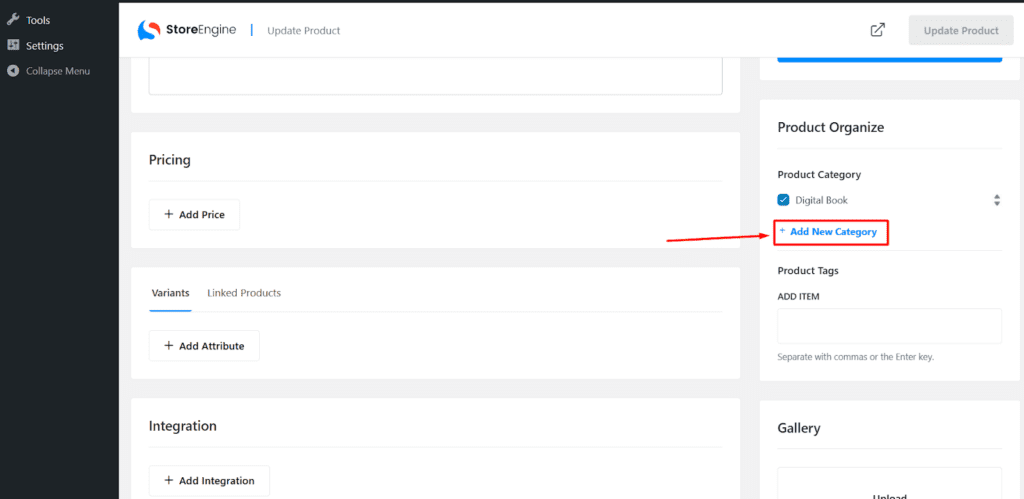
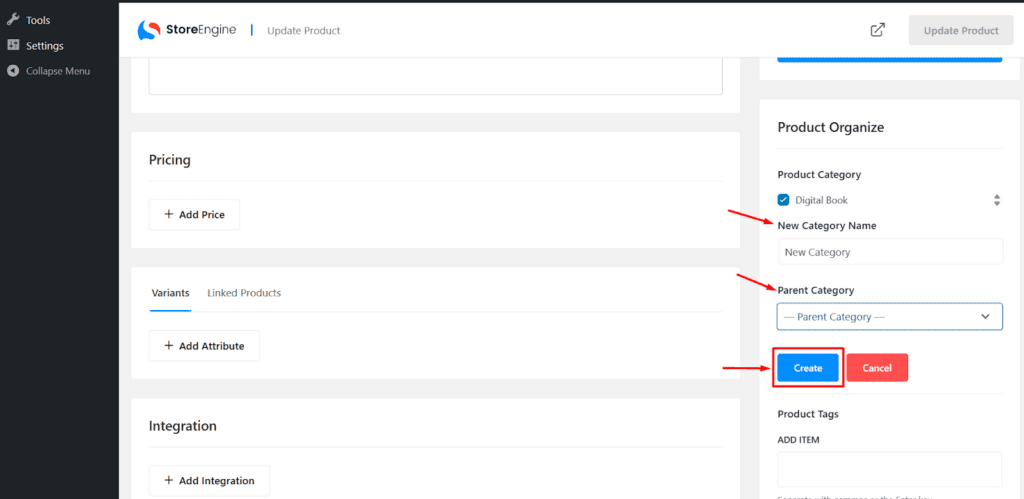
- Type the name and hit enter. The category is created and assigned to that product instantly.
Step 2: Managing Categories (Edit, View and Delete)
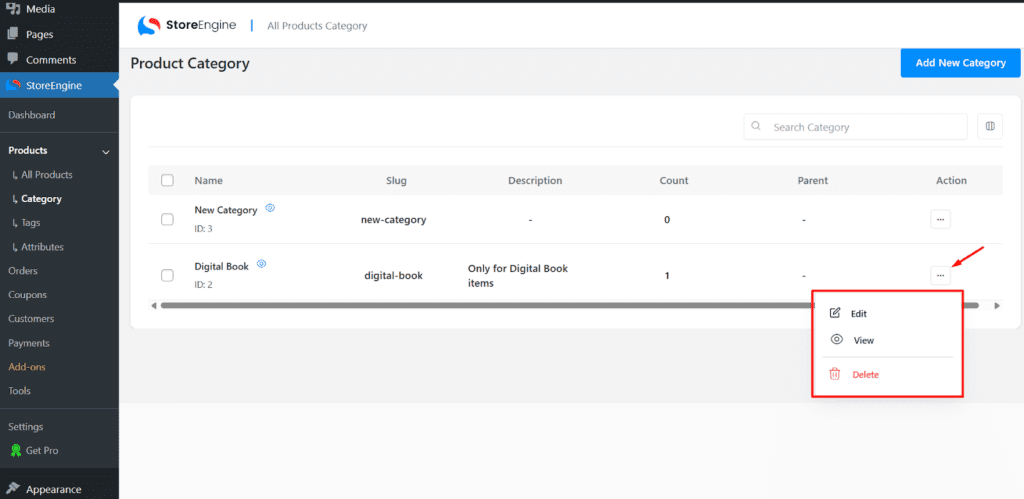
Once your categories are created, you can manage them using the Action Button found next to each entry in the category list.
- Edit: Update the name, slug, or description if your branding changes.
- View: Preview how the category page looks on your live storefront.
- Delete: Remove categories that are no longer needed.
Note: Deleting a category does not delete the products inside it; they will simply become “Uncategorized.”
Step 3: Tracking Inventory at a Glance
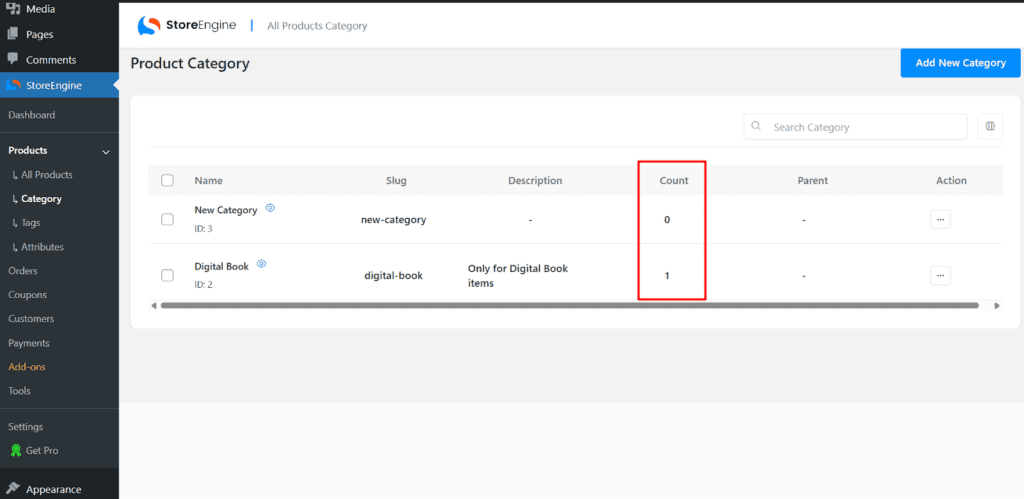
StoreEngine makes it easy to see how your inventory is distributed. In the main Category list, you will see a Count column.
- The number displayed here represents the total number of products currently assigned to that specific category.
- This helps you identify which categories are your largest and which might need more products.
Effective category management is the backbone of a successful online store. By using StoreEngine’s intuitive creation tools and management actions, you can ensure your customers find exactly what they are looking for with minimal effort.